If you have any questions, please feel free to contact us.| Email Us: info@dcheatpress.com


Views: 222 Author: Amanda Publish Time: 2026-01-15 Origin: Site


Content Menu
● What Is a Sublimation Photo Slate
● Why Photo Slates Are So Popular
● Essential Equipment and Materials
● Choosing the Right Heat Press for Slates
● Preparing Your Artwork for Photo Slates
>> Using Templates in Design Software
>> Recommended Image Quality and Adjustments
● Printing Settings for Sublimation Photo Slates
● Heat Press Setup: Time, Temperature, and Pressure
● Step-by-Step Production Workflow
● Pro-Level Tips to Avoid Common Defects
● Business Applications and Profit Strategies
● Maintaining and Caring for Photo Slates
● Take Action and Upgrade Your Photo Slate Production
● FAQs About Custom Photo Slates
>> 1. What type of printer do I need for photo slate sublimation
>> 2. Can I use any heat press for photo slates
>> 3. Why is my image dull after pressing the slate
>> 4. Do I need special templates for each slate size
>> 5. How long does it take to make one custom photo slate
Creating custom photo slates is a powerful way to turn ordinary images into premium, gift-ready decor using sublimation and a professional heat press machine. This enhanced guide walks through every step, adds expert optimization tips, and helps you achieve consistent, profitable results with a reliable production setup.

Sublimation photo slates are pieces of natural stone coated with a white matte sublimation surface, designed to permanently receive full-color prints under heat and pressure. The irregular, beveled edges create an organic gallery-style look that feels more premium than standard photo frames.
Key characteristics:
- Natural slate body with beveled, stone-textured edges.
- White sublimation coating for high-definition, full-color images.
- Often supplied with desktop stands or feet for easy display, depending on the provider.
These products are popular with:
- Professional photographers offering upsell packages and keepsakes.
- Personalization businesses focusing on gifts, memorials, and awards.
- Online sellers who want higher perceived value than paper prints or basic frames.
Photo slates combine durability with emotional impact, making them ideal for both personal and commercial use. Unlike paper prints, the sublimated image becomes part of the coating, offering long-lasting vibrant color and good resistance to fading indoors.
Main benefits:
- Premium perceived value that supports higher pricing per piece.
- Distinctive, earthy aesthetic compared with wood, glass, or acrylic frames.
- Suitable for weddings, anniversaries, graduations, memorials, corporate recognition, and home decor.
For print businesses, photo slates are a strong add-on to mugs, tiles, and metal panels, helping increase average order value with a similar production workflow.
A consistent setup is critical for professional custom photo slates. While different brands and models can be used, the workflow relies on stable temperature, controlled pressure, and compatible sublimation components.
Core equipment:
1- Heat press machine
- Swing-away presses are generally recommended for thick substrates like slates and tiles because they provide more even pressure.
- Clamshell presses can still work effectively if pressure is tested and adjusted carefully.
2- Sublimation printer with compatible sublimation inks.
3- Sublimation paper matched to your printer and ink profile.
4- Heat-resistant felt or Nomex pad to cushion the slate and improve pressure distribution.
5- Heat-resistant tape, parchment paper or protective sheets, and heat-resistant gloves for safety.
Consumables and tools:
- Blank sublimation photo slates in various shapes and sizes.
- Design software such as Adobe Illustrator or Photoshop to set up artwork and use templates.
The thickness and uneven surface of slate demand stable temperature, even pressure, and a robust build. Selecting the right heat press machine for photo slates has a direct impact on color vibrancy, edge clarity, and reject rates.
Key selection criteria:
1- Pressure adjustment precision
- Must reach medium to firm pressure with a thick substrate plus felt pad.
- Fine adjustment mechanisms or digital pressure indication are helpful in production environments.
2- Platen size and configuration
- A platen large enough for your biggest slate plus margin for parchment paper.
- Swing-away designs reduce the chance of shifting the slate when closing and can improve pressure uniformity.
3- Heat stability
- Reliable electronics and heating elements to maintain 400 °F for extended dwell times, typically around 480 seconds.
A high-quality press that can repeat these conditions day after day greatly improves consistency and simplifies staff training.
Proper artwork setup is essential for accurate alignment and clean edges on sublimation photo slates. Templates tailored to each slate size significantly simplify the layout process and reduce misprints.
Many suppliers offer size-specific templates that include bleed, imprint, and safety areas. These guides help keep critical content away from the irregular stone edge, which can chip or crop unpredictably.
Typical steps in Adobe Illustrator or similar software:
1. Open the slate template for your chosen size.
2. Import or place your image and position it beneath the Bleed layer.
3. Select both the Bleed shape and your image, then create a clipping mask.
4. Reduce opacity of the imprint and safety guides to around 50 percent to view the composition clearly.
5. Keep important faces, text, and logos inside the safety area, away from the rough stone border.
Before exporting, hide the imprint and safety layers so they do not print on the final transfer.
Image quality strongly influences the perceived value of a finished photo slate. Consistent preparation helps maintain sharpness and color accuracy across different orders.
Suggestions:
- Use high-resolution images, ideally 300 dpi at the final print size.
- Increase contrast and saturation slightly compared with on-screen edits to compensate for sublimation shifts.
- Use soft-proofing with your printer profile when possible to anticipate output behavior.
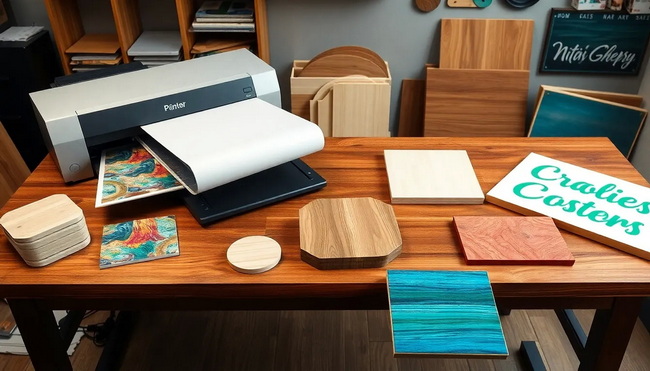
Correct printer settings are crucial for vivid, accurate color on photo slate sublimation projects. The workflow in the original reference uses Sawgrass printers with Sawgrass Print Manager, which simplifies substrate and color management.
Typical print settings:
- Substrate: set to Slate.
- Paper: select the profile matching your sublimation paper brand.
- Mirror: keep enabled so the design prints in reverse.
- Color mode:
Photographic for detailed, realistic images and subtle gradients.
Vivid for highly saturated graphics, bold designs, or illustrations.
After printing, allow the transfer to dry completely before pressing to reduce the risk of smudging or uneven transfer. Keeping a written or digital log of successful settings by slate size and printer model helps standardize production.
Slates require longer dwell times and careful pressure management compared with thin substrates like aluminum panels. Proper setup ensures the photo slate heat press process produces even, full-coverage transfers.
Baseline settings:
- Temperature: 400 °F (approximately 204 °C).
- Time: 480 seconds (8 minutes).
- Pressure: Medium, adjusted for slate thickness and the cushioning pad.
Pre-press procedure:
1. Place heat-resistant felt on the lower platen.
2. Position a blank slate on top and close the press without heat to test pressure.
3. Adjust the pressure knob until closure feels firm and even but not forced.
4. If the press has a removable silicone pad and it will not close, remove the pad to gain additional clearance.
Once correct pressure is found, remove the slate, then turn on the heat press and allow it to reach the target temperature.
The following workflow summarizes a complete how to make custom photo slates with a heat press procedure. This sequence is suitable for both beginners and experienced operators.
1. Prepare the press and pad
- Place heat-resistant felt on the lower platen and pre-heat if desired.
2. Protect the pad
- Cover the felt with a sheet of parchment paper to prevent transfer of ink or coating.
3. Position the printed transfer
- Lay the printed sublimation paper face-up on the parchment, sized correctly for your slate.
4. Align the slate
- Place the slate face-down with the white coated side toward the print.
5. Secure with heat tape
- Attach the slate to the transfer using strips of heat-resistant tape to prevent shifting.
6. Cover everything
- Add a second parchment sheet on top to protect the upper platen from sublimation ink.
7. Press
- Close the press and apply medium pressure at 400 °F for 480 seconds.
8. Cool and reveal
- Open the press carefully, allow the slate to cool briefly, then flip the stack so the paper is on top, and peel the transfer quickly from the center outward to reduce ghosting.
This process produces a fully sublimated custom photo slate with vivid color and strong bonding between the ink and the coated surface.
Even experienced decorators can encounter issues when working with thick, uneven substrates. Applying a few expert techniques reduces misprints, waste, and rework.
Frequent issues and solutions:
1- Uneven color or light spots
- Cause: Inconsistent pressure due to slate thickness or platen misalignment.
- Solution: Use a thicker felt pad, re-test pressure, or consider a swing-away press for more uniform contact.
2- Ghosting or shadow images
- Cause: Transfer paper movement during or after pressing.
- Solution: Use more heat tape where necessary and peel the paper in a swift, continuous motion after a brief cooling period.
3- Blurry edges or loss of detail
- Cause: Excessive pressing time or artwork placed too close to the irregular edge.
- Solution: Adjust pressing time slightly through test runs and keep key elements within the template safety line.
Consistent documentation of problems and corrections helps build repeatable best practices for your production team.
Custom photo slate printing is not only a creative project but also a viable revenue stream for print shops and personalization brands. When combined with a consistent workflow and high-quality equipment, it becomes a scalable product line.
High-value applications:
- Photography studios offering premium wall and tabletop display packages.
- Gift shops and online stores selling personalized celebration or memorial slates.
- Corporate recognition pieces with logos and event imagery.
Profit strategies:
- Offer bundles, such as sets of multiple slates in different sizes, to raise order value.
- Position slates as premium upgrades from standard prints or canvas products.
- Use fast, reliable production to attract repeat business orders and seasonal campaigns.
Well-defined processes and stable equipment help keep defect rates low while maintaining a professional finish your customers can trust.
Clear care guidance supports product longevity and reduces customer complaints. Even though sublimated slates are durable, they still benefit from gentle handling.
Care recommendations:
- Clean with a soft, slightly damp cloth and mild, non-abrasive cleaner only.
- Avoid long-term exposure to direct sunlight to limit color fading.
- Do not place slates in dishwashers, ovens, or microwaves.
- Protect from drops or hard impacts that might chip the stone edges.
Providing these instructions on product pages, inserts, or labels reinforces a professional and reliable brand image.
With the right combination of artwork preparation, printer settings, and heat press control, custom photo slates can become a reliable, high-margin product in your personalization lineup. Now is the ideal moment to refine your workflow, document your best-performing settings, and scale this product line with confidence and consistency.
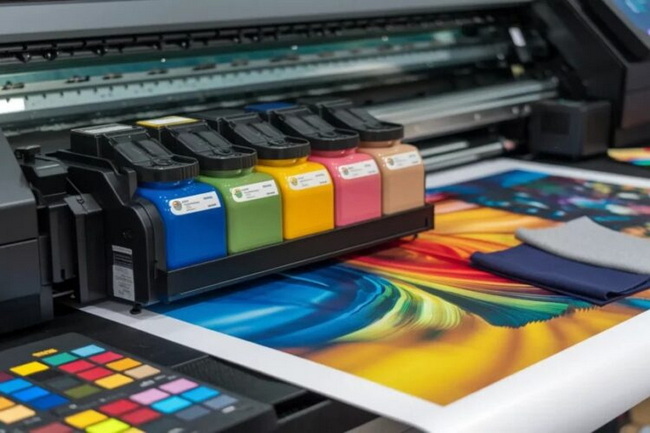
A dedicated sublimation printer with compatible sublimation inks is required, because standard inkjet or laser printers cannot produce permanent transfers on coated slates. This ensures proper bonding and long-term durability of the printed image.
Most flat heat presses can work if they reach 400 °F and maintain medium pressure on thicker substrates. Swing-away models are generally more forgiving for uneven surfaces, but well-adjusted clamshell units can also deliver strong results.
Dull color usually comes from incorrect printer profiles, insufficient time or temperature, or low pressure. Verifying parameters such as 400 °F, 480 seconds, and the correct slate substrate profile is an effective starting point for troubleshooting.
Templates are strongly recommended because they define bleed, imprint, and safety zones for each size. Using them helps keep important faces, text, and logos away from the irregular edges and reduces the risk of cropping or distortion.
Production time per slate is typically about 8 minutes of pressing, plus setup and cooling. Many workshops incorporate this timeline into existing sublimation workflows without creating major bottlenecks.


