If you have any questions, please feel free to contact us.| Email Us: info@dcheatpress.com


Views: 222 Author: Amanda Publish Time: 2026-01-15 Origin: Site


Content Menu
● What Is Siser EasyPSV Patterns
>> Key Features And Ideal Uses
● Tools, Materials And Workspace Preparation
>> Essential Tools And Materials
● Designing Your EasyPSV Pattern Decal
>> Creating The Design In Silhouette Studio
>> Pattern Friendly Design Tips
● Recommended Cut Settings For EasyPSV Patterns
>> Example Settings For Silhouette Cameo
>> Fine Tuning Cut Performance
● Step By Step Cutting Workflow
>> Loading And Cutting The Vinyl
● Weeding And Using EasyPSV Application Tape
>> Applying EasyPSV Application Tape
● Applying The Decal To Your Surface
>> Positioning And Applying The Design
>> Removing The Application Tape
● Layering EasyPSV Patterns For Advanced Designs
● Troubleshooting Common Issues
>> Typical Problems And Solutions
● Durability, Care And Long Term Performance
>> Outdoor And High Traffic Applications
● Practical Project Ideas For Crafters And Small Businesses
● Take The Next Step With Your Custom Vinyl Projects
>> 1. Do I Need To Mirror The Design When Cutting
>> 2. Can EasyPSV Patterns Be Used On Clothing
>> 3. What Can Cause Poor Adhesion Or Lifting
>> 4. Is Layering Patterned Vinyl Over Solid Vinyl Possible
>> 5. Is It Safe To Put Items With EasyPSV Patterns In The Dishwasher
Siser EasyPSV Patterns adhesive vinyl makes it easy to create bold, eye catching decals on notebooks, glass, metal, and other smooth surfaces while keeping the process beginner friendly and repeatable. With the right design approach, cut settings, and application technique, crafters and small businesses can produce professional, durable results consistently.
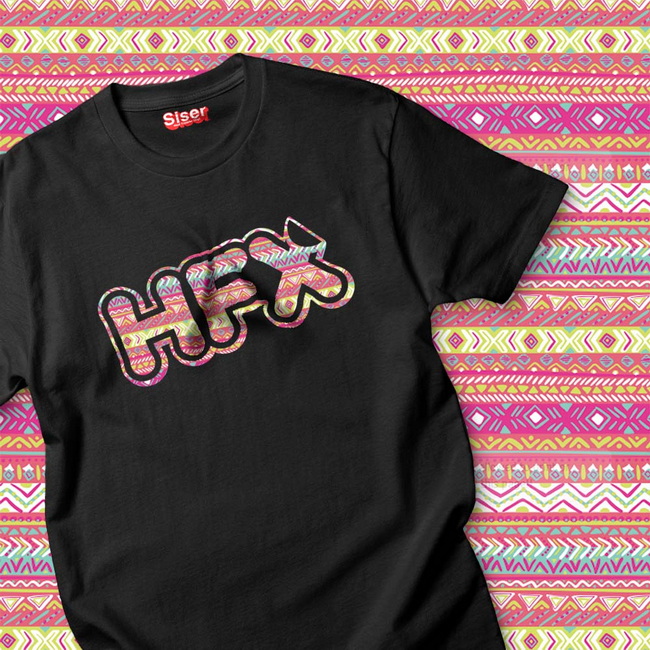
Siser EasyPSV Patterns is a patterned pressure sensitive adhesive vinyl created for decorating smooth, hard, non porous surfaces such as glass, finished wood, plastic, metal, and ceramics. These patterned sheets share many popular designs with the EasyPatterns HTV range, including styles like Buffalo Plaid and Mermaid Scales, making them ideal for coordinated product lines and themed projects.
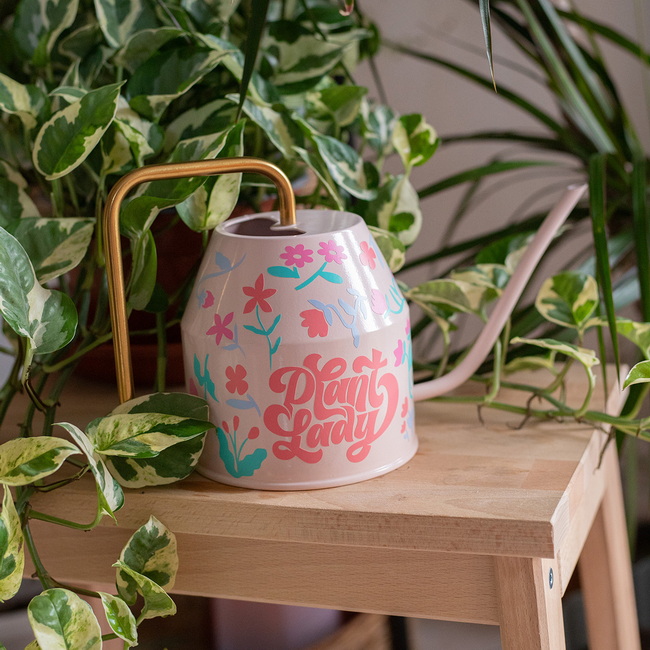
- Patterned surface that adds visual interest without requiring multiple layers or complex printing.
- Strong adhesive suitable for items like cars, storage cases, signage, notebooks, and windows.
- Compatible with common cutting machines and software used by hobbyists and small businesses.
Preparing the right tools and a clean workspace is essential for consistent, professional vinyl application. This reduces wasted material and minimizes problems like lifting edges or trapped dust.
- Siser EasyPSV Patterns adhesive vinyl sheets.
- Cutting machine such as a Silhouette Cameo or similar desktop cutter.
- Cutting software, for example Silhouette Studio.
- EasyPSV Application Tape with gridlines for easy alignment.
- Squeegee or scraper tool for firm pressure during transfer.
- Weeding tool or craft knife.
- Clean, smooth blank items such as notebooks, glassware, signs, or storage boxes.
- Lint free cloth and isopropyl alcohol for surface cleaning.
- Clean the target surface thoroughly with isopropyl alcohol and a lint free cloth to remove dust, oils, and residue.
- Allow the surface to dry completely before applying vinyl to ensure maximum adhesion.
- Avoid heavily textured, dirty, or silicone coated surfaces, as they reduce bond strength and can cause lifting.
A clear, well planned design makes application easier and showcases the pattern effectively. Clean shapes and readable text help the pattern remain visible rather than getting lost in tiny details.
1. Open Silhouette Studio on your computer.
2. Select the Text tool and type the desired word or phrase.
3. Adjust font, letter spacing, and size so the design fits comfortably on the chosen blank.
4. Draw a weed box around the design to limit the area you need to weed and to save time.
5. Confirm that all lines are set to cut, with no extra shapes or hidden elements in the workspace.
- Use bold fonts and slightly larger elements so the pattern remains visible inside each letter or shape.
- Avoid extremely thin strokes and very small text that may be difficult to weed cleanly.
- Consider stacked text or curved layouts to better fill the available space on your blank.
Correct cut settings help achieve smooth edges and easy weeding, especially with patterned vinyl where miscuts are more obvious. Siser publishes recommended settings for several popular machines as a starting point.
For Silhouette Cameo users, Siser suggests starting with the “Vinyl, Glossy” material preset in Silhouette Studio, along with the following values.
- Blade depth: 2.
- Force: 7.
- Speed: 8.
Always perform a test cut before cutting a full sheet to confirm that the blade cuts through the vinyl layer but leaves the backing intact. This small step prevents ruined designs and wasted patterned material.
- If the vinyl does not weed easily or pieces stay attached, slightly increase force or blade depth and test again.
- If the backing is deeply scored or cut through, reduce force or speed to protect the liner.
- Replace dull blades, which can tear vinyl or leave ragged edges instead of clean cuts.
Once the design and settings are ready, the cutting process is straightforward but benefits from a consistent routine. Careful loading and alignment help prevent skewed designs and wasted material.
1. Place the EasyPSV Patterns sheet on the cutting mat if your machine requires one, with the patterned side facing up.
2. Align the sheet along the guides on the cutter to keep it straight throughout the cut.
3. Load the mat or sheet according to your machine instructions.
4. Double check the selected material preset and blade, force, and speed settings.
5. Click Send in the software to start the cut once everything is confirmed.
- Unload the mat or sheet and check that the cut lines are visible but not deeply engraved into the backing.
- If the cut looks too shallow or too deep, adjust the settings and run another test before cutting a large design.
Weeding removes the excess vinyl around and inside the design, and proper use of application tape ensures the design transfers cleanly to the final surface. Taking time with this stage improves the final appearance significantly.
1. Trim the vinyl around the weed box to remove extra material and make handling easier.
2. Use a weeding tool to lift a corner of the excess vinyl, then slowly peel it away from the design.
3. Remove background material first, leaving the main letters or shapes on the carrier.
4. Weed small internal pieces from letters like A, O, R, and e carefully to avoid lifting the main strokes.
EasyPSV Application Tape is designed to work with this material and features gridlines that help with straight placement.
1. Cut a piece of application tape slightly larger than the weeded design.
2. Peel the tape away from its backing.
3. Align the tape using the gridlines, then lay it smoothly over the vinyl design.
4. Use a squeegee to apply firm, even pressure from the center outward to remove air bubbles and promote adhesion to the tape.
5. Lift one corner of the tape and peel back in a smooth motion; the design should come off the carrier sheet and stay attached to the tape.
Transferring the design from the application tape to the target surface is the final major step. Proper alignment and pressure are key to a professional finish.
1. Make sure the target surface is clean and completely dry.
2. Hold the application tape with the attached design over the surface and carefully position it in the desired location.
3. Lay one edge of the tape down first or start from the center, then gradually smooth the rest to avoid air bubbles.
4. Use a squeegee to press the entire design firmly, paying special attention to edges and corners.
1. Starting at a corner, peel the application tape back slowly at a low angle rather than pulling straight up.
2. If any part of the vinyl lifts with the tape, lay the tape back down and squeegee the area again.
3. Continue until the tape is fully removed and only the vinyl decal remains firmly attached to the surface.
Layering allows a mix of solid and patterned vinyl to create dimensional, multi color designs. This method is especially useful for logos, monograms, and decorative elements.
- Separate your artwork into distinct layers, such as a solid background shape and a patterned top layer.
- Cut each layer from the appropriate vinyl color or pattern.
- Apply the base layer first and press it firmly to the surface.
- Use the gridlines on the application tape or small registration marks to align the pattern layer accurately on top.
- Limit the total number of layers to avoid excessive thickness and potential edge lifting.
- Test the durability of layered designs on items that will be handled frequently or used outdoors.
- Allow the first layer to bond for a short time before adding additional layers to stabilize the base.
Even with good preparation, common problems can occur, especially for beginners or when switching materials or machines. A structured troubleshooting approach saves time and material.
Problem | Likely Cause | Solution |
Vinyl not lifting to tape | Insufficient pressure while burnishing | Squeegee more firmly; use fresh tape; check that vinyl is fully adhered |
Edges lifting after application | Dirty, oily, or textured surface | Clean thoroughly; ensure surface is dry; apply more pressure |
Tiny pieces lifting when weeding | Design too small or blade too dull | Increase design size; slow speed; replace blade |
Backing scored too deeply | Force or blade depth too high | Reduce force and depth; repeat test cut |
Proper care extends the life of decals, especially on frequently used items like drinkware or device covers. Small routine habits can significantly improve long term performance.
- Wipe decorated areas gently with a soft cloth and mild soap if needed.
- Avoid abrasive scrubbers and harsh chemical cleaners directly on the decal.
- Do not pick at edges, as repeated contact can eventually cause lifting.
- Allow decals to cure for at least 24 hours before heavy use or exposure to moisture.
- Be mindful of extreme temperature swings, which can shorten the lifespan of any adhesive vinyl.
- Inspect periodically and replace decals when they show significant wear to maintain a clean, professional appearance.
Patterned adhesive vinyl is an effective way to add visual impact to everyday items and to create small product lines or themed collections. It is especially attractive for personalization and custom gifts.
- Personalized notebooks and planners for students, offices, or corporate gifts.
- Patterned labels or decals for mugs, cups, and storage jars, with hand washing recommended for longer life.
- Themed event signage, table numbers, and labels for weddings, birthdays, and seasonal displays.
- Custom branding decals for packaging, envelopes, shipping boxes, and shop windows.
- Offer pattern options as a premium upgrade to differentiate your products and increase perceived value.
- Create display samples that show how patterns look on actual items rather than only in flat sheets.
- Batch similar designs for efficient cutting, weeding, and application, improving profitability.
If you want smoother production, more consistent results, and a better experience for your customers, now is the time to refine your adhesive vinyl workflow and upgrade your equipment. By combining reliable cutting settings, clean surface preparation, and proper application techniques, you can turn patterned adhesive vinyl into a scalable part of your product line. Start by preparing one or two new sample projects today, then evaluate which tools, presses, or accessories will help you expand into larger runs and more complex designs for your craft or customization business.
No, mirroring is not required. EasyPSV is an adhesive vinyl, not heat transfer vinyl, so it is cut and applied right side up exactly as the design appears on screen.
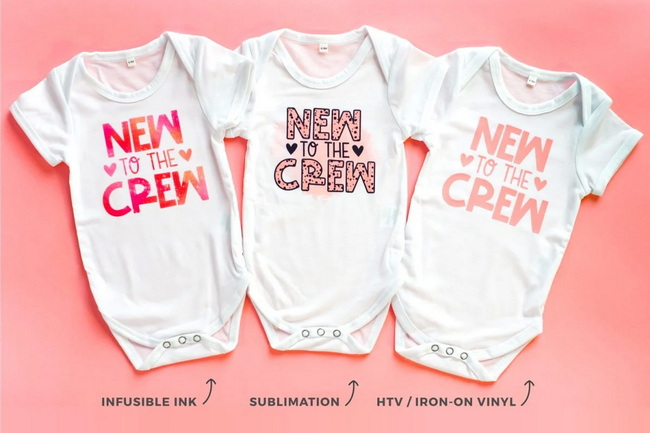
EasyPSV Patterns is designed for hard, smooth surfaces rather than flexible fabrics. For garments and other textiles, heat transfer vinyl is the more appropriate choice for durability and washability.
Poor adhesion usually comes from a dirty or oily surface, insufficient pressure during application, or applying to heavily textured or low energy materials. Cleaning thoroughly and applying firm squeegee pressure greatly improves bond strength.
Yes, layering is possible when done carefully. Apply the solid base layer first, ensure it is firmly adhered, then align and apply the patterned layer on top using registration marks or tape gridlines for accurate placement.
Hand washing is recommended for drinkware and food containers decorated with adhesive vinyl. Dishwashers can expose decals to high heat and strong detergents, which may shorten the lifespan of the design over time.


