If you have any questions, please feel free to contact us.| Email Us: info@dcheatpress.com


Views: 222 Author: Amanda Publish Time: 2025-12-24 Origin: Site


Content Menu
● Step 1: Digitize Your Hand-Drawn Artwork
● Step 2: Import and Trace Your Drawing in Silhouette Studio
● Step 3: Clean Up and Simplify the Vector
● Step 4: Choose the Right Transfer Method
>> Main Printing Options for Hand-Drawn Art
● Step 5: Prepare the Design for HTV Cutting
● Step 6: Cut, Weed, and Inspect the Vinyl
● Step 7: Press the Transfer with a Reliable Heat Press
● Advanced Tips: Preserving the Hand-Drawn Look
● Choosing the Best Method for Different Situations
● Common Tracing and Cutting Problems (and Fixes)
● Turning Art into a Repeatable Product Line
● Turn Your Drawings into Professional-Quality Shirts
● FAQ: Turning Drawings into T-Shirt Transfers
>> 1. Do I need a vinyl cutter to turn a drawing into a T-shirt transfer?
>> 2. What resolution should my scanned drawing be?
>> 3. Can I keep full color from my original drawing?
>> 4. How long do HTV transfers last in the wash?
>> 5. Which method is best for detailed kids' drawings?
Transforming a hand-drawn sketch into a professional T-shirt transfer is now simple, affordable, and beginner-friendly thanks to modern vinyl cutters, heat presses, and transfer technologies. This guide explains the entire workflow in clear, practical steps so beginners, parents, and small brands can confidently create long-lasting custom shirts from original artwork.[2][3][1]

This article focuses on how to turn a drawing into a T-shirt transfer using Silhouette Studio, heat transfer vinyl (HTV), and other popular print methods. The structure is optimized for readability and search performance, with clear headings, short paragraphs, and actionable tips at every stage of the process.[4][5][1][2]
Readers will learn:
- How to digitize drawings with a scanner or phone
- How to trace and clean the design in Silhouette Studio
- How to choose between HTV, transfer paper, sublimation, and DTF
- How to cut, weed, and press transfers with a reliable heat press
- How to avoid common mistakes and build repeatable products from artwork
To turn a drawing into a T-shirt transfer, start by creating a clean digital version of your artwork. High-quality digitization makes tracing easier, reduces cleanup work, and improves final print clarity.[6][2][4]
Recommended digitization methods:
- Flatbed scanner: Best for sharp, high-resolution scans of paper drawings.[4]
- Smartphone scanning app: Quick and effective if you control lighting and framing.[2]
- Camera photo: Acceptable if you avoid glare, distortion, and heavy shadows.[1]
For easier tracing in software, use dark, high-contrast outlines created with pens or markers, and minimize shading or complex textures that might confuse tracing tools.[6][4]
Silhouette Studio is a widely used design program for creating and editing vector graphics that can be cut on vinyl cutters. It includes a tracing feature that converts scanned drawings into cuttable outlines without requiring advanced graphic design skills.[4][6]
Basic tracing workflow in Silhouette Studio:
1. Open the program and import your scanned image (PNG or JPG).[4]
2. Open the Trace panel and click Select Trace Area.[6]
3. Drag a box around the drawing you want to trace.[4]
4. Adjust Threshold until the important lines appear solid and complete.[6]
5. Use Trace for full detail or Trace Outer Edge for a simpler silhouette.[4]
After tracing, the software generates vector outlines that can be filled with color to visually check accuracy against the original image. This preview helps determine whether additional tweaks are needed before moving on to cleanup.[7][6][4]
Even with a good trace, vector outlines often include unnecessary points or small shapes that complicate cutting and weeding. Cleaning up the vector ensures smoother cuts, better weeding, and more durable finished transfers.[7][6][4]
Key cleanup techniques:
- Release Compound Path to separate combined shapes, then delete small, unwanted pieces such as specks or background fragments.[4]
- Edit Points to smooth curves, reduce jagged edges, and remove excess nodes that can cause rough cuts.[7]
- Simplify design details, especially very thin lines or tiny shapes that are difficult to cut and weed from HTV.[5]
Once the artwork looks clean and practical for cutting, group the remaining shapes and create a weeding box around the entire design for easier handling during the weeding process.[8][7]
There are several ways to turn a drawing into a T-shirt transfer, and the best choice depends on fabric type, order quantity, color complexity, and durability needs. Understanding each method helps match technique to project goals and budget.[3][1]
Method | Best For | Fabric Type | Durability & Feel | Typical Use Case |
HTV (Heat Transfer Vinyl) | Bold shapes, 1–3 solid colors | Cotton, cotton blends, some polyester | Durable, slightly raised vinyl feel | Names, numbers, simple kids' drawings |
Inkjet/Laser Transfer Paper | Full color drawings with home printers | Light and dark cotton shirts | Good, may crack over time if low quality | DIY gifts, small short term projects |
Sublimation | Vivid full color designs, soft hand feel | Polyester or poly coated materials | Extremely durable, no noticeable ink feel | Sportswear, performance garments |
DTF Transfers | Highly detailed, multi color artwork | Most fabric types | Strong, flexible, long lasting prints | Small brands and complex illustrations |
Recent overviews of T-shirt printing methods highlight DTF and sublimation as strong choices for vibrant and durable full-color art, while HTV remains a popular option for simple designs and personalization. For many home crafters and beginners, HTV combined with a small cutter and heat press offers an accessible entry point.[11][3][5]
When using HTV, proper file preparation ensures accurate cuts and straightforward application on garments. This step also helps align the design with the intended shirt size and placement.[5][8][7]
HTV preparation checklist:
- Adjust the design size according to garment type, such as 8–10 inches wide for a typical adult front graphic.[1]
- Keep all grouped elements inside the cutter's workspace and cutting area.[7]
- Maintain a clear weeding box around the entire design for easier excess vinyl removal.[8]
- Choose HTV colors that complement the drawing and shirt color, such as dark vinyl on light garments.[5]
In the cut settings area, select a material preset that matches the chosen HTV, like a smooth heat transfer type, then fine-tune blade depth, speed, and force using a test cut before starting the full job.[5][7]
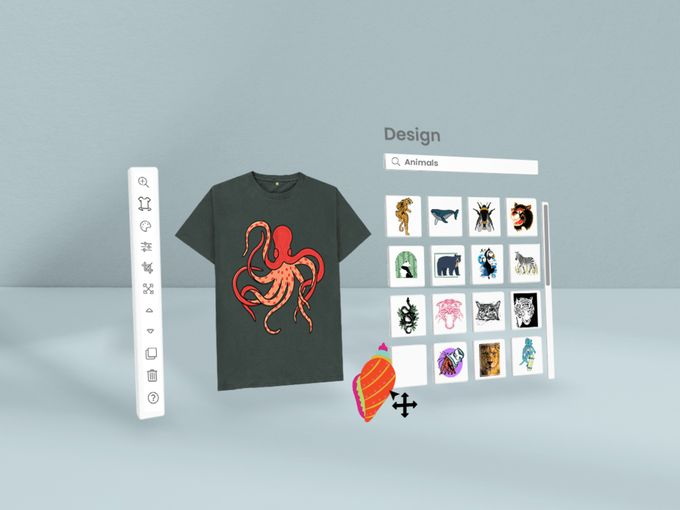
Once the file is prepared and settings are tested, the design can be cut from HTV and weeded to reveal the final transfer. Careful handling during this stage protects small details and improves the finished look.[8][5][7]
Typical cutting and weeding steps:
1. Place HTV shiny side down on the cutting mat so the carrier faces the mat.[5]
2. Load the mat into the cutter and send the mirrored design to cut.[7]
3. After cutting, unload the mat and trim around the weeding box.[8]
4. Weed away excess vinyl, leaving only the design on the clear carrier sheet.[5]
5. Inspect fine details and fix any lifted segments with a weeding hook or tweezers.[7]
High-quality HTV paired with appropriate cutting settings significantly reduces tearing and incomplete cuts, particularly in detailed areas.[5]
A consistent, well-calibrated heat press is essential for turning a cut design into a durable T-shirt transfer. Proper time, temperature, and pressure help ensure the vinyl or printed transfer bonds securely to the fabric.[9][3]
General pressing best practices:
- Pre-press garments briefly to remove moisture and flatten wrinkles.[9]
- Align the transfer using center marks, rulers, or alignment tools for precise placement.[9]
- Apply the manufacturer-recommended temperature, time, and pressure for the specific HTV or transfer paper.[9]
- Peel the carrier hot, warm, or cold according to the product instructions.[9]
Sublimation and DTF transfers require particular time and temperature ranges to activate inks and adhesives properly, so following product guidelines is critical for maximum durability. Using a stable heat press rather than an inconsistent home iron improves adhesion and wash resistance for almost all transfer types.[10][3][9]
Digitizing artwork can sometimes soften or alter the hand-made personality of the original drawing, but there are ways to keep that unique character in the shirt design.[2][1]
Useful techniques to preserve the hand-drawn feel:
- Maintain some natural line variation instead of fully smoothing every curve.[4]
- Use slightly thicker outlines that still reflect the original sketch style.[4]
- For color work, use print methods like transfer paper, sublimation, DTF, or DTG to keep marker strokes and shading rather than converting everything to solid shapes.[3][2]
Many artists digitize drawings, refine contrast and color lightly, then print via high-resolution methods to keep the original artistic texture visible on fabric.[1][2]
Different users and situations benefit from different approaches when turning a drawing into a T-shirt transfer. Matching the method to the scenario improves results, cost efficiency, and customer satisfaction.[3][1]
Practical recommendations:
- For home crafting or gifts, HTV plus a cutter and entry-level press works well for simple, limited runs and personalized designs.[5]
- For small brands and online shops, DTF or sublimation can deliver high-detail, full-color prints suitable for repeated orders.[3]
- For events or workshops, transfer paper allows fast production of multiple unique shirts using regular printers and a reliable press.[9]
Industry resources note that combining several methods in one studio—such as HTV for personalization and DTF or sublimation for complex art—offers flexibility and better alignment with different customer needs.[12][3]
Beginners often encounter similar issues when learning how to turn a drawing into a T-shirt transfer, especially in the tracing and cutting phases. Recognizing common problems in advance helps avoid wasted materials and frustration.[6][7][5]
Frequent issues and solutions:
- Missing fine lines in the trace: Increase threshold in tracing settings and darken original outlines with a thicker marker.[6][4]
- Jagged or noisy edges: Reduce points by simplifying curves and deleting unnecessary nodes in point editing mode.[7]
- Vinyl not fully cutting: Adjust blade depth, force, or passes and perform fresh test cuts before each new vinyl type.[5]
- Tiny pieces lifting while weeding: Simplify design details, slow the weeding process, and consider switching to higher-quality HTV for intricate designs.[5]
Community discussions emphasize the value of starting with simple shapes and gradually increasing complexity as familiarity with the cutter and materials grows.[13][5]
Once a single drawing has been successfully turned into a T-shirt transfer, the same workflow can be used to create a repeatable product line. This is especially valuable for artists and small businesses aiming to monetize original art.[12][2][1]
Helpful steps to productize designs:
- Save cleaned vector or high-resolution files in formats such as SVG, PNG, or PDF for consistent reprints.[2][4]
- Standardize sizes and placement templates for different garments, ensuring cohesive collections.[1]
- Track sales and feedback to identify which drawings and styles resonate most with customers.[12][1]
- Expand successful designs to hoodies, tote bags, hats, and other products using compatible transfer methods.[12][2]
Resources that cover building apparel lines emphasize consistent quality, dependable equipment, and clear branding as key factors for long-term success.[12][1]
If you are ready to transform hand-drawn art into durable, professional-quality T-shirt transfers, now is the moment to put this process into action by combining reliable design software, suitable transfer media, and a stable heat press setup. Start with one favorite drawing, follow the digitizing, tracing, cutting, and pressing steps described here, then scale your workflow into a complete product line so every sketch, doodle, or illustration can become a wearable design that customers and family members are proud to show off.[1][3][12][9]
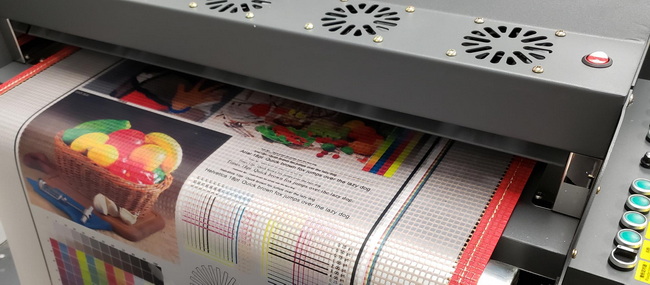
A vinyl cutter is not strictly required, because transfer paper and a regular printer can produce simple custom shirts, but a cutter offers more precise outlines, cleaner edges, and easier weeding for HTV and contour-cut transfers.[15][5]
A scan of at least 300 dpi is recommended, especially when you plan to enlarge the design or print via sublimation, DTF, or DTG, because higher resolution helps preserve detailed lines and textures.[2][1]
Full color can be preserved using methods such as high-quality transfer paper, sublimation on polyester garments, DTG printing, or DTF transfers, all of which can reproduce gradients and marker strokes better than single-color HTV.[10][3]
With correct pressing conditions, quality HTV, and proper care—such as washing garments inside-out, using mild detergents, and avoiding excessive dryer heat—HTV designs can remain vibrant and adhered through many wash cycles.[9][5]
For very detailed, colorful children's drawings, DTF or sublimation often provide better results, while HTV is ideal when the drawing is simplified into bold, easily weeded shapes.[16][3]
[1](https://imageweartshirts.com/blogs/blogs/t-shirt-design-for-artists-new-jersey)
[2](https://teemill.com/blog/how-to-get-designs-from-paper-to-t-shirt/)
[3](https://www.printful.com/blog/best-method-for-printing-t-shirts)
[4](https://www.silhouetteschoolblog.com/2017/10/turn-hand-drawn-designs-into-silhouette.html)
[5](https://expressionsvinyl.com/blog/cut-a-handdrawn-design/)
[6](https://www.blacksheep303.com/basic-image-tracing-silhouette-studio/)
[7](https://www.youtube.com/watch?v=5D94sK6IZaw)
[8](https://www.youtube.com/watch?v=p1gpfoS7dHw)
[9](https://www.heatpressnation.com/pages/transfer-instructions)
[10](https://www.youtube.com/watch?v=kKafY0rinig)
[11](https://www.reddit.com/r/crafts/comments/1j9x7wk/how_would_you_put_a_design_on_a_regular_tshirt/)
[12](https://madmonkeytransfers.com/blogs/news/how-custom-transfers-can-transform-your-t-shirts)
[13](https://www.facebook.com/groups/248564816074076/posts/966617907602093/)
[14](https://www.youtube.com/watch?v=lmNP79l6Hj0)
[15](https://www.reddit.com/r/crafts/comments/1ksfoqe/how_to_transfer_an_image_onto_a_tshirt/)
[16](https://www.facebook.com/groups/4513942185340216/posts/9257940134273707/)


