If you have any questions, please feel free to contact us.| Email Us: info@dcheatpress.com


Views: 222 Author: Amanda Publish Time: 2025-12-27 Origin: Site


Content Menu
● Why You Need These Proven Pressing Techniques
● Trick 1: Always Pre-Press Before Printing
● Trick 2: Use a Teflon Sheet for Extra Protection
● Trick 3: Add a Teflon Pillow for Raised Areas
● Trick 4: Adjust Pressure for Each Fabric Type
● Trick 5: Measure Temperature Accuracy
● Trick 6: Conduct Test Presses Before Large Orders
● Trick 7: Apply Multi-Step Pressing Techniques
● Trick 8: Maintain a Clean Workspace and Platen
● Trick 9: Follow Manufacturer Instructions Precisely
● Trick 10: Invest in Professional-Grade Equipment
● Bonus: Quick Reference Chart for Heat Press Settings
● How to Choose the Right T-Shirt Heat Press in 2025
● Common Heat Press Issues and Simple Fixes
● Improving Efficiency Through Data Tracking
● 7-Step Action Plan for Immediate Results
● Elevate Your Printing Workflow Now
● FAQs About T-Shirt Heat Press Machines
>> 1. What is the ideal temperature for t-shirt printing?
>> 2. Why do my t-shirt prints peel after washing?
>> 3. Do I always need to use a Teflon sheet?
>> 4. How long should I pre-press my garment?
>> 5. Is a 15″×15″ press sufficient for business use?
Mastering a t-shirt heat press machine separates amateur crafters from professional apparel producers. This article reveals the top 10 actionable techniques that ensure consistent, high-quality prints, while enhancing productivity and durability for every garment you press.
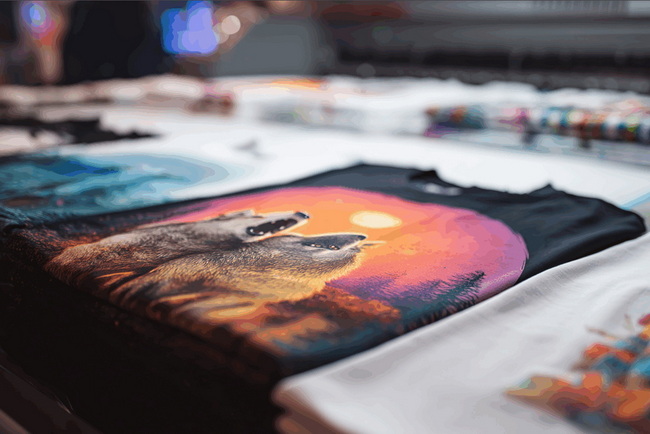
Whether you run a printing business or create custom apparel from home, applying the right heat press settings, tools, and quality controls can dramatically improve your results. The following sections outline easy-to-follow strategies to prevent peeling, fading, or cracking prints and to extend the lifespan of every t-shirt you make.
A quick pre-press is essential for removing wrinkles and moisture that interfere with proper adhesion. For best results:
1. Set the press to the recommended temperature for your transfer.
2. Pre-press the blank garment for 3-5 seconds under medium pressure.
3. Smooth out seams, collars, and folds for a flat, even surface.
Tip: A short pre-press ensures consistent results and prevents “cold spots” during pressing.
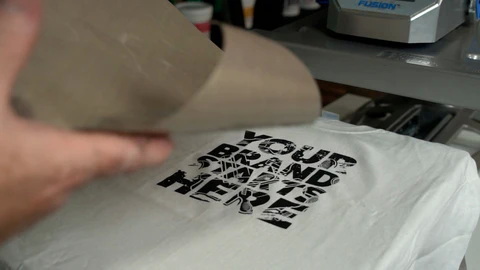
A Teflon sheet is one of the simplest yet most valuable accessories for your heat press. It prevents ink and adhesive from sticking to the platen, shields garments from scorching, and ensures even heat distribution. Always use a non-stick cover sheet for layered designs or when re-pressing finished graphics.
Thick seams, zippers, and buttons can cause uneven pressure. Place a Teflon pillow or foam pad under the print area to isolate pressure exactly where it's needed. This small adjustment keeps your designs crisp and well-adhered, especially on hoodies, jackets, and tote bags.
Correct pressure is just as important as temperature or time. Too much pressure flattens fibers and distorts prints; too little causes peeling. Test each fabric and transfer type using sample garments, and document settings for future reference.
Many heat presses display inaccurate platen temperatures. Use an infrared temperature gun to verify actual surface heat and detect cold corners. If you find discrepancies, allow more warm-up time or adjust your press's temperature calibration. Reliable heat is key to consistent results.
Before launching into a full production run, always do a test press to confirm optimal time, temperature, and pressure. Testing on spare garments saves material and ensures proper adhesion for your chosen transfer type. Keep a settings logbook so you can quickly reproduce high-quality prints.
For special finishes like glitter, foil, or puff vinyl, use a two-stage press process:
- First press at lower temperature and shorter time to tack or bond.
- Second press with adjusted pressure or temperature for the final cure.
This stepwise approach prevents bubbling or scorching delicate materials and yields professional results.
Dust, lint, and adhesive residue can damage prints. Regularly clean your press's platen with a soft cloth once cooled, inspect cover sheets, and replace damaged Teflon layers. A clean setup guarantees smoother heat transfer and avoids unwanted texture marks.
Every transfer type has specific requirements. Always follow official instructions for temperature, pressure, and peel time, especially when testing new materials. If you adjust one variable, document the result to keep a consistent, optimized process.
Superior results come from consistent performance. Investing in a high-quality t-shirt heat press machine provides even heat distribution, precise control, and long-term reliability. Choose presses with digital regulators, consistent pressure systems, and safe, ergonomic designs for heavy production.
Material Type | Temperature (°C) | Time (sec) | Pressure | Notes |
Standard PU Vinyl | 150-160 | 10-15 | Medium | Warm peel recommended. |
Flock HTV | 160-170 | 15-20 | Medium High | Firm pressure advised. |
Puff / 3D Vinyl | 150-160 | 8-12 | Medium | Avoid over pressing. |
Sublimation on Polyester | 190-200 | 45-60 | Medium | 100% polyester only. |
DTF Transfers | 150-165 | 12-20 | Medium High | Test film compatibility. |
Modern heat presses are smarter and more efficient than ever. When selecting your next press, consider:
- Platen size: 15″×15″ for most t-shirts, or larger for oversized prints.
- Press type: Swing-away designs give better pressure consistency; clamshells save space.
- Control system: Look for digital temperature and time presets with adjustable pressure.
- Safety and convenience: Automatic-open or slide-out platens reduce fatigue and enhance throughput.
Investing in a reliable press up front saves time and reduces waste later.
Even skilled users face challenges, but most problems have straightforward solutions:
- Peeling prints: Increase pressure or pre-press to remove moisture.
- Faded colors: Confirm accurate platen temperature using a heat gun.
- Shiny marks: Lower temperature, reduce press time, or add a Teflon sheet.
Keep notes of your settings to ensure future consistency.
Professional print shops track measurable performance indicators. Monitor your:
- Average press time per item.
- Number of defects per batch.
- Rework costs due to mispressing or incorrect settings.
Use this data to refine your workflow, schedule maintenance, and identify training needs.
1. Review and document your current pressing workflow.
2. Calibrate your heat press using a temperature gun.
3. Create a settings database for all materials.
4. Train staff on consistent pre-press and alignment methods.
5. Adopt multi-step pressing for speciality transfers.
6. Apply a quality check after every batch.
7. Revisit your maintenance schedule monthly.
Consistent improvement is key to scaling your apparel printing business efficiently.
Ready to produce professional-grade t-shirt prints with every press? Start by refining your setup—calibrate your machine, use protective accessories, and log every setting for repeatable success. For high-volume work, consider upgrading to a precision-engineered industrial-grade t-shirt heat press machine that ensures consistent pressure and temperature control across every project. Invest once, and your production quality, speed, and brand reputation will speak for themselves. Contact us to get more infroamtion!
There is no single “best” temperature—it depends on your transfer type. Most HTV products press at 150-165°C, while sublimation designs require about 190-200°C.
Peeling usually results from inadequate pressure or time, or skipping pre-pressing. Double-check heat distribution and ensure transfers are compatible with your fabric.
A Teflon sheet is recommended for multi-press operations or materials that might stick. For first presses on certain transfers, check manufacturer guidelines.
Pre-press the blank t-shirt at the pressing temperature for 3-5 seconds to release moisture and flatten seams before applying your transfer.
Yes. A 15″×15″ heat press is considered the standard for small to mid-sized businesses and handles most adult apparel efficiently.


