If you have any questions, please feel free to contact us.| Email Us: info@dcheatpress.com


Views: 222 Author: Amanda Publish Time: 2026-02-11 Origin: Site


Content Menu
● Why Texture Printing Matters for Modern Heat Press Businesses
● How Texture Printing Works (Core Principles)
● Transparent Ink: The Engine Behind Matte, Gloss, and Relief
>> Key uses of transparent ink
● Texture Printing vs Traditional Embossing and UV Coating
>> Surface enhancement methods overview
● Application Focus: Texture Printing for Business Cards
● Texture Libraries: Patterns, Braille, and Special Effects
● Step-by-Step: How to Add Texture Effects to Your Design
>> 2. Choose the right texture pattern
>> 3. Configure transparent ink and layers
● Advanced Texture Effects with Heat Press Equipment
● Common Mistakes to Avoid in Texture Printing
● Best Practices for Design and UX with Textured Prints
● Ideal Use Cases and Product Ideas
● Take Your Texture Printing to the Next Level
● Frequently Asked Questions (FAQ)
>> FAQ 1: What is the main difference between texture printing and Spot UV?
>> FAQ 2: Can I combine texture printing with embossing on the same design?
>> FAQ 3: Is texture printing suitable for all types of paper and cardstock?
>> FAQ 4: How many texture layers can I safely stack for a 3D effect?
>> FAQ 5: Can texture printing be used for Braille on packaging and signage?
Texture printing transforms flat graphics into premium, tactile designs that feel as impressive as they look, especially when combined with modern heat press equipment and transparent inks. This guide explains what texture printing is, how it works with transparent ink and heat, and how apparel decorators and print shops can apply it step by step to create high-value, differentiated products.
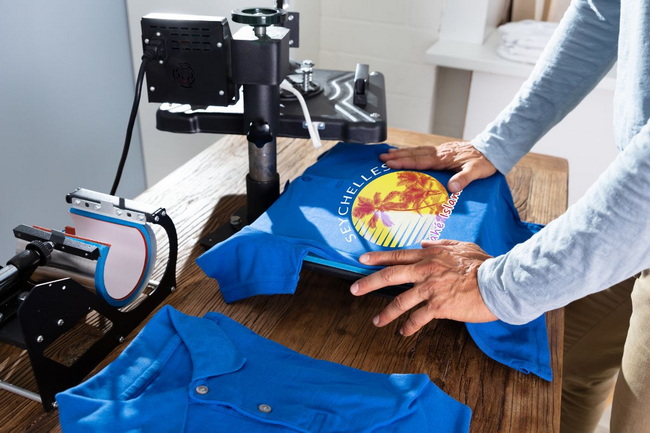
Texture printing is a print enhancement technique that adds raised, matte, or glossy surfaces to selected areas of a design, creating a 3D or embossed-style effect. Instead of remaining perfectly flat, parts of the ink layer stand out visually and physically, similar to embossing or specialty coatings used in premium packaging.
Texture printing can be achieved by:
- Transparent inks and varnishes applied in multiple layers.
- Heat-activated powders that swell or raise under controlled temperature and pressure.
- Dedicated texture libraries built into advanced printing and RIP software.
Texture printing has become a high-margin upgrade for both small custom shops and industrial production lines. By adding tactile finishes to otherwise standard prints, you can justify higher pricing and build a more premium brand perception.
Key business advantages include:
- Higher perceived value on business cards, apparel, labels, and packaging.
- Stronger differentiation against competitors who only offer flat prints.
- More durable and noticeable print areas on frequently handled items like cards or hang tags.
A simple example is a logo on a matte business card where only the brand mark is raised and glossy; this subtle contrast immediately feels more luxurious in the hand.
Texture printing relies on combining transparent ink, controlled layering, and heat to build up physical thickness and surface variation. The basic workflow is:
- Design preparation
Identify the elements that will receive texture, such as logos, headlines, icons, or patterns. Separate these into specific layers or spot “texture” channels in your design software so you can control them independently.
- Transparent ink application
Transparent ink is printed over the designated areas, either in a single thick pass or multiple stacked layers. LED lamps or curing systems partially or fully cure each layer, controlling gloss or matte appearance.
- Heat and pressure activation
When powders or special resins are used, a heat press or integrated fusing unit applies heat and pressure to activate them so they swell and form a raised effect. Time, temperature, and pressure are tuned according to substrate and chemistry to avoid over-flattening the texture.
- Final curing and finishing
The printed piece is fully cured so that the textured area becomes durable and scratch-resistant, ready for handling, cutting, or binding.
This process can mimic the feel of embossing without needing metal dies, making it much more flexible for short runs and customized jobs.
Transparent ink, also called clear ink or clear varnish, is at the heart of many texture printing systems. It can create multiple effects depending on how it is printed and cured.
- Matte finish: A soft, non-reflective surface that reduces glare and feels velvety.
- Glossy finish: A reflective, “wet look” surface that draws attention to key design elements.
- Relief or 3D texture: Multiple stacked layers or heat-activated formulas create a perceivable height difference.
Transparent ink performance is heavily influenced by curing parameters such as lamp intensity, curing time, and the total ink load. When configured correctly, you can precisely tune whether the final look is matte, semi-gloss, or high-gloss, and how strongly the texture stands out.
Texture printing often overlaps conceptually with embossing and UV coating, but each method has unique strengths. Understanding their differences helps you choose the most efficient and profitable technology for each project.
| Method | How it works | Typical use cases | Key advantages |
|---|---|---|---|
| Texture printing | Transparent ink layers and/or heat-activated powder build raised surfaces. | Business cards, labels, specialty apparel tags. | Digital, flexible, no metal dies needed, suitable for short runs and variable data. |
| Embossing/Debossing | Metal dies press paper to raise or sink areas of the substrate. | Luxury packaging, stationery, certificates. | Deep relief, very tactile feel, classic premium look. |
| Spot UV / Full UV | Glossy UV varnish cured on selected zones or across the full surface. | Brochures, covers, rigid boxes. | High gloss, sharp contrast with matte areas, excellent visual impact. |
| Heat transfer printing | Design transferred under heat and pressure onto textiles and other substrates. | Apparel, bags, promotional items. | Versatile substrate range, strong durability, easy personalization. |
Texture printing is generally not compatible with other finishes like Spot UV or Full UV on the same area, because the coatings can interfere with adhesion and the clarity of the relief. In many cases, it is more effective to choose either texture or UV coating for a given region, not both.
High-quality business cards remain one of the most effective applications for texture printing. A standard flat card can be transformed into a premium tactile piece by selectively raising logos, names, or background patterns.
Recommended usages include:
- Raised logos or brand marks with glossy finish over a matte substrate.
- Subtle patterned backgrounds, such as dots or lines, that can be felt when sliding fingers across the card.
- Textured accents around key contact information to guide the eye and touch.
Because texture printing builds a distinct raised layer, it is best not to stack it directly with heavy UV coatings or thick laminations on the same regions. Keeping the textured areas free of incompatible finishes preserves clarity and height.
Most advanced print machines include a built-in texture library that allows designers to apply textures as easily as selecting a color. Higher-end systems can offer dozens of patterns, often covering options such as stars, polka dots, squares, lines, and organic surfaces.
Typical uses include:
- Pattern fills: Using dots, grids, or geometric shapes to create tactile background fields that remain visually subtle but feel distinct.
- Simulated materials: Imitating crocodile skin, leather grain, or other surface textures for packaging or covers.
- Braille and accessibility: Printing Braille dots or raised wayfinding symbols for signage and packaging, where controlled dot height and consistency are critical.
Selecting a matte option in the texture library often yields sophisticated, understated effects, while enabling overprint modes and additional layers can produce thicker and more dramatic structures.
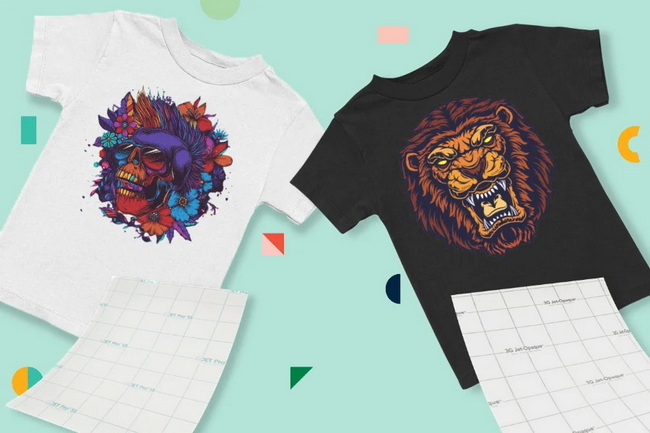
The following workflow provides a practical, repeatable process you can follow from design to final pressing.
- Create separate layers or spot color channels for textured zones, such as “Texture_Gloss” or “Texture_Matte”.
- Convert vector elements to clean shapes and remove stray points or overlapping paths.
- Avoid overly thin lines for raised effects and respect minimum stroke widths recommended by your equipment manufacturer.
- Open the printer’s texture library and preview available patterns like stars, polka dots, or squares.
- Select patterns that support legibility, using subtle dots behind small text and bolder textures behind large, simple shapes.
- Decide between matte and gloss variants based on brand style, readability, and target audience.
- In your RIP or printer software, set the transparent ink channel to print either once or in multiple passes for higher relief.
- If embossing-style height is desired, increase the number of stacked layers as allowed by your machine.
- Follow the manufacturer’s layer count and curing guidelines to prevent cracking or poor adhesion caused by excessive buildup.
- Print your base colors first, then the transparent ink layer or layers last, to preserve clarity and depth.
- Apply controlled heat and pressure according to your printer or finishing unit specifications so the texture develops correctly.
- Allow items to cool and fully cure before stacking or packaging to avoid imprinting or flattening the raised surfaces.
When you combine digital texture printing with high-quality heat press machines, you can go beyond cards and paper into garments, soft signage, and promotional items. This opens additional revenue streams and lets you offer a coherent portfolio of textured effects across both flat and textile products.
Advanced effects include:
- 3D puff-style textures on fabrics using powders or specially formulated films activated under precise heat and pressure.
- Layered HTV textures on apparel, such as soft foam, flock, and glitter stacked to introduce depth and multi-surface feel.
- Hybrid prints where a flat CMYK image is printed first, then selected zones receive transparent texture layers and a final press for durability.
For best results, temperature accuracy, even heat distribution, and consistent pressure are essential, especially when building height in your design. Reliable heat press equipment ensures that every piece in a production run matches your original sample.
Texture printing is powerful, but it introduces new technical variables that can compromise quality if mishandled. Avoiding common mistakes will save time, reduce waste, and protect your brand image.
Watch out for:
- Overloading layers: Printing too many transparent ink layers can lead to cracking, smearing, or poor curing.
- Ignoring compatibility: Combining texture printing with Spot UV or heavy lamination on the same area often causes delamination or dulling of the effect.
- Inadequate heat control: Excessive heat can flatten raised surfaces, while insufficient heat may prevent powders or inks from fully activating.
- Texture in tiny text: Applying aggressive textures to small type can hurt readability and create a rough, uncomfortable feel.
Whenever you introduce a new combination of substrate, texture pattern, and heat settings, build test charts and small sample runs before committing to full production.
Texture is not just a visual enhancement; it also shapes how users physically interact with your print piece. When used strategically, it can guide attention, improve usability, and strengthen brand recognition.
Design and UX tips:
- Use texture to guide the hand, raising calls to action, logos, or key labels so fingers naturally land on important elements.
- Maintain contrast between textured and non-textured areas to keep the design clean instead of texturing everything.
- Combine matte and gloss textures to separate content layers, such as glossy logos on a matte textured background.
- Reserve heavy or rough textures for larger shapes and use subtle patterns near text to protect readability.
On items like business cards, the thoughtful use of texture supports both brand identity and user comfort, encouraging people to keep and remember the card longer.
Texture printing shines in applications where tactile experience directly influences perceived quality. Choosing the right products to enhance will help you maximize both customer satisfaction and profit margins.
High-impact use cases include:
- Premium business cards and corporate identity sets.
- Gift certificates, event invitations, and high-end menus.
- Luxury product hang tags, labels, and folding cartons.
- Short-run specialty covers for booklets, lookbooks, or catalogs.
- Branded promotional items and accessories when combined with heat transfer or hybrid printing workflows.
For each of these, a modest area of texture, such as a logo, pattern band, or Braille information, can dramatically elevate brand perception without overwhelming the design.
If you are ready to turn flat prints into high-value, tactile products, now is the right time to upgrade your workflow with reliable, precision heat press equipment. With stable temperature control, even pressure, and consistent performance, your heat press becomes the foundation that keeps every textured finish clean, durable, and repeatable from sample to large production runs. Visit our site to explore professional heat press machines, welding and embossing solutions, and start delivering premium textured prints that stand out in any market.
Contact us to get more information!
Texture printing builds a raised, tactile layer using transparent ink or specialized chemistry, while Spot UV is primarily a glossy coating that enhances shine without necessarily adding significant height. Texture printing focuses on both how a surface looks and how it feels, whereas Spot UV mainly targets visual contrast.
Yes, it is possible to combine texture printing with embossing, but it must be planned carefully. Embossing reshapes the substrate with dies, while texture printing adds material on top, so combining the two is best reserved for thicker stocks, precise registration, and short test runs to verify durability.
Texture printing works best on heavier, high-quality stocks that can support the added ink and raised layers without warping or cracking. Very thin, heavily coated, or low-quality materials may require testing first, and in some cases they may not be suitable for aggressive 3D textures.
The safe number of layers varies by printer, ink system, and substrate, so it is important to follow your equipment manufacturer’s recommended maximum layer count and curing settings. As a rule of thumb, start with moderate height, run adhesion tests, and only increase layers gradually once you have stable results.
Yes, many systems support Braille by printing controlled, raised dots using transparent ink and texture libraries. For packaging and signage, you should always check height, spacing, and dot consistency against relevant accessibility standards and perform real-world readability tests with end users.
1. https://www.heatpressnation.com/blogs/blog/texture-printing
2. https://www.spotmedia.qa/top-10-printing-techniques-for-businesses-in-2025/
3. https://limitlesstransfers.com/blog/heat-press-guide-2025-how-to-get-perfect-results-with-dtf-transfers/
4. https://www.xtool.com/blogs/how-to/heat-transfer-printing


