If you have any questions, please feel free to contact us.| Email Us: info@dcheatpress.com


Views: 222 Author: Amanda Publish Time: 2026-02-10 Origin: Site


Content Menu
● Understanding TexPrint R vs TexPrint XPHR
● What Is TexPrint R Sublimation Paper?
● What Is TexPrint XPHR Sublimation Paper?
● Printer and Ink Compatibility
● Side‑by‑Side Results on Key Substrates
>> ChromaLuxe Photo Panel: Natural vs Saturated Tones
>> Unisub Coaster: Boosting Vivid Pastels
>> 11oz ORCA Mug: Differences Are Most Noticeable
● Quick Comparison of TexPrint R and TexPrint XPHR
● How to Choose the Right Sublimation Paper for Your Business
● Practical Workflow Tips for Testing and Consistency
● Expert Insight: Matching Paper to Market Positioning
● Where to Insert Helpful Visuals
● Advanced Tips for Color Management and Consistency
● Real‑World Use Cases and Product Ideas
● Final Verdict: TexPrint R vs TexPrint XPHR
● Take Action: Optimize Your Sublimation Workflow Today
● FAQs About TexPrint R and TexPrint XPHR
>> Q1: Can I use TexPrint R and TexPrint XPHR with any sublimation printer?
>> Q2: Which paper is better for printing portraits and skin tones?
>> Q3: Which paper should I choose for bright logos and bold designs?
>> Q4: Are the differences more visible on mugs or flat products?
>> Q5: Do I need separate print settings for each paper?
TexPrint R and TexPrint XPHR are both high‑performing sublimation papers, but they excel in different image scenarios. TexPrint R favors natural, true‑to‑artwork tones, while TexPrint XPHR amplifies saturation and contrast for bold graphics.

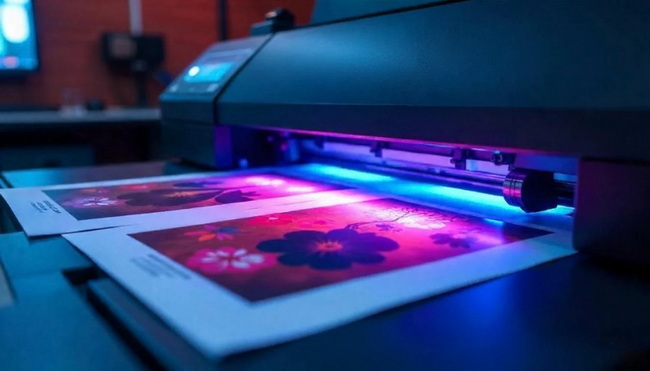
When choosing between TexPrint R vs TexPrint XPHR sublimation paper, many creators struggle to balance accurate color reproduction with eye‑catching vibrancy. Both papers are compatible with modern sublimation printers and inks, yet they produce noticeably different results depending on the image and substrate you use. Understanding these differences helps you match the right paper to your product line, from photo panels and coasters to ceramic mugs.
TexPrint R is a versatile sublimation paper designed to deliver natural, accurate colors that closely resemble the original artwork. It is often recommended when your priority is faithful photo reproduction rather than dramatic saturation.
Key characteristics of TexPrint R:
- Optimized for realistic skin tones and nuanced gradients.
- Works with a wide range of sublimation printers and ink types.
- Delivers balanced color output on popular substrates like photo panels, coasters, and mugs.
In real‑world use, TexPrint R is a strong choice for photographers, artists, and brands that rely on consistent, true‑to‑life imagery for their products.
TexPrint XPHR is engineered to release more sublimation dye gas into the substrate, which results in higher color saturation and stronger contrast. While it is also compatible with any sublimation printer kit, it is particularly well‑suited to bold, graphic‑heavy designs.
Key characteristics of TexPrint XPHR:
- Enhanced color punch for vivid, high‑impact prints.
- Ideal for logos, illustrations, and stylized artwork.
- Produces especially noticeable results on hard substrates like mugs and coated boards.
For brands that sell eye‑catching merchandise, such as custom mugs, promotional items, or colorful home décor, TexPrint XPHR can help designs stand out on crowded marketplaces.
Both TexPrint R and TexPrint XPHR are stated to work best with specific ink types, but they are safe to use across any sublimation printer kit regardless of ink. In typical comparison tests, both papers are often printed using the same sublimation printer and ink combination to provide a consistent baseline for evaluating output.
Practical implications:
- You do not need a different printer for each paper.
- You can test both papers on the same setup to decide which best fits your product line.
- If you already run a popular dedicated sublimation printer, you can integrate either paper without changing your entire workflow.
This flexibility makes it easy for growing businesses to experiment with both options before standardizing on one paper for specific product types.
Real comparisons between TexPrint R and TexPrint XPHR are most useful when they are performed on common sublimation products using the same images. This provides a clear view of how each paper behaves in practical production scenarios.
On 5" × 7" ChromaLuxe aluminum photo panels, the same photograph can look quite different depending on the paper. The couple in a typical test image appears with more natural tones on TexPrint R, maintaining lifelike skin colors and balanced highlights. By contrast, the TexPrint XPHR version usually looks slightly more saturated, which can be perceived as oversaturated for delicate photographic work.
This makes TexPrint R more suitable for:
- Professional photography products.
- Portraits and wedding images.
- Fine art reproductions where subtlety matters.
TexPrint XPHR, while still acceptable, may push colors slightly beyond realistic levels in this context.
On 3.75" Unisub hardboard coasters with a painterly graphic, the dark pastel tones tend to appear more vivid on TexPrint XPHR. The same artwork looks comparatively less vibrant when printed on TexPrint R, even though it remains accurate.
This shows TexPrint XPHR is well‑suited for:
- Artistic coasters and décor items.
- Designs with bold, saturated palettes.
- Products where visual impact is more important than strict realism.
If your brand aesthetic leans toward strong color and contrast, XPHR can make graphic designs pop on smaller items like coasters.
The comparison on 11oz premium ORCA ceramic mugs with a wide vacation photo usually reveals the clearest difference between TexPrint R and TexPrint XPHR. The contrast and saturation variation is more apparent on mugs than on flat substrates. While both papers produce a usable result, each offers a different level of color intensity.
For mugs and similar curved products, your choice affects how bold the final image appears:
- TexPrint R: Better when you want a more natural, photo‑realistic mug.
- TexPrint XPHR: Better when you want the image to stand out across a display shelf.
This distinction is especially important for brands that sell large volumes of drinkware in online stores and marketplaces.
| Aspect | TexPrint R | TexPrint XPHR |
|---|---|---|
| Core strength | More natural, true‑to‑artwork color tones | Higher saturation and contrast for bold graphics |
| Dye release | Standard sublimation dye release | Releases more gas sublimation dye into the substrate |
| Best for images | Photographs, portraits, realistic artwork | Logos, illustrations, colorful graphic designs |
| Look on ChromaLuxe panels | Natural skin tones, balanced highlights | Slightly more saturated appearance on human subjects |
| Look on Unisub coasters | Accurate but less intense color | Dark pastels and vivid colors stand out more |
| Look on ORCA mugs | Subtle, photo‑realistic appearance | More intense, eye‑catching color differences |
| Printer compatibility | Works with any sublimation printer kit | Works with any sublimation printer kit |
| Ideal use case | Photography products, premium portraits, fine art | Promotional items, bold branded merch, vibrant décor |
Your decision between TexPrint R and TexPrint XPHR should be driven by what you print most often and how you want your brand to be perceived. Rather than looking for a single “best” paper, think in terms of best fit for each application.
A simple decision path:
1. Identify your core product categories, such as mugs, panels, coasters, and textiles.
2. Map each category to the dominant image type, such as photos versus graphics.
3. Assign TexPrint R to photo‑heavy product lines and TexPrint XPHR to design‑heavy lines.
Many successful shops keep both papers in stock and select one per job based on the artwork type and the customer's visual expectations.
To maximize output quality and minimize waste, it is wise to develop a structured testing process for both papers on your specific equipment. Consistent testing helps you build internal standards that can be followed by your production team.
Recommended steps:
1. Print the same set of reference images, including portraits, landscapes, and flat graphics, on both TexPrint R and XPHR.
2. Press them onto the main substrates you sell, such as mugs, coasters, and photo panels.
3. Evaluate the prints under neutral lighting, noting where each paper excels.
4. Document your preferred paper choice for each product and image type.
Over time, this documentation becomes a valuable internal guide that ensures every operator in your workshop can reproduce the same high‑quality results.
Different markets value different visual qualities, so your sublimation paper choice is also a branding decision. A photography‑focused studio that sells premium wall art may prioritize TexPrint R to preserve natural tones. In contrast, a promotional products supplier or gift shop might lean toward TexPrint XPHR for the punchy, high‑energy look that draws attention.
By aligning paper selection with your brand positioning, you can:
- Deliver more predictable visual outcomes for repeat customers.
- Reduce returns or complaints about unexpected color differences.
- Create a recognizable look for your products across catalogs and marketplaces.
This strategic approach, combined with consistent testing, turns a simple paper choice into a competitive advantage.
Well‑placed visuals significantly improve user understanding and engagement in this type of comparison content. Consider adding:
- A side‑by‑side photo comparison of TexPrint R vs TexPrint XPHR on the same ChromaLuxe panel near the substrate comparison section.
- A close‑up image strip of printed mugs highlighting differences in saturation and contrast for each paper.
- A simple comparison chart graphic summarizing which paper to use for photos, graphics, and different product types near the decision section.
These visuals help readers quickly grasp how each paper behaves without needing to interpret text descriptions alone.
For professional sublimation businesses, paper choice is only one part of a broader color management strategy. To achieve consistent results, you need to combine the right paper with stable printer settings and a repeatable production workflow.
Practical color management tips:
- Use the same print profiles and driver settings when comparing TexPrint R and TexPrint XPHR.
- Keep a record of time, temperature, and pressure for each substrate and paper combination.
- Regularly clean and maintain your printer to avoid banding and inconsistent ink laydown.
- Store sublimation paper in a dry, climate‑controlled environment to minimize curling and moisture issues.
When you treat color management as a systematic process, TexPrint R and XPHR will both perform more predictably across large production runs.
Both TexPrint R and TexPrint XPHR can support a wide range of profitable sublimation products. Choosing the right paper can simplify your catalog strategy and help you position each item more clearly.
Typical use cases for TexPrint R:
- High‑end photo panels for home or studio décor.
- Personalized portrait mugs and photo gifts.
- Fine art reproductions on aluminum and hardboard panels.
Typical use cases for TexPrint XPHR:
- Branded corporate mugs and promotional giveaways.
- Colorful coasters and signage with bold typography.
- Merchandise for bands, events, and sports teams where impact matters more than realism.
By mapping each product line to a recommended paper, you make it easier for your team to deliver consistent, on‑brand results.
When used with modern sublimation printers, TexPrint R tends to produce finished products that closely match your original artwork, which is especially valuable for photographs and realistic images. TexPrint XPHR, by comparison, increases contrast and saturation to make bold, colorful graphics stand out more strongly on a variety of substrates. Your ideal choice ultimately depends on the types of images you print most and the overall visual style you want your brand to showcase.
If your catalog includes both photos and graphic designs, the most effective strategy is to use each paper where it is strongest: TexPrint R for natural images and TexPrint XPHR for high‑impact artwork.
To get the best results from your sublimation setup, do not rely on guesswork. Test both TexPrint R and TexPrint XPHR on your best‑selling products, record the visual differences, and build a simple internal guide that tells your team exactly which paper to use for each type of job. Once you have a clear standard in place, you can confidently invest in higher‑quality equipment and materials, knowing every print will meet your brand's expectations and delight your customers.
Contact us to get more information!
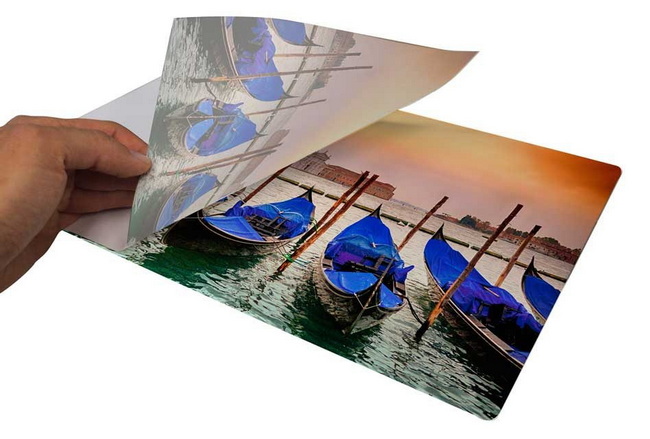
Yes. Both TexPrint R and TexPrint XPHR are generally safe to use with any dedicated sublimation printer kit, as long as you follow the manufacturer's basic guidelines for paper type and ink compatibility.
TexPrint R is typically preferred for portraits and images with skin tones, because it tends to produce more natural, true‑to‑artwork results on substrates like photo panels and premium mugs.
TexPrint XPHR is usually the better choice for high‑impact logos, illustrations, and colorful graphics, thanks to its stronger saturation and contrast that help designs stand out at a glance.
The difference between the two papers is often more noticeable on mugs and other curved items, where TexPrint XPHR prints can appear more vivid compared with TexPrint R on the same ceramic surface.
You can often start with the same base settings for both papers, but it is best to perform small test runs and fine‑tune your print driver, temperature, and pressing time for each paper to achieve the most consistent results.
https://www.heatpressnation.com/blogs/blog/texprint-r-vs-texprint-xphr-sublimation-paper-showdown


