If you have any questions, please feel free to contact us.| Email Us: info@dcheatpress.com


Views: 222 Author: Amanda Publish Time: 2025-12-28 Origin: Site


Content Menu
● What Is Sublimation Printing
● How Sublimation Printing Works
● What Materials Are Suitable for Sublimation
● Sublimation vs Other Printing Methods
>> Limitations
● Essential Sublimation Equipment
>> Sublimation Printer and Ink
● Step-By-Step Production Workflow
● Troubleshooting Common Problems
● Practical Applications and Business Opportunities
● Expert Recommendations for Consistency
● Take the Next Step: Build Your Sublimation Success
>> Q1. Can I use sublimation on 100% cotton fabrics?
>> Q2. Why do my sublimation prints appear faded?
>> Q3. What temperature is recommended for most sublimation blanks?
>> Q4. Do I need a special printer for sublimation?
>> Q5. Is sublimation printing profitable for small businesses?
Sublimation printing is a heat-driven digital printing process that transforms specially formulated inks into gas, embedding them directly into polyester fibers or polymer-coated surfaces. The result is exceptionally vibrant, long-lasting prints that do not crack, peel, or fade. With the right setup—printer, transfer paper, and a reliable heat press—businesses can produce professional-grade products at low cost and high consistency.
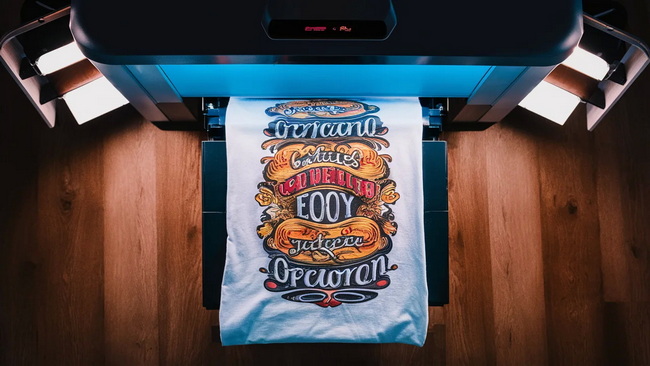
Sublimation printing, also known as dye sublimation, uses heat and pressure to permanently infuse color into the substrate itself. Instead of applying ink onto the surface, sublimation gas penetrates the material and becomes part of it, leading to durable, richly colored prints ideal for polyester apparel, coated mugs, metal panels, and more.
Key characteristics:
- Uses sublimation inks and coated transfer paper.
- Requires heat and pressure from a heat press machine.
- Works best on polyester fabrics or polymer-coated surfaces.
- Produces permanent, wash-resistant prints with vivid colors.
The sublimation process can be simplified into four main stages that transform design ideas into finished products ready for sale.
Create your artwork using design software such as Adobe Illustrator, Photoshop, or CorelDRAW. Keep your resolution at 300 dpi and ensure that text or directional designs are mirrored before printing. Vector graphics deliver superior sharpness for professional applications.
Once your design is finalized, print it onto sublimation transfer paper using a printer filled with sublimation inks. Always print on the bright white side of the paper and allow time for the ink to dry. Color management profiles improve color accuracy and reduce waste.
Place the printed design face-down on your chosen substrate—such as a polyester T-shirt, mug, or coated panel—and secure it using heat-resistant tape. A heat press applies consistent temperature (typically 195-205°C / 390-400°F), pressure, and time to initiate the gasification process. As the ink turns into gas, it embeds itself into the surface's polyester molecules.
After pressing, remove the transfer carefully while the item is still warm and let it cool flat on a clean, heat‑resistant surface. This prevents ghosting and helps set the print permanently.
Material choice greatly affects print quality. Sublimation only bonds to polyester or surfaces treated with a polyester/polymer coating.
Ideal substrates:
- Polyester garments such as T-shirts, jerseys, and leggings.
- Polymer-coated drinkware including mugs, tumblers, and bottles.
- Metal, ceramic, and glass panels coated for sublimation.
- Personalized soft items like mouse pads, tote bags, and cushions.
Unsuitable materials:
- 100% cotton fabrics (the dye cannot bond properly).
- Uncoated metals, wood, or glass.
- Dark surfaces where translucent inks lose visibility.
For these materials, apply a sublimation coating or use transfer films designed for non‑polyester substrates.
Understanding the key differences helps businesses choose the best process for their products.
Method | Process Description | Best Use Cases | Print Characteristics |
Sublimation | Ink turns into gas and embeds into polyester or coated substrates. | Polyester apparel, coated mugs, and panels. | Soft, permanent, vibrant, and durable. |
Screen Printing | Ink pushed through a mesh stencil directly onto fabric. | High-volume cotton garment production. | Opaque and thick prints that may crack over time. |
Heat Transfer Vinyl | Cut vinyl applied with a heat press. | Simple lettering and logos. | Slightly raised texture; excellent for dark fabrics. |
DTF Printing | Full-color design printed on film then heat transferred. | Cotton and blended fabrics. | Flexible and smooth surface prints. |
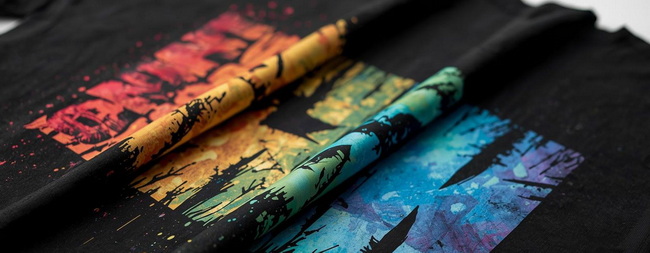
- Vivid colors and photo-quality detail with smooth gradients.
- Durability that resists washing, cracking, and fading.
- Soft hand feel, as prints become part of the material surface.
- Low setup cost, ideal for short runs and personalized orders.
- Only suitable for light-color polyester or coated materials.
- Cannot print white ink, limiting dark substrate applications.
- Heat sensitivity may cause warping if temperature is excessive.
A professional sublimation setup requires consistent, reliable equipment that ensures repeatable results.
Choose a printer designed for sublimation or a compatible converted inkjet system. Use certified sublimation inks for consistent gasification and stable colors. Regular maintenance prevents nozzle clogs and color shifts.
High-quality sublimation transfer paper retains the ink on its surface before sublimation, promoting maximum ink transfer. The better the paper, the richer the final colors.
A dependable heat press ensures accurate heat and pressure distribution. Flat presses are used for garments, while specialized mug or tumbler presses wrap around cylindrical blanks. Look for even heating, digital controls, and adjustable pressure features.
Include heat-resistant tape, protective Teflon sheets, and silicone pads to prevent contamination. Prepare sublimation-ready blanks such as shirts, mugs, panels, and tote bags.
Follow an efficient workflow to maintain consistent quality.
1. Select your substrate and note the recommended press settings.
2. Design and size your artwork to fit the printable area.
3. Print the design on sublimation transfer paper using correct settings.
4. Pre-press the substrate to remove moisture and wrinkles.
5. Align and tape the design securely in place.
6. Press under the correct combination of time, temperature, and pressure.
7. Peel and cool the transfer carefully; inspect for clarity and color accuracy.
This standardized process reduces errors and ensures each item meets quality expectations.
Even skilled professionals encounter issues. Recognizing symptoms early minimizes waste.
- Faded prints: Usually caused by insufficient heat or time. Increase temperature slightly and verify accurate ICC profiles.
- Ghosting or double images: Use firm tape and reduce movement before lifting the paper.
- Banding or streaks: Clean printer nozzles and check ink flow.
- Scorching or yellowing: Lower heat or shorten press duration, particularly for thin materials.
Keep a quality log of successful settings to aid future production consistency.
Sublimation printing is not only a creative process but also a scalable business opportunity. It is popular in:
- Custom apparel printing (sportswear, uniforms, and event shirts).
- Personalized drinkware production—mugs, tumblers, and travel cups.
- Photo gifts and decorative product lines such as metal panels or ornaments.
- Promotional merchandise like lanyards, coasters, and mouse pads.
This flexibility allows quick turnarounds for online shops, corporate branding, and local customization businesses.
To achieve superior results every time:
- Calibrate displays and output devices regularly.
- Use accurate ICC profiles matching your ink and paper.
- Record press settings for every substrate.
- Keep working conditions stable—temperature, humidity, and cleanliness matter.
- Conduct daily nozzle checks before production runs.
Strong process control translates directly into consistent customer satisfaction.
Mastering sublimation is the foundation; achieving professional success depends on the equipment and process you choose. Whether you are setting up a small home studio or expanding an industrial workshop, selecting efficient heat transfer machines, fusion equipment, and press solutions ensures performance you can rely on.
Now is the perfect time to upgrade your sublimation workflow. Review your equipment strategy, invest in high-quality systems, and align with reliable suppliers who can support consistent global standards. The right decision today defines your printing success tomorrow.
No, sublimation only binds effectively with polyester. Cotton lacks the polymer necessary for the gas to bond, so the print will wash out unless pre-coated.
Faded colors usually mean the press temperature or dwell time is too low, or the transfer paper and color profile are mismatched.
Most blanks sublimate at 195-205°C (390-400°F). Always check each product's manufacturer guide for precise settings.
Yes, you need a printer compatible with sublimation inks. Dedicated printers are best, but some inkjet models can be converted under professional guidance.
Absolutely. The low entry cost, fast turnaround, and customization potential make sublimation ideal for small studios and on-demand business models.


