If you have any questions, please feel free to contact us.| Email Us: info@dcheatpress.com


Views: 222 Author: Amanda Publish Time: 2026-01-01 Origin: Site


Content Menu
● What Is Sublimation Printing
● Why Choose Sublimation Printing
● Essential Sublimation Supplies
>> Heat Press or Sublimation Oven
● How to Print Sublimation Images
● How to Apply Sublimation Transfers
● Sublimation And Other Printing Methods
>> Overview of Printing Methods
● Choosing The Right Heat Press
>> Why Heat Press Quality Matters
>> Common Types Of Heat Presses
● Practical Workflow For Small Sublimation Businesses
>> Example Production Workflow
● Troubleshooting Common Sublimation Issues
>> Dots, Fading, And Washing Problems
● Where Sublimation Excels In 2026
● Take The Next Step With Your Sublimation Setup
● Frequently Asked Questions (FAQ)
>> 1. What do I need to start sublimation printing at home
>> 2. Can I sublimate on 100% cotton or dark shirts
>> 3. What temperature and time should I use for sublimation
>> 4. How do I prevent ghosting and blurry edges
>> 5. Why are my sublimation colors dull or washed out
Sublimation printing is a beginner-friendly way to create long-lasting, full-color designs on T-shirts, mugs, tumblers, and more using special ink, paper, and a heat press or sublimation oven. This enhanced guide walks you step by step through sublimation for beginners and shows how professional equipment like COLORFUL heat press machines can help you get consistent results from day one.

Sublimation printing, also called dye-sublimation, is a digital printing method where solid ink turns into gas under high heat and bonds with polyester fibers or polymer coatings. Because the ink becomes part of the material instead of sitting on top, sublimated designs are smooth to the touch and highly resistant to cracking or peeling.
- Step 1 – Print. Special sublimation ink is printed onto sublimation paper in reverse using a sublimation or converted inkjet printer.
- Step 2 – Heat. A heat press or sublimation oven applies controlled time, temperature, and pressure to the transfer.
- Step 3 – Bond. The ink sublimates, penetrates the polyester or coating, and solidifies inside the surface, creating a permanent, full-color print.
Sublimation stands out among entry-level printing methods because it combines professional-grade results with reasonable startup cost and straightforward workflows.
- Soft, permanent finish. Ink infuses into the fibers, so there is no thick layer, cracking, or peeling as with some film transfers.
- Vibrant full-color graphics. Sublimation handles gradients, photos, and watercolor-style effects very well on light polyester surfaces.
- Strong wash durability. Properly pressed garments maintain color and detail through many wash cycles.
- Beginner-friendly process. No screens, pretreatment, or weeding are required; you only need a printer, paper, blanks, and a reliable heat press or oven.
- No white ink. Sublimation does not print white, so it relies on the blank's base color and works best on white or very light substrates.
- Polyester dependence. You need polyester-rich fabric or a polyester/polymer coating on hard substrates to get vivid, permanent results.
- Not suitable for dark cotton. Dark, 100% cotton garments are better handled with other methods such as DTF or white-toner transfers.
To start sublimation printing at home or in a small workshop, you need a focused set of tools and consumables.
A sublimation printer uses specialized sublimation ink rather than standard dye or pigment ink. Many beginners either purchase a dedicated sublimation model or convert an inkjet printer that uses refillable tanks.
- Desktop printers are ideal for A4 or letter-size projects such as shirts and small panels.
- For higher volume, combining a capable printer with a stable, industrial-grade heat press, such as those produced by COLORFUL, helps maintain consistent color and transfer quality.
- Sublimation ink. Heat-activated dye that turns into gas and bonds with polyester or special coatings during pressing.
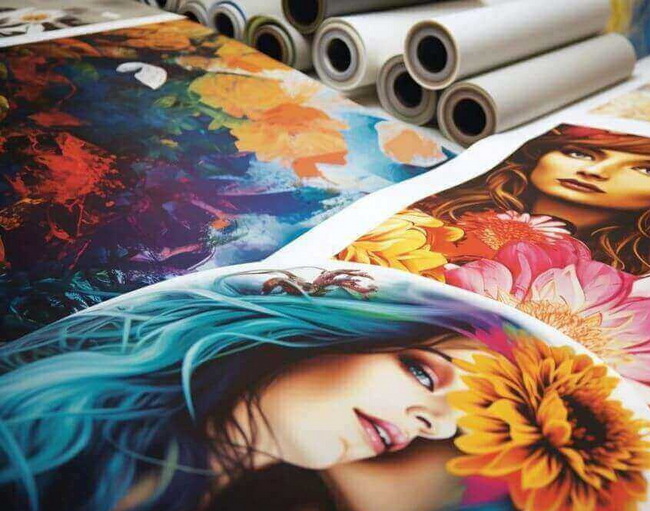
- Sublimation paper. Coated paper designed to hold and then release sublimation ink efficiently under heat, available in sheets and rolls.
Using compatible, high-quality ink and paper reduces banding, dull colors, and ghosting, especially on larger designs such as full-wrap tumblers or oversized garment prints.
Sublimation blanks are pre-coated or polyester-rich items that are ready to accept sublimation transfers.
Common blanks include:
- Polyester T-shirts and jerseys.
- Coated mugs and tumblers.
- Mouse pads, keychains, coasters, and photo panels.
Selecting reliable blanks ensures bright colors and reduces problems like fading or uneven transfers.
A stable heat source is essential for consistent sublimation results.
- Flat heat press. Best for T-shirts, tote bags, mouse pads, and flat panels.
- Mug or tumbler press, or sublimation oven. Ideal for cylindrical items and multi-sided drinkware transfers.
Industrial manufacturers such as COLORFUL offer flat, dual-station, and specialty presses designed for uniform heating and pressure, which is especially valuable for business users handling continuous production.
- Heat-resistant tape to prevent the transfer from shifting.
- Heat-resistant gloves for safe handling of hot substrates.
- Butcher paper or protective sheets to stop ink from staining the press.
- Lint roller and cardstock to reduce lint spots and dye migration on fabrics.
- Basic ventilation through open windows or filtration when pressing frequently.
Good design preparation and printing practice have a major impact on the sharpness and vibrancy of sublimation transfers.
1. Choose suitable software. Simple designs can be created with beginner-friendly tools, while more advanced effects are easier in professional graphics software.
2. Use the right resolution. Design at 300 dpi for crisp prints, particularly for photographs and fine text.
3. Match the size. Make the artwork match your blank, such as standard layouts for T-shirts, mugs, or tumblers, to avoid gaps or excessive trimming.
4. Mirror the image. Ensure the final design is flipped horizontally before printing so that it appears correctly when pressed.
- Load sublimation paper in the orientation recommended for your printer and paper type.
- Select the correct media type, print quality, and color profile in the driver settings.
- Let the printed sheet dry completely before taping it to blanks to avoid smearing.
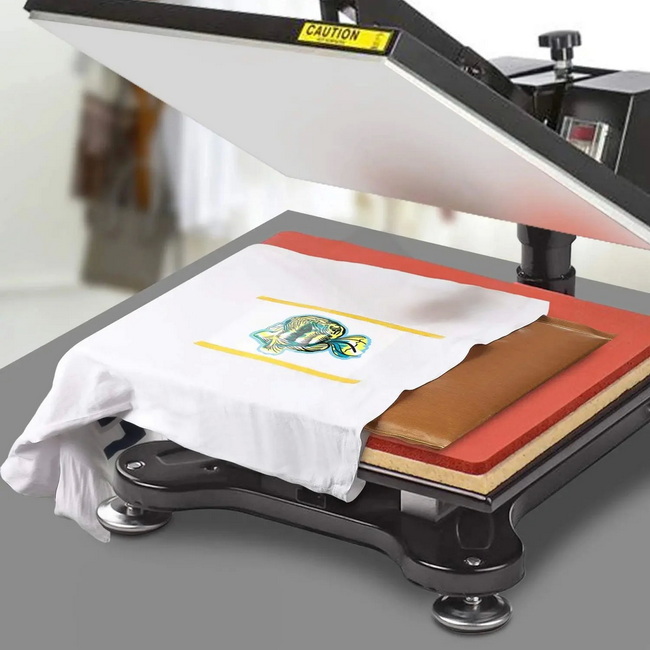
The pressing stage is where sublimation actually occurs, so time, temperature, and pressure must be carefully controlled.
1. Prepare the blank.
- For fabrics, use a lint roller and pre-press briefly to remove moisture and wrinkles.
- For hard substrates, make sure the surface is clean, dry, and free of dust.
2. Position and tape the transfer.
- Place the printed design face down on the blank.
- Use heat-resistant tape to secure the paper, especially along edges and curves.
3. Press with suitable settings.
- Many polyester fabrics use around 390–400°F for roughly 35–40 seconds at medium pressure, but always follow guidance from the blank supplier.
- Hard products like mugs often require longer times or slightly adjusted temperatures, and ovens usually need rotation halfway through the cycle.
4. Peel and cool.
- Follow the instructions for your paper regarding hot, warm, or cold peel.
- Allow items to cool on a heat-resistant surface to prevent ghosting or warping.
Understanding how sublimation compares to other common techniques helps you select the best process for each product.
Printing Method | Best For | Key Pros | Main Cons |
Sublimation | Light polyester, coated mugs and tumblers | Soft feel, vibrant and durable prints | Needs light poly surfaces, no white ink |
DTF (Direct to film) | Cotton and dark garments | Works on many fabrics, prints white | More maintenance and processing steps |
DTG (Direct to garment) | High-detail prints on cotton | Prints directly on shirts, full color | Pretreatment, slower, higher equipment cost |
Screen printing | Large runs, bold spot colors | Very durable, special ink effects | Setup time, not ideal for very small runs |
Heat transfer vinyl | Simple logos, names, small personal orders | No printer required, many finishes | Limited detail, film-like surface feel |
White toner | Mixed substrates including dark materials | Prints white, wide material range | Higher cost and extra sheet handling |
Sublimation is often the best choice when you need soft, full-color prints on light polyester garments or coated hard goods with low maintenance and fast setup. For dark cotton or more unusual surfaces, other methods can complement sublimation in a product lineup.
The quality of the heat press directly affects color, clarity, and durability, so it deserves careful attention.
- Uniform temperature. Uneven heating causes faded corners or partial transfers.
- Consistent pressure. Balanced pressure helps the gasified ink bond evenly across seams, fibers, and coatings.
- Production efficiency. Dual-station and automatic presses reduce downtime and operator fatigue during longer runs.
Reliable manufacturers, including COLORFUL, focus on sturdy frames, precise digital control systems, and even platen heating to support both small studios and large facilities.
- Clamshell presses. Space-saving and suitable for most T-shirt and flat-item work.
- Swing-away presses. Provide more clearance for thicker substrates and reduce risk of shifting during layout.
- Dual-station presses. Allow one station to be loaded while the other presses, ideal for growing production.
- Specialty presses and fusing machines. Designed for caps, plates, shoes, and bonding interlining or films to textiles.
For global customers who need consistent results across apparel, home textiles, and hard goods, a complete portfolio of heat transfer machines, sublimation systems, fusing machines, and embossing equipment provides flexibility and scalability.
After mastering the basics, success often depends on process control and workflow optimization.
1. Batch design and approval.
- Create reusable templates for your main blanks.
- Offer visual mockups so customers can approve layout and colors before printing.
2. Standardized press settings.
- Keep a visible chart of time, temperature, and pressure for each blank type.
- Use presses with trustworthy digital controllers to minimize variation between jobs.
3. Quality checks.
- Inspect prints for banding, alignment issues, and color problems before transfer.
- Check finished items for ghosting, uneven color, or marks, and record adjustments as needed.
4. Regular maintenance.
- Perform routine nozzle checks and light cleaning on printers.
- Inspect pads, platens, and electrical connections on presses, especially in continuous production environments.
Even with a solid setup, occasional problems arise. Recognizing patterns makes them easier to fix.
- Symptoms. Pale areas, missing sections, or uneven color.
- Likely causes. Insufficient time, temperature, or pressure; incompatible blank; or loose contact between paper and substrate.
- Fixes. Increase time or temperature slightly within the blank's specifications, check pressure, and ensure the transfer is taped flat without gaps.
- Paper sticking to cups or tumblers. Often caused by pressing too long or at too high a temperature, which softens paint or coatings.
- Chipping paint on coated items. Can result from excessive pressure, incorrect attachment size, or overheating.
Reducing time, adjusting temperature, and confirming that the press or wrap matches the product's size usually solve these issues.
- Small dots on prints. Frequently caused by moisture; pre-press or pre-bake items briefly and allow them to cool before pressing the final transfer.
- Fading after washing. Washing too soon or using harsh cycles can dull colors; gentle cycles, mild detergents, and air drying or low heat help maintain vibrancy.
- Overall dull colors. Often related to color settings, low print quality modes, insufficient heat, or low-grade blanks; calibrating color and confirming true platen temperature usually improves results.
Sublimation is safe when basic heat and electrical precautions are followed.
- Ensure good airflow, especially during long pressing sessions.
- Use heat-resistant gloves and keep the area around hot equipment clear.
- Do not use a sublimation oven for food, and keep crafting tools separate from kitchen appliances.
- Follow local electrical and safety guidelines when installing larger or industrial presses.
Sublimation continues to be a popular choice for custom products, print-on-demand services, and small branded collections.
Typical uses include:
- Custom sportswear and performance apparel on polyester fabric.
- Personalized drinkware and photo gifts.
- Branded corporate gifts and promotional items.
- Short-run fashion capsules and limited-edition designs.
Combining a capable sublimation printer, quality blanks, and robust heat transfer equipment allows both hobby creators and commercial users to scale from one-off items to consistent, repeatable production.
To turn the information in this guide into consistent results, focus on three pillars: high-quality blanks, accurate color output, and stable heat transfer equipment. Define the core products you want to sell, choose a compatible sublimation printer and inks, and equip your workspace with a dependable flat or specialty heat press designed for long-term, repeatable performance. Once your first test series confirms your ideal time, temperature, and pressure settings, you will be ready to scale from practice pieces to professional-quality custom products for customers worldwide.
You need a sublimation-ready printer, sublimation ink and paper, compatible polyester or coated blanks, and a reliable heat press or sublimation oven, plus accessories such as heat-resistant tape and heat-resistant gloves.
Standard sublimation works best on white or very light polyester. For dark or 100% cotton garments, you usually need other methods such as DTF, white-toner transfers, or special coatings designed to receive sublimation prints.
Many polyester fabrics press around 390–400°F for roughly 35–40 seconds at medium pressure, and many hard substrates require longer times. Always follow the specific recommendations from the blank manufacturer and adjust only after small test prints.
Secure the transfer firmly with heat-resistant tape, avoid lifting or shifting the paper while it is still hot, and ensure the press provides even pressure across the entire print area. Proper padding and a stable platen also help keep edges clean.
Dull colors can be caused by low print quality settings, incorrect color profiles, insufficient time or temperature, or low-quality blanks. Checking your print driver settings, verifying actual platen temperature, and testing with higher-grade blanks are effective ways to improve color.


