If you have any questions, please feel free to contact us.| Email Us: info@dcheatpress.com


Views: 222 Author: Amanda Publish Time: 2026-02-07 Origin: Site


Content Menu
● What Is Sublimation on Wood Photo Panels?
● Why Choose Sublimation Wood Photo Panels?
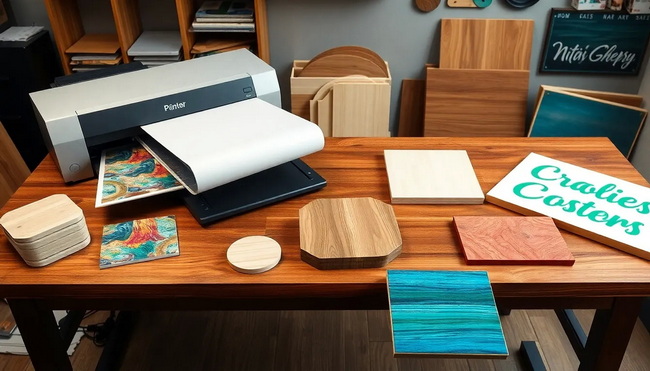
● Essential Equipment and Materials
● Preparing Your Artwork for Wood Sublimation
>> Color, Resolution, and Layout
● Printer and Software Settings (Sawgrass Example)
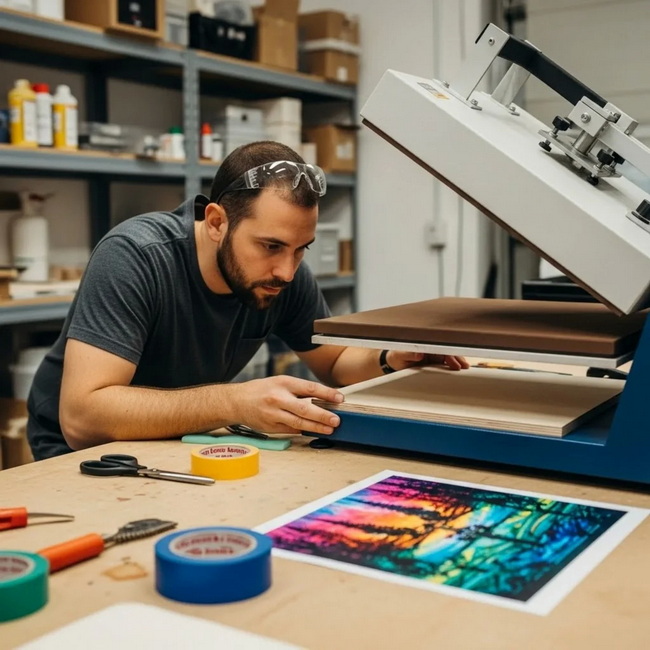
● Step-by-Step: How to Sublimate a Wood Photo Panel
>> Step 2: Prepare the Wood Panel
>> Step 3: Align and Secure the Transfer
>> Step 5: Cooling and Peeling
● Recommended Time, Temperature, and Pressure Settings
● Advanced Tips for Perfect Results Every Time
● Sublimation on Coated vs. Uncoated Wood
● Troubleshooting Common Wood Sublimation Issues
● Business Applications and Pricing Ideas
● Safety and Maintenance Best Practices
● Pro Tip: Pairing Wood Panels with Professional Heat Press Equipment
● Call to Action: Start Producing Gallery-Quality Wood Photo Panels Today
● FAQs About Sublimation on Wood Photo Panels
>> FAQ 1: Can I sublimate directly onto raw, uncoated wood?
>> FAQ 2: What is the best temperature and time for ChromaLuxe wood photo panels?
>> FAQ 3: Why does my wood panel look faded after pressing?
>> FAQ 4: Can I use an iron or small hobby press instead of a full-size heat press?
>> FAQ 5: How should I clean and care for sublimated wood photo panels?
Sublimation on wood photo panels is one of the most profitable and eye-catching ways to turn digital images into premium décor, gifts, and gallery displays. When you combine coated wood blanks like ChromaLuxe panels with a reliable heat press, you get durable, vintage-style prints that stand out in any room.

Sublimation on wood is a process where sublimation ink turns into gas under heat and pressure, then bonds permanently with a polyester coating on a wood surface. Because ChromaLuxe wood photo panels use a maple veneer with a clear gloss polyester coating, they are engineered specifically for vibrant, long-lasting photo transfer.
Compared to printing on paper or standard canvas, sublimated wood panels resist fading, scratching, and peeling, and they require no additional lamination once pressed correctly.
Sublimation wood panels are ideal for both home users and professional studios.
Key benefits include:
- Premium, gallery-ready look with subtle wood grain showing through the print.
- High durability; prints are embedded into the coating, not sitting on top.
- Consistent results using standardized temperature, time, and pressure settings.
- Scalability for business, from single custom gifts to bulk production runs.
Example use cases include family portrait series for gallery walls, studio wall displays, retail photo gifts, and corporate décor.
To achieve professional-grade results with sublimation on wood photo panels, you should prepare the following:
- Sublimation printer and ink (such as a dedicated sublimation system).
- Sublimation paper matched to your printer profile.
- ChromaLuxe wood photo panels or other coated wood blanks specifically labeled for sublimation.
- Heat press capable of 400°F (about 204°C) with stable medium pressure; swing-away presses are preferred for thicker wood panels.
- Heat-resistant tape or temporary adhesive spray for securing transfers.
- Parchment paper or protective sheets to protect your press platens.
- Optional but recommended: non-stick or silicone sheets, heat-resistant gloves, and a microfiber cloth for pre-cleaning blanks.
Correct file preparation is critical for sharp, accurate photo panels.
A proven approach is to size your image a quarter inch larger in both width and height than the finished panel. This extra bleed helps ensure full edge-to-edge coverage and minimizes visible white edges from minor misalignment.
For example, for an 8 x 10 inch panel, design your file at approximately 8.25 x 10.25 inches.
For high-quality results:
- Use 300 DPI resolution for photo-based artwork.
- Export in RGB color space if your print manager or RIP is optimized for it.
- Keep important subjects (faces, logos) away from the outermost 0.25 inch that will be used as bleed.
If you want a stronger vintage or rustic effect, select images with warm tones and moderate contrast, which complement the subtle maple grain of natural wood panels.
If you are using a Sawgrass printer with Sawgrass Print Manager, the following core settings are commonly recommended.
Configure your print manager as follows:
- Substrate: Polyester.
- Paper: Appropriate sublimation paper profile for your brand.
- Mirror: Enabled, so the design appears correctly when transferred.
- Color Mode:
- Photographic for detailed images and natural skin tones.
- Vivid for bold, saturated artwork and graphic designs.
Once these parameters are in place, send the file to print using genuine sublimation inks for accurate color and durability.
Below is a clear, repeatable workflow for sublimating on ChromaLuxe wood photo panels with a professional heat press.
1. Set your heat press to 400°F (about 204°C) with medium pressure, and a press time of 120 seconds for ChromaLuxe wood panels.
2. If your press has a removable silicone pad, you can replace it with parchment paper to fine-tune pressure for thicker panels.
3. Whenever possible, use a swing-away press to distribute pressure evenly on thicker wood substrates.
1. Remove any protective film from the glossy coated face of the panel.
2. Wipe the surface gently with a microfiber cloth to remove dust and debris.
3. Confirm the orientation of the mounting holes on the back so the final image will hang upright after pressing.
1. Place your printed sublimation transfer face up on your work surface.
2. Position the panel face down onto the print, ensuring even bleed on all sides.
3. Secure the panel to the print using heat-resistant tape or light adhesive spray; apply spray away from the press to avoid residue on the platens.
1. Cover the lower platen of your heat press with parchment or a protective sheet.
2. Place the taped panel and transfer onto the press with the transfer side facing up.
3. Cover with another sheet of parchment paper to protect the heating element.
4. Press at 400°F for 120 seconds with medium pressure.
1. When the timer ends, open the press carefully and let the panel cool briefly, as wood retains heat.
2. While still warm but safe to handle with gloves, peel the transfer away quickly in a smooth motion.
3. Inspect the panel for even color, sharp detail, and full edge-to-edge coverage; the result should be a customized, ready-to-hang wood photo panel.
Different wood substrates may require slightly different settings. Always follow the specific instructions of the blank manufacturer and perform test presses when you change materials.
| Substrate type | Temperature (°F) | Time (seconds) | Pressure level | Notes |
|---|---|---|---|---|
| ChromaLuxe coated wood photo panels | 400 | 120 | Medium | Follow official instructions for most consistent results. |
| Generic coated MDF photo panel | 380–400 | 60–90 | Medium | Shorter dwell times are often sufficient for thinner MDF. |
| DIY laminated wood (laminate pouch on bare wood) | 375–400 | 70–90 | Medium | Pre-press lamination separately before sublimation. |
| Uncoated wood with added poly coating or spray | 380–400 | 70–120 | Medium | Test small scraps; proper curing of coating is critical. |
Always run a test panel when changing wood types, thickness, or coatings to avoid banding, dull color, or scorching.
To elevate your production quality and reduce waste, integrate these best practices into your daily workflow.
- Pre-press the panel face up for 15–20 seconds (without transfer) to remove residual moisture and minimize warping or steam marks.
- Maintain even, consistent pressure; too much pressure can crush coatings, while too little leads to faded or uneven transfers.
- Feather the edges of the transfer by lightly tearing rather than cutting to reduce visible press lines around the image.
- For extremely detailed images, choose Photographic mode and higher resolution; for bold signage or text, Vivid mode can make colors stand out.
- Maintain good ventilation around your press area to disperse fumes generated during sublimation.
While this guide focuses on coated ChromaLuxe panels, it is helpful to understand your options when experimenting with other wood products.
- Coated wood blanks (such as ChromaLuxe):
- Pre-coated with a polyester layer and ready for sublimation out of the box.
- Provide consistent color, sharpness, and long-term durability.
- Uncoated natural wood:
- Requires additional preparation such as lamination pouches, polycrylic, sublimation spray, or clear sublimation HTV.
- Wood sap and grain variation can lead to color shifts and blotches if not sealed properly.
For business use, pre-coated wood photo panels are strongly recommended because they minimize variables and provide predictable results at scale.
Even experienced sublimation professionals encounter challenges; addressing them quickly protects both your brand reputation and profit margins.
- Faded or washed-out colors
- Likely causes: insufficient time, low temperature, or too little pressure.
- Fix: increase dwell time in 10–15 second increments or verify that the press actually reaches the target temperature.
- Blurry images or ghosting
- Likely causes: transfer shifting during pressing, lifting paper before the panel cools, or insufficient taping.
- Fix: use more heat-resistant tape, ensure firm clamping, and peel the transfer in one controlled motion.
- Yellowing or scorching of wood
- Likely causes: excessive time or temperature.
- Fix: reduce temperature slightly or shorten press time, and test again on scrap panels.
- Visible press lines around the print
- Likely causes: sharp edges on the transfer paper and heavy pressure.
- Fix: feather the edges of the paper and slightly reduce pressure if necessary.
Documenting your best-performing settings by wood type and size will help you build a reliable internal knowledge base for your team.
Sublimation wood photo panels are ideal for studios, print-on-demand sellers, and promotional product companies looking to offer higher-margin items.
High-value applications include:
- Premium wall art for homes, offices, and hospitality spaces.
- Limited-edition gallery pieces that pair photography with unique wood textures.
- Personalized gifts such as wedding portraits, baby photos, and memorial panels.
- Branding and signage for boutiques, cafés, showrooms, and creative retail spaces.
Many sellers position wood panels as a higher-tier upgrade over paper or canvas prints, allowing them to charge more for the tactile texture, premium finish, and long-term durability.
Safe operation and consistent maintenance protect both your staff and equipment.
- Work in a well-ventilated area and avoid breathing fumes directly from freshly pressed items.
- Use heat-resistant gloves when handling hot wood panels to prevent burns.
- Regularly clean your press platens and replace protective sheets if ink or adhesive builds up.
- Store wood panels in a cool, dry environment to prevent warping or moisture absorption before pressing.
When you use adhesive sprays, always apply them away from the press to keep internal surfaces clean and free of residue.
For consistent, production-ready results on wood photo panels, a stable, precise heat press is essential. Swing-away or high-clearance presses handle thick substrates better and maintain uniform pressure from edge to edge.
When evaluating equipment, prioritize:
- Accurate digital control of time, temperature, and pressure.
- Even heat distribution across the platen.
- Compatibility with thicker materials such as coated wood or laminated boards.
With the right machine and process, sublimation on wood becomes repeatable, efficient, and highly profitable for your customization business.
If you are ready to upgrade your product line from standard prints to high-margin, gallery-quality wood photo panels, this is the perfect moment to standardize your sublimation workflow. Invest in reliable heat press equipment, compatible coated wood blanks, and well-optimized print settings, then document your best practices so every panel meets the same professional standard. Put these steps into action now, and you will be able to deliver consistent results, win repeat customers, and grow your sublimation business with wood photo products that truly stand out.
Contact us to get more information!
Yes, but you must first add a sublimation-friendly surface such as lamination pouches, polycrylic, sublimation spray, or clear sublimation HTV. Direct prints on raw wood tend to look dull and are often inconsistent because the surface is not optimized to absorb sublimation ink.
Many users achieve reliable results at around 400°F for 120 seconds with medium pressure on ChromaLuxe wood photo panels. Always confirm the latest instructions from your blank supplier and run test presses whenever you change panel size or finish.
Faded results usually indicate insufficient time, low temperature, or poor pressure. Check that your press actually reaches the selected temperature and increase the time in small steps while keeping pressure consistent until you achieve rich, saturated color.
Household irons and very small hobby presses typically cannot maintain stable temperature or consistent pressure across an entire panel. This often leads to banding, uneven color, and partial transfers, so a dedicated heat press is strongly recommended for wood photo panels.
After the panel has cooled and fully cured, you can usually wipe it gently with a soft, damp cloth. Avoid abrasive pads or harsh chemicals, which may scratch or degrade the gloss coating over time.
1. https://www.heatpressnation.com/blogs/blog/sublimation-on-wood-photo-panels
2. https://www.heatpressnation.com/pages/chromaluxe-sublimation-blank-natural-wood-print-instructions
3. https://www.xtool.com/blogs/how-to/sublimate-on-wood
4. https://makerflo.com/blogs/craft-library/sublimation-on-wood
5. https://www.colourvistas.com/sublimation-on-wood/
6. https://www.vispronet.com/blog/sublimation-printing/
7. https://jennifermaker.com/sublimation-on-wood/
8. https://www.heatpressnation.com/products/chromaluxe-sublimation-blank-natural-wood-print-10-x-10-7-pack
9. https://www.heatpressnation.com/products/chromaluxe-sublimation-blank-natural-wood-print-8-x-10-7-pack


