If you have any questions, please feel free to contact us.| Email Us: info@dcheatpress.com


Views: 222 Author: Amanda Publish Time: 2026-01-01 Origin: Site


Content Menu
● What Is Sublimation on Acrylic
● Why Acrylic Is a Strong Choice for Sublimation
● Core Keywords and Search Intent for Acrylic Sublimation
● Cast Acrylic vs Extruded Acrylic for Sublimation
● How Acrylic Color Influences Sublimation Results
● Essential Tools and Materials for Acrylic Sublimation
● Recommended Temperature, Time, and Pressure Ranges
● Step by Step: How to Sublimate on Acrylic
>> Step 1: Prepare and Print the Design
>> Step 2: Clean and Inspect the Acrylic Blank
>> Step 3: Align and Tape the Sublimation Print
>> Step 4: Prepare the Heat Press
>> Step 5: Press the Acrylic Assembly
>> Step 6: Cool Flat to Prevent Warping
>> Step 7: Reveal and Inspect the Print
● Advanced Finishing Options: Resin, Vinyl, Glitter, and Lighting
● Frequent Issues and Practical Solutions
● Ideal Use Cases for Acrylic Sublimation in Production
● FAQs About Sublimation on Acrylic
>> 1. Can you sublimate on any acrylic sheet
>> 2. What temperature and time are recommended for sublimation on acrylic
>> 3. Why does acrylic warp after pressing
>> 4. Should the design be mirrored for acrylic sublimation
>> 5. How can colors be made brighter on clear acrylic
Sublimation on acrylic is absolutely possible, and when combined with a high-quality heat press, it can deliver vivid, durable, and profitable products for crafts and small businesses.[1][2][3]
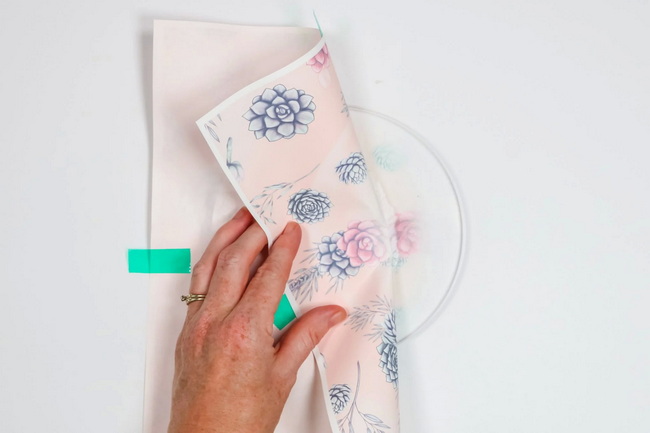
Sublimation on acrylic is a process where sublimation ink turns into gas under heat and pressure and bonds inside the acrylic surface, creating a permanent image. Unlike vinyl or surface printing, the design becomes part of the substrate, so it will not peel or flake under normal use.[3]
- Works best on cast acrylic and light colors for vivid prints.[1][3]
- Requires consistent temperature, pressure, and cooling control to avoid warping and ghosting.[4][1]
Acrylic is popular because it combines glass-like clarity with impact resistance and creative flexibility. For shops using professional heat press equipment, acrylic opens up a wide range of higher-margin products.[5][3]
- Ideal for keychains, ornaments, photo plaques, night lights, and signage.[2][6]
- Finished pieces are lightweight, shatter-resistant, and compatible with add-ons like resin, glitter, and vinyl.[3][1]
To maximize search performance, this guide targets the core keyword “sublimation on acrylic” and closely related long-tail phrases. These terms match how crafters and small businesses search for solutions and tutorials.[6][2]
- sublimation on acrylic
- how to sublimate on acrylic
- sublimation on clear acrylic
- cast acrylic for sublimation
- acrylic sublimation temperature and time
- acrylic sublimation warping prevention
Using these phrases naturally in headings and early paragraphs helps search engines understand the topic while still keeping the article readable and helpful.[2][6]
Choosing the right acrylic type is one of the most critical success factors for reliable results. Not all acrylic behaves the same way under heat, and the wrong choice can lead to dull colors or severe warping.[7][8][1][3]
Acrylic type | Works for sublimation | Key characteristics | Best use cases |
Cast acrylic | Yes, strongly recommended. | Handles heat better, absorbs sublimation dyes more effectively, less internal stress. | Professional blanks, signs, keychains, plaques. |
Extruded acrylic | Often poor or inconsistent. | Softer, more prone to warping or melting, colors often look weaker. | General display, laser work, not ideal for prints. |
Most commercial sublimation acrylic blanks are made from cast acrylic, which is clearly mentioned by specialist blank suppliers. When buying sheets or shapes, always check that the specification explicitly states “cast acrylic” before planning a production run.[1][3]
Acrylic color has a direct impact on vibrancy, opacity, and overall visibility of the printed design. The same design can look dramatically different depending on whether the base is white, clear, or tinted.[3][1]
- White acrylic produces bright, solid color reproduction similar to standard white sublimation blanks.[1][3]
- Clear acrylic creates a transparent or translucent effect, with softer colors unless backed with a white or opaque layer.[2][1]
- Pastel or light-colored acrylic generally works well but slightly shifts hues based on the base tone.[3]
- Dark or black acrylic makes sublimation designs nearly invisible, because sublimation dyes are transparent rather than opaque.[8][1]
For commercial products where consistency matters, white and clear cast acrylic give the most predictable, repeatable results across different designs and batches.[6][1]
Consistent and scalable acrylic sublimation depends on a solid combination of materials and equipment. Investing in the right setup reduces waste, improves color quality, and speeds up production.[1][3]
- High-quality heat press with even pressure and accurate temperature control, such as clamshell, swing-away, or automatic models.[6][1]
- Compatible sublimation printer with reliable sublimation inks for stable color output.[9]
- Premium sublimation transfer paper to deliver sharp detail and limit ink bleed.[5]
- Cast acrylic blanks in shapes like keychains, signs, plaques, ornaments, photo panels, and desk signs.[2][1]
- Heat-resistant tape and butcher or parchment paper to keep the press clean and avoid ink transfer.[3][1]
- Lint-free cloth and isopropyl alcohol for thorough surface cleaning.[2][1]
- Heavy, flat items such as books or metal plates to keep acrylic flat while cooling.[4][1]
- Optional finishing materials such as UV resin, mica powder, alcohol inks, glitter, vinyl, and LED bases for premium effects.[1][2]
For workshops with higher daily output, pairing these materials with professional heat press systems allows more stable and repeatable runs across different acrylic formats.[10]
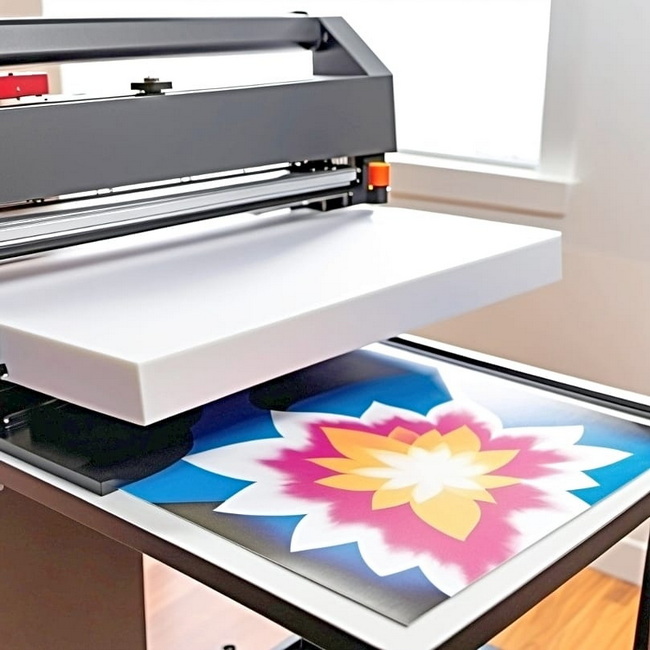
There is no single universal setting for every type of acrylic, but practical ranges can guide initial testing. Settings depend on blank thickness, press model, and design density.[3][1]
- Many users achieve strong results around 380°F (about 193°C) for approximately 120 seconds on cast acrylic with medium-firm pressure.[1]
- Thinner blanks or more sensitive materials sometimes benefit from 360–385°F for 45–60 seconds to limit warping.[11][3]
- Certain specialty acrylic panels allow lower temperatures around 320°F with longer press times, followed by careful cooling under weight.[12]
Recording the exact combination of temperature, time, pressure, and acrylic thickness creates reliable internal “recipes” that can be repeated and scaled.[4]
The following procedure prioritizes both clarity for beginners and consistency for shops with regular production schedules.[2][1]
Create or import a high-resolution design sized slightly larger than the acrylic blank to avoid unprinted borders. For many back-pressed acrylic projects, the artwork is aligned so that the design is viewed through the front surface, which may change whether mirroring is required.[13][2][1]
Remove all visible protective films or papers from both sides of the acrylic, including clear films that can be easy to overlook. Wipe the surface using a lint-free cloth and a small amount of alcohol to remove dust, oil, or fingerprints that can interfere with dye bonding.[6][2][1]
Place the printed sublimation transfer face up on the work surface, then position the acrylic face down so that the print area fully covers the blank. Secure the blank with heat-resistant tape along the edges, ensuring that the design does not shift when moved to the heat press.[2][3][1]
Preheat the heat press to test settings such as around 380°F with medium to firm pressure. Add a sheet of butcher or parchment paper on the lower platen to protect it from any escaping ink.[4][3][1]
Place the taped acrylic and transfer on the press with the paper side up and acrylic side down, then cover with another sheet of protective paper. Close the press to apply even pressure across the entire surface for the full duration of the timer.[6][1]
Use heat-resistant gloves to remove the acrylic, then immediately place it on a flat, heat-safe surface. Apply a heavy, flat object on top while the acrylic cools to room temperature to minimize bowing, rippling, or bending.[4][3][1]
After cooling, carefully peel away the transfer paper from the acrylic surface. Any remaining paper fibers can usually be removed with mild soapy water and a soft sponge, followed by a visual check for color density or ghosting.[4][3][1]
Clear acrylic sublimation is especially powerful when combined with layered finishing techniques. These methods add perceived value and help products stand out in competitive markets.[1][2]
- White UV resin backing uses UV resin mixed with white alcohol ink or mica to create an opaque layer that intensifies color vibrancy and opacity.[2][1]
- Glitter and mica powders provide shimmer, glow-in-the-dark effects, or color-shift finishes when mixed into resin or applied behind the design.[1][2]
- Vinyl overlays enable the addition of logos, branding, personalization, or functional details such as QR codes on the surface.[3][1]
- LED bases and light frames transform sublimated acrylic into illuminated plaques, night lights, or signage for premium decor items.[2][1]
These enhancements complement a stable sublimation process and are especially effective when every printed blank emerges from the press flat, clean, and consistently colored.[6]
Many common problems in acrylic sublimation can be traced back to small variations in heat, pressure, or handling. Understanding these patterns makes troubleshooting more systematic and less frustrating.[14][4]
1. Warping or bowing
- Likely causes include excess temperature, overly long press times, or insufficient cooling under weight.[12][4]
- Possible solutions include reducing temperature slightly, shortening press duration, and always cooling with a heavy flat item on top.
2. Faded or dull prints
- Potential causes include unsuitable acrylic type, low temperature, or using dark-colored acrylic that blocks light.[8][3]
- Solutions include switching to cast acrylic, increasing dwell time within safe limits, or adding a white backing layer.
3. Ghosting or double images
- Often caused by slight movement of the transfer during pressing or when opening the press.[4]
- Improved taping, smoother opening of the press, and firmer initial positioning help minimize this effect.
- Uneven color or patchy areas
- Common with small, hand-held presses that cannot cover the full design in a single pass.[6][1]
- A full-coverage heat press with uniform pressure distribution is the most reliable way to avoid banding and patchiness.
Acrylic sublimation works well for both personal crafting and commercial product lines. Its combination of durability, clarity, and customization makes it suitable for diverse markets.[5][2]
- Personalized gifts such as keychains, ornaments, and photo panels.
- Boutique or studio signage for branding and interior decor.
- Event products like table markers, seating charts, and bar menus.
- Small-batch or on-demand items for online shops and local markets.
When combined with consistent, high-quality heat press technology, these applications can be produced with reliable color, stable flatness, and repeatable quality across many batches.[10]
For makers and businesses ready to turn acrylic sublimation into a stable, profitable part of their product line, the next step is upgrading to reliable, high-performance heat press equipment that delivers accurate temperature, even pressure, and consistent results across every acrylic blank. By combining the techniques in this guide with professional-grade machines and a carefully tested set of press “recipes,” it becomes far easier to produce flat, vivid, and durable acrylic products on a regular schedule that meets customer demand.[10]
Not every acrylic sheet is suitable, and cast acrylic is strongly preferred for sublimation because it resists heat better and accepts dyes more evenly. Extruded acrylic is more likely to warp and often produces comparatively weaker or inconsistent color.[7][8][3][1]
A frequently used starting point is around 380°F for about 120 seconds with medium to firm pressure on cast acrylic. From there, small adjustments based on thickness, color, and press model help refine the final result.[4][1]
Acrylic softens when exposed to high heat and will bend or bow if it is not cooled in a controlled way. Lowering the temperature slightly, shortening the press time, and cooling the blank under a heavy, flat object are effective ways to reduce warping.[3][4][1]
In many acrylic workflows, the design is pressed onto the back and viewed through the front, which changes whether mirroring is needed. A quick test piece is the safest way to confirm the correct orientation for a specific product and layout.[13][2]
Adding a white backing behind the sublimated surface greatly improves vibrancy on clear acrylic, whether by using UV resin with white pigment, white vinyl, or paint. This backing blocks light from passing through the design and makes colors appear richer and more solid.[1][2]
[1](https://makerflo.com/blogs/craft-library/sublimation-on-acrylic)
[2](https://www.thecountrychiccottage.net/sublimation-on-acrylic/)
[3](https://www.custommadebetter.com/blogs/uv-printing-acrylic/so-you-want-to-sublimate-acrylic)
[4](https://www.custommadebetter.com/blogs/uv-printing-acrylic/sublimation-101-suggested-settings)
[5](https://michellespartyplanit.com/2024/10/how-to-sublimate-acrylic-signs/)
[6](https://jennifermaker.com/sublimation-on-acrylic/)
[7](https://community.glowforge.com/t/sublimating-onto-proof-grade-acrylic/58951)
[8](https://www.reddit.com/r/Sublimation/comments/l9ws7q/sublimating_on_clear_cast_acrylic/)
[9](https://jennifermaker.com/sublimation-heat-press-settings/)
[10](https://galaxy-press.com/heat-press-guide-temperature-and-time-settings/)
[11](https://www.tiktok.com/@lambs_garage/video/7346989792636243242)
[12](https://community.glowforge.com/t/sublimation-on-clear-acrylic/131157)
[13](https://www.sawgrassink.com/blog/tech-tip-sublimation-on-acrylic/)
[14](https://www.facebook.com/groups/1655261694953377/posts/1918535955292615/)


