If you have any questions, please feel free to contact us.| Email Us: info@dcheatpress.com


Views: 222 Author: Amanda Publish Time: 2026-02-06 Origin: Site


Content Menu
● What Is Ink Bleeding in Heat Transfer Printing?
● Why Ink Bleeds: Core Technical Causes
● Choose Superior Materials to Stop Ink Bleeding
>> Use High‑Quality Transfer Paper
>> Match Inks to Your Printer and Process
● Optimize Image Resolution and Print Settings
>> Control DPI to Control Ink Volume
>> Use the Right Media Setting
● Select the Right Fabrics and Blends
● Dial In Heat Press Time, Temperature, and Pressure
>> Use Low‑Temperature Transfers to Fight Dye Migration
● Protect the Garment and Your Heat Press
>> Use Protective Sheets and Inserts
>> Maintain a Clean, Stable Press
● Test Runs, Sampling, and Cost Control
● Step‑by‑Step Checklist: How to Stop Ink Bleeding
● Key Factors Affecting Ink Bleeding
● Advanced Tips for Different Print Methods
>> DTF (Direct‑to‑Film) Transfers
>> Screen Printing on Dark Garments
● Aligning With Professional‑Grade Equipment
● Take Action: Build a Bleed‑Free Production Line With COLORFUL
● Frequently Asked Questions (FAQ)
>> 1. Why do my T‑shirt prints look blurry after washing?
>> 2. Is higher DPI always better for heat transfer printing?
>> 3. How can I prevent sublimation ink from bleeding through thin shirts?
>> 4. What is dye migration and how is it different from ink bleeding?
>> 5. Do I need to test every new design or just new garments?
Ink bleeding can ruin an otherwise perfect heat transfer print, damage your brand reputation, and waste materials. This comprehensive guide explains why inks bleed and how to prevent it step by step, from artwork setup to heat press settings and garment care.
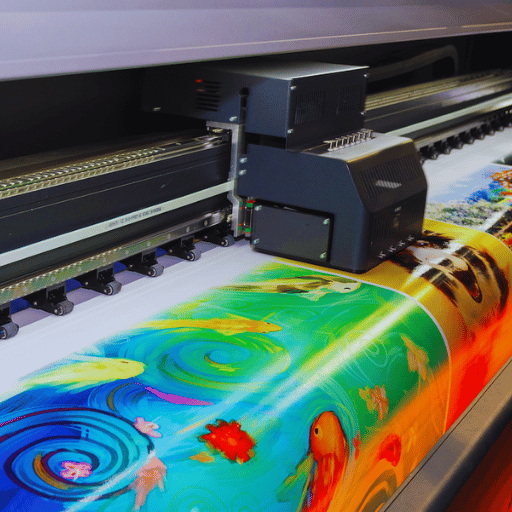
Ink bleeding happens when printed ink spreads beyond the intended design area or looks fuzzy, smudged, or muddy after pressing or washing.
Typical signs of ink bleeding include:
- Blurry or fuzzy edges on text and fine details
- Colors mixing unintentionally, especially around dark and light areas
- Ink showing through to the back of the T‑shirt or onto your heat press platen
- Blacks that look washed out or gray after the first wash
Ink bleeding is usually caused by too much ink, too much heat, incorrect substrates, or poor‑quality materials.
Understanding the root causes will help you choose the right solution for your setup.
- Overheating and over‑activation of ink: Excessive temperature causes sublimation or transfer ink to gas and spread beyond the printed area.
- Incorrect or low‑grade transfer paper: Cheap paper cannot hold the ink in place, so it releases too quickly and unevenly during pressing.
- Too much ink laid down by the printer: High DPI settings and “photo” paper modes push more ink than the substrate can absorb.
- Unsuitable fabrics: Some dark, heavily dyed, or low‑polyester‑content garments are more prone to dye migration and ink spread.
- Improper pressure and technique: Excess pressure or poor squeegee angle in screen and DTF workflows can push ink under edges and into fibers.
- Environmental factors: High humidity and poor drying cause ink to stay wet longer and spread on film or paper.
- Poor maintenance and contamination: Residual ink on platens or reused transfer sheets can ghost or smear onto the next item.
High‑quality transfer paper is engineered to hold ink on the surface and release it cleanly during pressing.
Look for paper that:
- Is specifically labeled for sublimation or heat transfer, not generic inkjet
- Has fast‑drying coatings to lock ink dots in place
- Provides clear, sharp test prints with minimal dot gain
Avoid:
- Very cheap papers that curl, buckle, or show heavy bleed when you run a test print
- Reusing paper; each press should use fresh butcher or blowout paper to avoid ghosting and unwanted transfer
Only use inks designed for your printer model and printing process.
Best practices:
- Use high‑purity sublimation or pigment inks recommended by the manufacturer
- Never mix brands in the same printer, as inconsistent chemistry can cause unpredictable bleed and color shifts
- Run regular nozzle checks to ensure consistent ink delivery and avoid banding or over‑inking
If you use regular dye ink on sublimation or transfer paper, expect poor bonding and more bleeding because it is not formulated for fiber penetration and gas‑phase transfer.
Image resolution directly affects how much ink your printer lays down. For most T‑shirt and cap prints, 150–200 DPI at final print size is sufficient. Higher DPI does not noticeably improve visual quality but does increase ink volume.
Resample large images to the actual print size instead of letting the driver overscale and push more ink than needed. Think of DPI as an ink traffic light: the higher the DPI, the heavier the traffic entering the fabric.
Media settings in your print driver control ink density.
Best practices:
- Set the printer to “plain paper” or standard quality mode for most transfer papers
- Avoid “photo,” “matte coated,” or “glossy” modes unless the paper manufacturer explicitly recommends them, because they drastically increase ink load and can cause severe bleeding
- When in doubt, print three small swatches using different quality modes, then press them to test sharpness and bleed
The type of fabric you choose has a major impact on ink stability.
Key guidelines:
- For traditional transfer printing, 50/50 polyester–cotton or 100 percent cotton delivers reliable, predictable results
- For sublimation, prioritize 100 percent polyester or high‑poly blends; low‑poly garments give dull colors and can show more bleed due to incomplete bonding
- Heavily dyed polyester or “problem colors,” such as bright reds, maroons, and some neons, are more prone to dye migration and should be matched with low‑temperature transfers and blockers
A cotton–polyester blend not only improves durability, it also allows transfer coatings and ink to bond better into the fiber structure, reducing surface smearing and wash‑out.
For many classic transfer papers, a good starting point is pressing for 15–30 seconds at about 350–360°F. This window offers a solid balance between activation and control.
General rules to prevent bleeding:
- If edges look fuzzy or colors spread, reduce temperature slightly and increase time to achieve the same cure with less over‑activation
- Keep pressure firm but not crushing; over‑pressure can force ink deeper into fibers or under stencil edges in screen and DTF printing
For sensitive polyester garments and dark colors, modern low‑temperature transfer systems help reduce ink bleed and dye migration.
Tips:
- Choose transfers that apply at 300°F or lower whenever possible
- Use transfer types with integrated blockers that create a barrier preventing garment dyes from migrating into the top ink layer

Ink bleeding is not just about the design; it can contaminate your entire production line.
To avoid ink bleeding through or onto your equipment:
- Place parchment or butcher paper on the bottom platen to protect your press from ink that extends beyond the design area
- Insert parchment or clean cardstock inside shirts or bags to prevent ink from bleeding from the front to the back
- For sublimation, use blowout paper between the transfer and the garment, and never reuse it
These simple barriers act like ink shields, catching any excess before it causes permanent stains.
Routine maintenance prevents invisible causes of bleed:
- Clean platens with heat‑press‑safe cleaners to remove residual ink and adhesive buildup
- Check that heat is evenly distributed across the platen; cold or hot spots can cause inconsistent gassing and localized bleeding
- Keep your production area's humidity under control so printed sheets can dry properly before pressing
Running test samples is one of the most effective ways to protect quality and cost.
A practical sampling workflow:
1. Print a single test transfer with your planned artwork, paper, and settings.
2. Press it on one garment using your target time, temperature, and pressure.
3. Wash the garment separately to check for post‑wash bleeding, fraying, or fading.
4. Only after passing the wash test should you proceed to full‑scale production.
This approach protects your budget and prevents entire batches from being ruined due to an unnoticed bleed or migration problem.
Use this practical checklist each time you launch a new design or garment type.
1. Prepare artwork correctly
- Set resolution to 150–200 DPI at final print size.
- Avoid ultra‑fine lines on heavily textured fabrics.
2. Choose compatible paper and ink
- Use high‑quality transfer or sublimation paper.
- Match ink to printer model and process.
3. Set print mode and color output
- Start with “plain paper” or standard quality.
- If colors look oversaturated, reduce ink density in your RIP or driver.
4. Prepare garment and press
- Pre‑press garments briefly to remove moisture and wrinkles.
- Place parchment on the platen and inside shirts if needed.
5. Dial in press settings
- Begin at 350–360°F for 15–30 seconds for classic transfer paper, adjusting based on paper instructions.
- For sublimation or low‑temperature transfers, follow the manufacturer's recommended window.
6. Run and evaluate a test shirt
- Press one shirt, then wash it separately.
- Check edges, color fidelity, and any back‑side or platen contamination.
7. Scale production
- Only after passing visual and wash tests should you move to larger quantities.
Factor | Risk if Ignored | Recommended Practice |
Transfer paper quality | Smudging, dull colors, heavy bleed | Use premium, process-specific paper; never reuse blowout paper. |
Ink type and purity | Poor bonding, fading, unpredictable bleed | Use branded, compatible inks and avoid mixing brands. |
DPI and print mode | Over-inking, fuzzy edges | Keep to 150–200 DPI and use plain-paper mode unless told otherwise. |
Fabric and garment type | Dye migration, weak colors | Use suitable blends; low-temp transfers on sensitive polyesters. |
Temperature and time | Over-activation and spread, ghosting | Slightly lower temperature with longer time; follow media guidelines. |
Protection and maintenance | Ink on platens, transfer to next jobs | Use parchment or butcher paper; clean platens regularly. |
Testing and sampling | Large-scale production errors | Always test and wash a single shirt before full runs. |
- Always dry printed sheets fully before pressing; damp sheets are more likely to bleed.
- Use parchment or butcher paper both under and over the garment, plus inside shirts.
- Wait at least 24 hours before the first wash to allow ink–fiber bonds to stabilize and reduce the risk of wash‑out or bleed.
- Control humidity in your print room; too much moisture slows drying and causes dots to spread on the film.
- Apply adhesive powder evenly; heavy or uneven coverage can cause color bleeding, especially on light fabrics.
- Store printed transfers flat between sheets of parchment and avoid bending or stacking while ink is still curing.
- Use a solid white underbase to stop garment dye from migrating into top colors.
- Maintain a 45‑degree squeegee angle with moderate pressure to avoid pushing ink under stencil edges.
- Flash‑cure between layers properly, since both under‑curing and over‑curing can contribute to bleeding and adhesion issues.
As a manufacturer of high‑quality heat press equipment, welding machines, and embossing machines, you can emphasize that precise, stable temperature and pressure control dramatically reduces ink bleeding and improves repeatability.
Professional presses:
- Hold consistent platen temperature across the entire surface
- Offer accurate digital control of time, temperature, and pressure
- Provide even pressure distribution, essential for clean edges and uniform transfer
Position your COLORFUL equipment as the backbone of a reliable, bleed‑free production workflow for global customers who need stable, scalable print quality.
If you are ready to stop ink bleeding, reduce waste, and deliver consistent, professional‑grade heat transfer prints, you need more than just the right paper and ink. You also need a stable, accurate heat press system that maintains temperature, pressure, and timing across every print. Visit COLORFUL at dcsbheatpress.com to explore our high‑quality heat transfer presses, welding machines, and embossing equipment, and contact our technical team to design a complete, bleed‑free production setup tailored to your printing business.
Contact us to get more information!
Blurry prints after the first wash usually indicate ink bleeding caused by over‑inking, incorrect transfer paper, or insufficient bonding to the fibers. Check your DPI, media setting, and wash test results before scaling production.
No. For textiles, going above about 200 DPI at final size rarely improves visible quality but increases ink load, which raises the risk of bleeding. A controlled resolution with correct paper and ink is more important than a very high DPI number.
Insert parchment paper or clean cardstock inside the shirt, protect the platen with parchment, and avoid excessive temperature and time. Combine these steps with high‑quality sublimation paper and a precise heat press to minimize bleed‑through.
Dye migration occurs when garment dyes move into the ink layer, especially on polyester and intensely colored fabrics. Ink bleeding involves your printed ink spreading beyond the design area. You can reduce dye migration with low‑temperature transfers and blocker layers, while bleed is best controlled through ink volume, paper choice, and press settings.
You should test whenever you change any major variable, including design, paper, ink, garment type, or press settings. A single test print and wash cycle helps you catch bleed or migration issues before they affect a full production run.
1. https://www.heatpressnation.com/blogs/blog/stopping-inks-from-bleeding
2. https://bubbakinsblanks.com/blogs/news/10-common-sublimation-issues-how-to-fix-them-bubbakins-blanks
3. https://www.silhouetteschoolblog.com/2022/03/how-to-prevent-sublimation-from.html
4. https://blog.transferexpress.com/6-ways-to-avoid-dye-migration-during-heat-printing
5. https://www.deconetwork.com/sublimation-printing-a-step-by-step-troubleshooting-guide
6. https://colortex.ca/blogs/our-favorite-t-shirt/how-to-avoid-ink-bleed-on-dark-garments
7. https://www.visionsub.com/wash-wear-sublimation-paper-washability-tips
8. https://www.cheetahdtf.com/blogs/dtf-transfers/how-to-print-dtf-transfers-without-color-bleeding
9. https://www.heatpressnation.com/
10. https://www.dcsbheatpress.com/


