If you have any questions, please feel free to contact us.| Email Us: info@dcheatpress.com


Views: 222 Author: Amanda Publish Time: 2026-01-30 Origin: Site


Content Menu
● What Is a Vinyl Cutter and How Does It Work?
● Professional vs Craft Vinyl Cutters
● Matching Your Vinyl Cutter to Your Materials
● Key Specifications to Consider Before You Buy
>> 1. Cutting Width and Media Handling
>> 2. Cutting Force and Blade Control
>> 4. Software Compatibility and Connectivity
● Vinyl Cutter and Design Software Compatibility
● Essential Tools and Supplies for Vinyl Cutting
● Core Workflow: From Artwork to Finished Transfer
>> Step 1: Prepare Your Artwork
>> Step 2: Set up the Vinyl Cutter
>> Step 4: Apply with a Heat Press (for HTV)
● Recommended Cutting and Heat Settings (Illustrative)
● Common Mistakes and How to Avoid Them
● When to Upgrade from a Craft Cutter to a Professional Machine
● How Vinyl Cutting Fits Into a Modern Print Business
● Action Step: Build a Reliable Vinyl Cutting and Heat Press Setup
>> FAQ 1: What materials can I cut with a vinyl cutter?
>> FAQ 2: Do I need a heat press or can I use an iron?
>> FAQ 3: How do I choose the right settings for a new HTV?
>> FAQ 4: Why are my designs not cutting all the way through?
>> FAQ 5: How can I reduce waste and improve efficiency?
Vinyl cutting is one of the most versatile ways to create custom T‑shirts, decals, labels, signs, and promotional products, whether you are a home crafter or running a growing apparel business. With the right vinyl cutter, compatible software, and a reliable heat press, you can turn digital artwork into clean, durable designs on garments and hard surfaces at low cost and with fast turnaround.
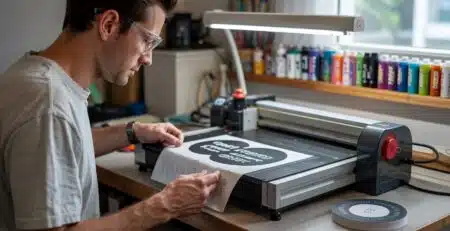
A vinyl cutter is a computer‑controlled device that uses a sharp blade to cut shapes, letters, and logos from thin materials like adhesive sign vinyl or heat transfer vinyl (HTV). The machine follows vector paths sent from design software, lightly scoring the top vinyl layer while leaving the backing or carrier sheet intact for easy weeding and application.
Vinyl cutters are widely used for:
- Custom apparel with heat transfer vinyl (names, numbers, logos)
- Decals and stickers for windows, laptops, and vehicles
- Labels and branding for packaging and products
- Banners, indoor signage, and shop displays
Compared with printing directly on fabric, vinyl cutting offers low setup cost, quick changes between jobs, and excellent durability on many fabrics and substrates.
Choosing between a craft cutter and a professional vinyl cutter depends on your volume, materials, and growth plans.
Feature | Craft / Hobby Cutter | Professional Vinyl Cutter |
Typical width | 8–12 in | 24 in or wider for rolls |
Use case | Personal projects, small T-shirt batches | Small to high-volume commercial production |
Speed & duty cycle | Slower, lighter duty | Higher speed, built for long runs |
Precision & detail | Good for simple designs | High precision, smooth curves, tiny text |
Material range | Standard HTV, basic adhesive vinyl | Foils, thicker plastics, specialty HTV, twill |
Software & workflow | Basic, craft-oriented tools | Advanced software, better file support |
Craft cutters are ideal when you mainly cut standard HTV or sign vinyl in short runs and do not need deep cuts through thick films. Professional cutters shine when you handle larger designs, multiple jobs per day, complex graphics, or thicker materials such as flock, metallic, or reflective HTV.
For basic heat transfer vinyl, sign vinyl, and heat transfer paper, an entry‑level or mid‑range cutter is usually sufficient, as long as it supports reliable tracking and adjustable pressure. However, if you plan to expand into specialty films, plastics, and thicker media, your cutter must offer higher downforce, better blade control, and stable media handling for longer jobs.
Common materials you may want to cut include:
- Standard HTV for T‑shirts and sportswear
- Flocked or textured HTV with a raised, velvety feel
- Glitter and holographic HTV that demand careful settings
- Adhesive vinyl for decals, labels, and window graphics
- Thicker films, foils, and some plastics for industrial or promotional use
Flatbed vinyl cutters tend to handle thicker or rigid materials more accurately, while roll‑fed machines are excellent for long runs of flexible vinyl on rolls. If you expect your business to grow, choosing a cutter that comfortably handles a wide range of materials will save upgrades later.
When evaluating vinyl cutters, focus on specifications that directly affect cut quality, reliability, and productivity.
- Max cutting width: Wider cutters (24 in and above) let you run full‑width rolls, nest multiple designs, and reduce material waste.
- Tracking accuracy: Good tracking ensures long cuts stay straight instead of drifting, which is crucial for banners and repeated patterns.
- Roll vs flatbed: Roll‑fed units are efficient for flexible vinyl; flatbeds are better for stiff or multi‑layer materials.
- Maximum cutting force (grams) determines how well the machine can handle thicker or denser materials.
- Fine‑tuned pressure and blade depth settings help prevent cutting through the backing, which simplifies weeding and reduces waste.
- Higher cutting speed allows you to complete larger orders faster, especially for repeated shapes like numbers or logos.
- A professional‑grade motor and frame support continuous operation without overheating or losing accuracy over time.
Your cutter should either work directly with your preferred design software or include robust cutting software that accepts common file types. Look for:
- Direct plug‑ins or export support from popular design tools
- USB, network, or Wi‑Fi connectivity for flexible placement
- Clear job management so you can queue multiple designs efficiently
If your design software is not directly compatible, bundled cutting software lets you import designs and send them to the cutter while preserving cut paths and scaling.
Software compatibility is critical for a smooth, efficient workflow from design to finished transfer. Ideally, your graphics software can send cut jobs directly to the vinyl cutter, preserving layers, registration marks, and weeding boxes.
Key points to verify:
- Supported file formats (for example, SVG, EPS, PDF, AI)
- Availability of plug‑ins or drivers for your operating system and design tools
- Ability to set cut order, weeding lines, and registration marks in the software
If direct compatibility is limited, use the supplied cutting software as a bridge: import artwork, assign cut paths, and then output to the cutter. This ensures your cutter remains usable even as you change design tools or computers over time.
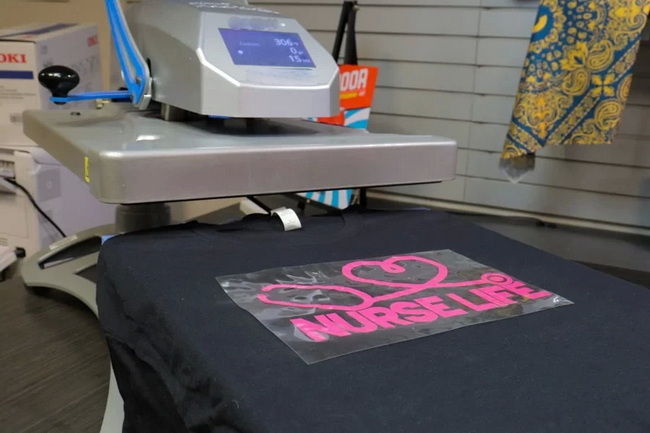
Beyond the cutter itself, you need a small set of tools that dramatically improve speed and finish quality.
Must‑have items include:
- Weeding tool for removing excess vinyl from around letters and shapes
- Squeegee or scraping tool to apply adhesive vinyl smoothly to surfaces
- Alignment tools such as T‑squares or rulers for accurate garment placement
- Transfer tape (for adhesive vinyl) to lift designs from the liner and position them on the substrate
- A reliable heat press to apply HTV to garments with controlled time, temperature, and pressure
For apparel production, pairing your vinyl cutter with a consistent, even‑heating press reduces misprints and ensures durable bonding between HTV and fabric.
Once your equipment is set up, vinyl cutting follows a repeatable workflow that you can refine for speed and quality.
- Create or import vector artwork in your design software.
- Convert text to outlines to avoid font issues and ensure clean cutting.
- Mirror the design for HTV (because it is cut from the back side) but not for adhesive sign vinyl.
- Load the vinyl straight, using pinch rollers and guides to prevent skewing.
- Adjust blade depth so it cuts through the vinyl but not the backing; a test cut should weed cleanly without scoring the liner.
- Set initial speed and pressure at conservative values and adjust after test cuts.
- Send the job to the cutter from your design or cutting software.
- Weed the design by removing excess vinyl, leaving the desired graphic on the carrier sheet.
- Trim around the design to reduce excess material, especially when layering or storing transfers.
- Pre‑press the garment to remove moisture and wrinkles, then position the design.
- Press at the recommended temperature, time, and pressure for the specific HTV type.
- Peel the carrier hot, warm, or cold according to manufacturer guidelines to avoid lifting edges.
This process is easy to standardize and scale, making vinyl cutting a strong fit for team uniforms, print‑on‑demand orders, and small‑batch custom merchandise.
Specific settings will vary by brand and machine, but some general patterns hold true across HTV types.
- Basic HTV: Medium blade depth, moderate cutting force, standard speed, and around 305–320 °F for 10–15 seconds at medium pressure.
- Glitter and holographic HTV: Slightly reduced cutting speed, enough force to clear thicker film, and longer press times with heavier pressure.
- Flocked HTV: Requires more careful blade choice and often lower pressure at the press to preserve texture.
A simple rule of thumb is that the more specialty the material is, the gentler and more controlled the cut should be. Test cuts are essential before large runs.
Many issues with vinyl cutting come from a few predictable errors in setup and process.
Typical mistakes include:
- Using default settings without test cuts, which can cause incomplete cuts or cutting through the backing
- Overheating HTV at the press, leading to scorched edges or dull finishes
- Loading vinyl crooked, causing the design to drift off the material midway through the cut
- Skipping pre‑pressing and proper pressure, which can result in poor adhesion and early lifting in the wash
To prevent these issues:
- Always run a small test cut when changing vinyl type, blade, or roll.
- Start with recommended parameters, then fine‑tune force, speed, and time in small increments.
- Use alignment marks and periodically check tracking on long jobs.
- Follow the manufacturer's instructions for peel temperature and washing care.
As your volume and material range grow, there are clear signs that you may need to upgrade.
Consider moving to a professional vinyl cutter when:
- You frequently run full‑front or large back designs that barely fit your current width.
- You handle thick, specialty films or require very small text and fine detail.
- Your cutter struggles to track long cuts without skewing or misalignment.
- You need faster production to keep up with orders and reduce overtime.
Professional cutters offer higher speed, better precision, extended media widths, and robust software support, all of which help maintain consistent quality at scale.
In 2026, vinyl cutting often sits alongside sublimation, DTF, and screen printing as part of a diversified production setup. Vinyl cutters are especially strong for:
- One‑color or few‑color designs on cotton and blends
- Names and numbers on uniforms
- Decals and branding for packaging, windows, and vehicles
- On‑demand personalization where setup must stay fast and flexible
For full‑color photo prints or large production runs of complex artwork, DTF, DTG, or screen printing may be more efficient. Using each technology where it performs best gives your business a balanced mix of speed, quality, and margin.
Whether you are just starting with vinyl cutting or upgrading an existing shop, the real goal is a repeatable, profitable workflow. Invest in a cutter that matches your current needs but also supports the materials and volumes you plan to offer in the next 12 to 24 months. Pair it with professional‑grade heat transfer equipment and well‑chosen tools so every cut and every press delivers consistent, sale‑ready results for your customers.
If you are ready to stabilize your production with durable presses, precise temperature control, and reliable pressure, explore high‑quality heat transfer equipment, welding machines, and embossing machines from COLORFUL. A well‑designed COLORFUL setup can help you build a scalable vinyl cutting and printing line that supports long‑term business growth, from first test runs to full commercial production.
Contact us to get more information!
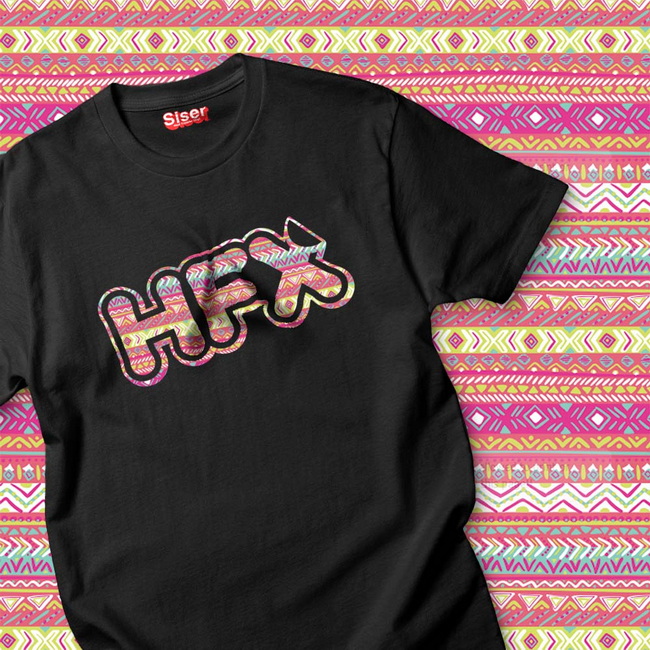
A vinyl cutter can handle standard adhesive sign vinyl, heat transfer vinyl for garments, labels, decals, and many specialty films such as glitter, holographic, and flock, depending on the cutter's force and blade system.
For very small, occasional projects, a home iron can apply some HTV, but pressure and temperature are difficult to control, so results may be inconsistent. For regular production or any small business, a dedicated heat press is strongly recommended to ensure even heat, stable pressure, and durable bonding.
Start with the manufacturer's recommended cut and press parameters, then run test cuts and test presses on scrap material to verify weedability and adhesion before full runs. Adjust force, speed, and press time slightly as needed until you achieve clean cuts and edges without over‑cutting or scorching.
Incomplete cuts usually indicate that blade depth or cutting force is too low, the blade tip is worn, or the vinyl is thicker than expected. Increase force gradually, check that the blade is correctly extended, and always confirm settings with a small test pattern before cutting the whole design.
Use nesting features in your design or cutting software to pack designs tightly, keep vinyl loaded straight for long runs, and save offcuts for small logos and labels. Standardizing your favorite HTV types and press settings also helps your team work faster and produce more consistent results.
1. https://www.heatpressnation.com/blogs/blog/preparing-yourself-for-vinyl-cutting-all-you-need-to-know
2. https://www.colyer.co.uk/guide_to_vinyl_cutters/
3. https://www.htvront.com/blogs/tutorials/vinyl-cut-and-heat-settings
4. https://www.stahls.com/blog/5-reasons-to-own-a-professional-vinyl-cutter
5. https://signwarehouse.com/blogs/content/beginners-cutters
6. https://www.airmark.com/blogs/airmark/what-can-you-use-vinyl-cutters-for


