If you have any questions, please feel free to contact us.| Email Us: info@dcheatpress.com


Views: 222 Author: Amanda Publish Time: 2025-12-24 Origin: Site


Content Menu
● What Is Inkjet Heat Transfer Paper?
● Light vs Dark Inkjet Transfer Paper
>> Inkjet Transfer Paper for Light Fabrics
>> Inkjet Transfer Paper for Dark Fabrics
● Essential Equipment and Materials
● Step-By-Step: How To Use Inkjet Heat Transfer Paper
>> 1. Choose the Right Transfer Paper
>> 2. Prepare and Print Your Design
>> 3. Prepare the Garment and Heat Press
>> 4. Position and Press the Transfer
● Best Practices for Durability and Washability
● Cost Breakdown: Why It Is Truly Budget-Friendly
● Inkjet Transfer Paper Compared With Other Methods
>> Comparison of Common Heat Print Methods
● Real-World Use Cases and Business Ideas
● Expert Tips for Scaling Your Transfer Business
● When To Add More Advanced Print Methods
● Start Building Your Inkjet Transfer Business Now
● FAQ
>> 1. Is inkjet heat transfer paper suitable for a real business?
>> 2. Can I use any inkjet printer with transfer paper?
>> 3. Do I really need a heat press?
>> 4. How long do inkjet transfer prints last in the wash?
>> 5. What fabrics work best with inkjet heat transfer paper?
Inkjet heat transfer paper lets you turn a simple inkjet printer and a reliable heat press into a real T-shirt or merch business without huge upfront costs. With the right paper, equipment, and workflow, you can create vibrant, profitable custom garments for events, brands, and small businesses.[1]
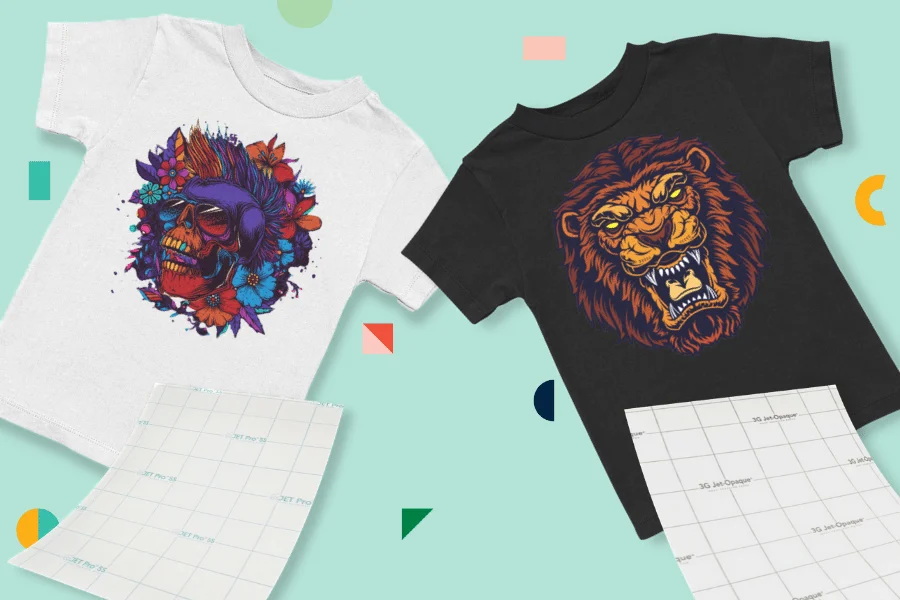
Inkjet heat transfer paper is a coated sheet that receives standard inkjet ink and then releases the printed design onto fabric when pressed with heat and pressure. Compared with basic craft sheets made for household irons, professional transfer papers are designed to pair with heat presses for smoother color, stronger bonding, and better wash performance.[1]
- Works with desktop inkjet printers (not laser).
- Coating is formulated to melt and bind the ink into the fabric under specific temperature, time, and pressure.
- Available in different versions for light and dark garments so colors stay accurate.
For first-time decorators, inkjet heat transfer paper is one of the easiest and cheapest entry points into apparel printing. You can test designs, build a customer base, and learn production workflows before investing in more advanced systems.[1]
Key advantages:
1. Low startup cost
- Often you only need an inkjet printer, a starter pack of transfer paper, a heat press, and blank garments.
- Many creators already own a compatible printer, which reduces initial spending.
2. Simple learning curve
- The process feels similar to everyday document printing.
- Heat press operation becomes routine once temperature, time, and pressure are set.
3. Flexible product range
- Works well for short-run T-shirts, event shirts, tote bags, aprons, and small promotional items.
- Ideal for small orders, personalization, and on-demand designs.
Choosing the correct type of inkjet heat transfer paper is essential for accurate color and durable results. Using the wrong type is one of the most common beginner mistakes.[1]
Light-fabric inkjet transfer paper is formulated for white or very light-colored garments. The garment color shows through unprinted areas, giving the design a softer, more integrated feel.[1]
- Best for white, cream, light gray, and pale pastels.
- Usually requires mirroring the image before printing because the transfer is pressed face-down.
- Often delivers a softer hand feel and more breathable prints on cotton and cotton-blend fabrics.
Dark-fabric inkjet transfer paper has an opaque white backing layer so colors remain bright on black or deep colors. You generally print right-reading, trim the design, and place the transfer face-up with a cover sheet before pressing.[1]
- Best for black, navy, red, and saturated colors.
- Ensures solid, vivid colors where light-fabric paper would look dull.
- Feels slightly thicker because of the white base film.
Inkjet transfer paper is only one piece of a dependable production setup. To produce consistent, sellable work, you need compatible equipment and basic accessories.[1]
1. Inkjet printer
- Pigment-ink models usually offer better wash resistance than dye-based printers.
- Use at least “Normal” or “Photo” print quality to avoid grainy images.
2. Quality heat press
- Even heat and stable pressure are critical for strong bonding.
- A properly calibrated press helps prevent cold spots, under-pressing, and peeling.
- Heat-resistant gloves for safe handling around hot platens.
- Silicone or non-stick cover sheets when recommended by the paper manufacturer.
- Lint rollers and alignment tools to keep garments clean and designs straight.
- Heat-resistant tape where needed to keep transfers from shifting.
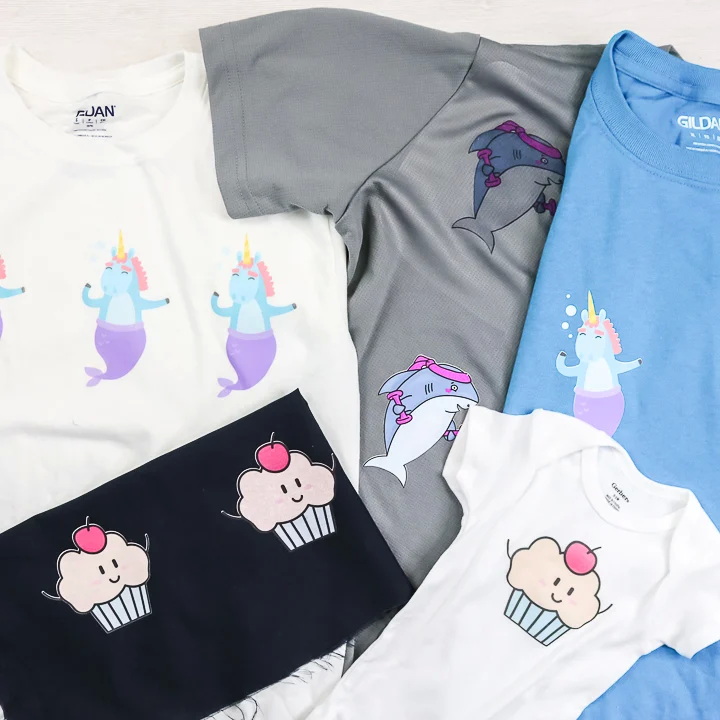
The process is straightforward, but small details greatly affect durability and overall appearance. A consistent routine helps you reduce waste and build reliable quality.[1]
- Match the paper to garment color: use light-fabric paper on light garments and dark-fabric paper on dark garments.
- Confirm the paper's compatibility with cotton, polyester, or blends.
- Carefully read the manufacturer's instructions for temperature, time, pressure, and peel method.
- Set your document size to match the paper (for example, A4 or A3).
- Mirror the artwork for most light-fabric papers; print right-reading for most dark-fabric papers.
- Use high-resolution designs (around 300 dpi) for clean details and smooth gradients.
- Avoid excessive ink saturation, which can cause bleeding or muddy colors.
- Pre-press the garment for several seconds to remove moisture and wrinkles.
- Make sure seams and collars are off the main platen area so the surface is truly flat.
- Set the press to the recommended temperature, time, and pressure for your specific paper.
- Trim excess blank area around dark-fabric transfers to reduce any visible film.
- Place the transfer correctly:
- Light-fabric: usually face-down on the garment.
- Dark-fabric: usually face-up with a protective sheet on top.
- Close the press using the specified pressure and full dwell time without opening early.
- Follow the specified peel instruction: hot, warm, or cold depending on the paper.
- Gently stretch or flex the print while warm if recommended to soften the feel.
- Allow the garment to rest for at least 24 hours before the first wash.
While inkjet transfer prints may not match the ultimate life span of screen printing, careful technique can significantly extend their usable life.[1]
Durability tips:
- Prefer pigment-ink printers where possible for better fade resistance.
- Use the recommended pressure and full press time; under-pressing is a common cause of peeling.
- Share clear wash instructions with customers:
- Turn garments inside out before washing.
- Wash on gentle cycles with cool or warm water.
- Avoid bleach, fabric softeners, and very hot dryers whenever possible.
Inkjet heat transfer paper keeps your up-front investment low while you test products, markets, and branding concepts. This makes it ideal for small studios, side-hustles, and new online shops.[1]
Typical cost components per shirt:
- Transfer sheet, especially affordable when purchased in multipacks.
- Ink usage, which remains reasonable for low to medium volumes.
- Garment blanks, with basic cotton shirts available at competitive bulk prices.
Because there are no screens or setup fees, your break-even quantity remains low, which is perfect for personalized and short-run work.[1]
Inkjet transfer paper has a clear place alongside other printing methods. The table below summarizes how it stacks up in practical terms.[1]
Method | Upfront Cost | Best Quantity Range | Fabric Flexibility | Typical Durability | Skill Level |
Inkjet heat transfer paper | Very low | 1–50 pieces | Cotton, blends, some polyester | Moderate with good care | Beginner friendly |
DTF printing | Medium–high | Small to large | Wide range including synthetics | High | Intermediate |
Sublimation | Moderate | Small to medium | Polyester and coated substrates | Very high on polyester | Intermediate |
Screen printing | High setup | 50+ pieces | Most standard garment fabrics | Very high | Advanced |
This overview helps new print entrepreneurs decide when to keep using transfer paper and when to consider adding another process.[1]
Many profitable small shops began with nothing more than inkjet transfer paper, a desktop printer, and a dependable heat press. These setups are common in home studios, shared spaces, and small workshops.[1]
Popular applications:
- Event T-shirts for local races, school activities, and family gatherings.
- Short-run merchandise for artists, bands, and online creators.
- Branded apparel for small offices, cafés, and local businesses.
- Personalized gifts such as birthday, holiday, and milestone shirts.
Avoiding a few frequent errors will immediately improve quality and reduce reprints. Many of these issues trace back to paper selection and press setup.[1]
Frequent pitfalls:
- Using light-fabric paper on dark shirts or the opposite.
- Ignoring specific instructions for temperature, time, pressure, or peel type.
- Printing with too much ink, which increases the risk of smudging and fading.
- Trying to produce sellable work with a household iron instead of a heat press.
- Skipping pre-pressing, which leaves moisture and wrinkles beneath the transfer.
As order volume grows, you can refine the same inkjet transfer workflow to run faster and more consistently. Standardizing processes creates a smoother daily routine and supports future growth.[1]
Professional tips:
- Create labeled presets for different paper types and fabrics on your heat press.
- Batch jobs by paper type, fabric color, and garment style to reduce setup changes.
- Use alignment grids or jigs on the platen for consistent logo and graphic placement.
- Keep a small library of printed samples with documented settings for quick reference.
At some point, your clients or order sizes may signal that it is time to add technologies such as DTF, sublimation, or screen printing alongside your transfer workflow.[1]
Typical signs:
- Regular orders of 50–100 or more of the same design.
- Customers demanding maximum durability for heavy daily use.
- Increased need to print on specialty materials or difficult fabrics.
Even after adding new technologies, inkjet transfer paper remains a practical solution for prototypes, rush jobs, and very small runs.[1]
If you are serious about launching or expanding a custom print business, now is the time to turn inkjet heat transfer paper into a working production system. Use the insights in this guide to choose the right paper, set up your equipment, and build repeatable workflows that deliver consistent results.[1]
Start by defining your first small product line, assembling a basic printing and pressing setup, and testing designs with friends, local groups, or niche online communities. From there, track your costs, refine your process, and reinvest profits to upgrade your equipment as orders increase. The next step is simple: commit to a launch date, prepare your first batch of designs, and begin taking real orders so your inkjet transfer setup becomes a profitable, sustainable business.[1]
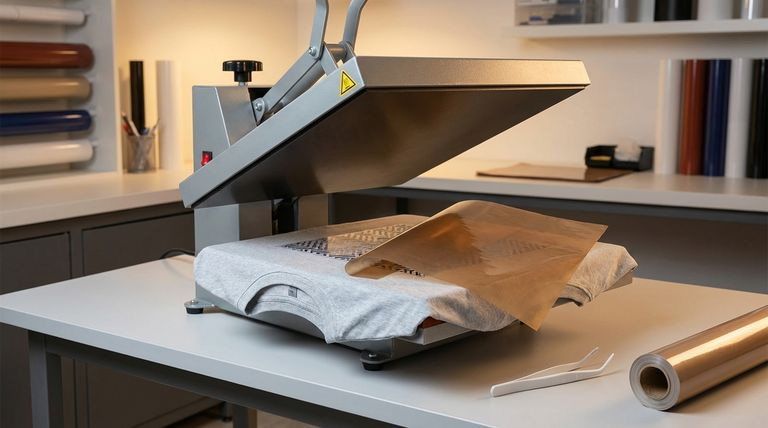
Yes, many small print businesses successfully rely on inkjet heat transfer paper for low to medium volumes, especially when they focus on custom and short-run orders.[1]
Most desktop inkjet printers are compatible, but models that use pigment inks generally offer better color stability and wash resistance, which is helpful for commercial work.[1]
A household iron may be enough for hobby projects, but consistent, professional results require a heat press that can deliver stable temperature and even pressure over the entire design area.[1]
With the right paper, proper press settings, and careful laundering, inkjet transfer prints can handle multiple wash cycles, though they usually do not last as long as screen-printed or DTF designs.[1]
Most transfer papers work well on cotton and cotton-poly blends, and some are suitable for selected polyester garments, so it is important to follow the compatibility guidance for each specific product.[1]


