If you have any questions, please feel free to contact us.| Email Us: info@dcheatpress.com


Views: 222 Author: Amanda Publish Time: 2026-01-23 Origin: Site


Content Menu
● What are aluminum sublimation photo panels?
● Common sizes and finishes for aluminum panels
● Equipment and materials you need
● Understanding the sublimation process on metal
● Step ‑by‑step workflow: how to sublimate aluminum photo panels
>> Step 1 – Prepare your artwork for aluminum sublimation
>> Step 2 – Print and inspect your sublimation transfer
>> Step 3 – Clean and prepare the aluminum panel
>> Step 4 – Align and tape the transfer
>> Step 5 – Set up the heat press for aluminum panels
>> Step 6 – Build the correct press stack
>> Step 7 – Pressing: time, temperature, and pressure
>> Step 8 – Cooling and revealing your image
● Recommended settings table for aluminum photo panels
● Pro tips for sharper, more consistent aluminum prints
● Common problems and how to fix them
● Safety best practices when pressing metal panels
● Business and pricing ideas for aluminum photo panels
● Why COLORFUL heat presses are a strong choice for aluminum photo panels
● Call to action: upgrade your aluminum photo panel workflow with COLORFUL
● FAQs about sublimating aluminum photo panels
>> 1. Can I sublimate on any aluminum sheet?
>> 2. What are the best time and temperature settings?
>> 3. Why do my aluminum prints look dull or faded?
>> 4. How do I prevent ghosting or double images?
>> 5. Do aluminum photo panels fade over time?
>> 6. What kind of heat press is best for aluminum photo panels?
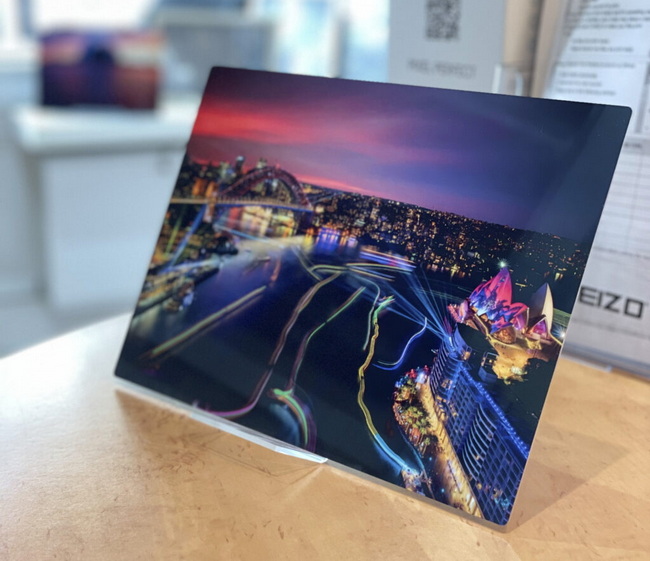
Aluminum sublimation photo panels are one of the best ways to turn digital photos into gallery-quality wall art for homes, studios, and commercial spaces. With the right coated panels, sublimation printer, and a stable flat heat press from COLORFUL, you can achieve sharp, vibrant, and durable prints that stand out from canvas or paper.

Aluminum sublimation photo panels are specially coated metal sheets designed to receive sublimation ink under heat and pressure. During pressing, the ink turns into gas and bonds with the panel's polymer coating, creating a permanent high-definition image inside the surface rather than on top of it.
Compared with paper or canvas, aluminum photo panels typically offer:
- Higher perceived value and more intense color
- Great resistance to scratches, fading, and moisture
Most aluminum photo panels are available in standard photography and décor sizes such as 4" x 6", 5" x 7", and 8" x 10", along with larger formats for wall displays. Many manufacturers also offer panoramic and multi-panel options for galleries, offices, and commercial interiors.
Finish choices usually include:
- Gloss white: Bright, high-contrast images with vivid colors
- Gloss clear: Allows the metal grain to show through for a metallic look
- Matte: Reduced glare, ideal for bright environments or subtle artwork
To sublimate aluminum photo panels consistently, you need a reliable, repeatable setup.
Essential tools and supplies:
- Flat heat press: A stable press capable of reaching 385–400°F (195–205°C) with uniform heat; COLORFUL large-format and desktop presses are ideal for both small and large panels
- Sublimation printer and ink: Dedicated sublimation system loaded with true sublimation ink
- Sublimation paper: Quality transfer paper optimized for metal substrates
- Sublimation-coated aluminum panels: Only use panels designed for sublimation, not plain aluminum
- Heat-resistant tape: To hold the transfer and panel firmly in place
- Protective sheets: Parchment or protective paper above and below the panel stack
- Nomex or felt pad (optional): For large panels, a Nomex pad can help even out pressure
- Lint-free cloth and isopropyl alcohol: For cleaning the panel before pressing
- Heat-resistant gloves: Metal gets extremely hot and must be handled safely
Sublimation on aluminum uses a polyester-based coating that accepts gaseous dye at high temperatures. At around 385–400°F, the ink printed on sublimation paper turns into gas and permanently diffuses into this coating, creating an image that does not crack or peel like surface-based prints.
Once cooled, the image becomes stable and resistant to normal handling. This is why consistent temperature, pressure, and dwell time are critical for professional results.
This section walks through a detailed workflow from file preparation to final inspection, optimized for modern flat heat presses.
Proper file setup ensures sharp, correctly cropped images on your panels.
Key artwork guidelines:
- Use high-resolution images (at least 300 DPI at final size).
- Add bleed if your design extends to the edge of the panel.
- Mirror your artwork before printing so it appears correct after transfer.
- Use RGB color space and manufacturer-recommended ICC profiles for your ink and paper.
For large panels or wall clusters, keep important details away from the edges to avoid slight shifts during alignment.
Print your mirrored artwork onto sublimation paper using your sublimation printer's recommended settings for photo panels. Once printed, allow the transfer to dry completely before handling to avoid smudging or ghosting.
Before moving to the press:
- Inspect the print for banding or visible lines.
- Trim excess paper if needed to simplify alignment.
- Keep the printed side clean and dust-free.
Even small dust particles or fingerprints can show up as defects in the final image.
Preparation steps:
1. Remove the protective film from the print side of the aluminum panel just before pressing.
2. Wipe the surface with a lint-free cloth and a small amount of isopropyl alcohol.
3. Let the panel dry fully on a clean surface.
Avoid touching the printable surface with bare fingers after cleaning to reduce the risk of marks.
Correct alignment is critical, especially for full-bleed photos and borderless designs.
Follow these positioning steps:
- Place the printed sublimation transfer face up on a clean table.
- Position the aluminum panel printable side down onto the image.
- Check all edges and corners to confirm alignment.
- Use several pieces of heat-resistant tape along the edges to keep the panel from shifting.
For large or panoramic panels, use more tape and consider taping opposite edges first to maintain even tension.
Your heat press must deliver even heat and stable pressure across the panel. COLORFUL flat heat presses are designed for consistent temperature control, which is especially important for bigger metal prints and production environments.
Typical baseline settings for aluminum photo panels:
- Temperature: 385–400°F (195–205°C)
- Time: 60–90 seconds depending on size, thickness, and coating
- Pressure: Light to medium, just enough to keep all areas in contact
If your panels have darker or thicker coatings, you may lean toward 400°F and 75–90 seconds. For thin or small panels, 385–400°F for around 60–75 seconds often works well.
A consistent stack helps protect your press and ensures clean transfers.
Recommended stack inside a flat press:
1. Bottom platen
2. Nomex felt or heat pad (optional, especially for large formats)
3. Protective parchment or paper
4. Panel with transfer taped – paper side facing down against the platen, metal side up
5. Top protective parchment or paper
Some workflows place the paper facing up, but whichever approach you choose, keep it consistent and test with your specific panels and press.
Once your stack is ready and your press is at temperature, you can start the sublimation cycle.
General pressing guidelines:
- Close the press smoothly to avoid shifting the panel.
- Press at 385–400°F for 60–90 seconds with light to medium pressure.
- Avoid excessive pressure which can leave impressions or dull the finish.
For many coated aluminum photo panels, 400°F for around 75–85 seconds on medium pressure is a strong starting point. Always fine-tune for your own equipment and materials.
When the timer reaches zero, the metal will be extremely hot, so safety is important.
Follow these steps:
1. Open the press carefully and use heat-resistant gloves to move the panel.
2. Place the panel on a heat-safe, flat surface and let it cool briefly.
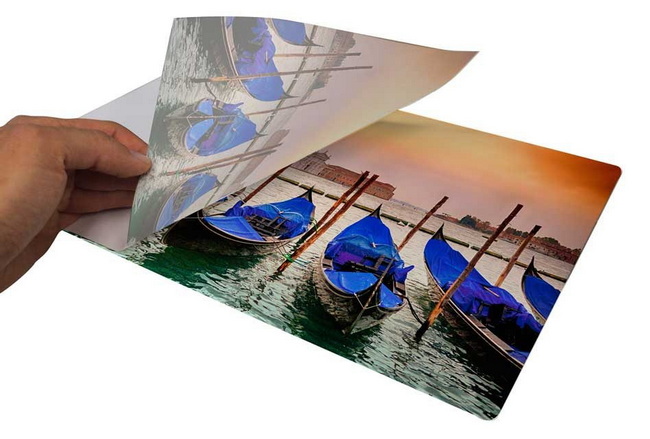
3. Once it is safe to handle, peel away the sublimation paper to reveal the image.
Some workflows peel immediately, others let the metal cool for a couple of minutes; test both approaches with your panels and record which delivers sharper, more consistent results.
Use the following table as a starting point and refine it for your specific press, paper, ink, and brand of panel.
Panel size / type | Suggested temperature | Time range (seconds) | Pressure level | Notes |
Small (4" x 6", 5" x 7") | 385–400°F | 60–70 | Light–medium | Good starting point for test runs |
Medium (8" x 10", 8" x 12") | 400°F | 70–85 | Light–medium | Ensure even contact over full area |
Large wall panels (≥11" x 14") | 400°F | 75–90 | Light, even | Consider Nomex pad for uniform results |
Always run test prints before committing to large or high-value orders, especially when working with new panel brands or coatings.
A few professional adjustments can significantly improve your output and reduce waste.
Useful optimization tips:
- Log your best settings: Record time, temperature, pressure, panel type, and notes for every successful job.
- Pre-press for moisture: In humid environments, a short pre-press of the paper (without the panel) can help remove moisture and reduce issues.
- Maintain your press: Keep the platen clean and check temperature accuracy regularly.
- Store panels properly: Leave protective film on until use and store in a dust-free area.
Consistent process control is key if you want to scale from a hobby setup to a reliable production workflow.
Even experienced sublimation users sometimes see issues such as dull colors or ghosting.
Typical defects and solutions:
1- Dull or washed-out colors
- Possible causes: Temperature too low, time too short, or incorrect ICC profile.
- Fix: Increase dwell time slightly, confirm your panel is sublimation-coated, and verify color management settings.
2- Blurry or double images (ghosting)
- Possible causes: Transfer shifting during pressing or when opening the press.
- Fix: Use more heat tape, open the press smoothly, and avoid bumping the panel while hot.
3- Uneven color or light spots
- Possible causes: Debris on the panel, uneven pressure, or cold spots on the platen.
- Fix: Clean panels carefully, check press pressure adjustment, and test different positions on the press bed.
If you see recurring issues on one area of the platen only, run a grid test to check whether the press has a hot or cold zone and adjust your layout.
Aluminum retains heat and can easily cause burns if handled carelessly.
Key safety guidelines:
- Always wear heat-resistant gloves when removing panels from the press.
- Allow panels to cool on a flat, heat-safe surface before detailed inspection.
- Keep your workspace clear to avoid dropping or scratching hot panels.
- Ensure proper ventilation when running multiple presses in a small room.
Building clear safety steps into your workflow protects both operators and finished products.
Because aluminum photo panels are perceived as premium décor, they can support higher margins than many textile items. They are well suited to both small batch and on-demand production because each panel can be personalized.
Popular commercial applications include:
- Custom wall art for photographers and artists
- Branded décor for hotels, restaurants, and offices
- Memorial and celebration photo panels
- Limited edition runs and gallery installations
Investing in a reliable flat press with precise, repeatable settings helps reduce remakes and protect your margins over time.
For consistent aluminum sublimation, equipment matters as much as artwork and paper. COLORFUL's flat heat press lines are designed for high, stable temperatures, making them well-suited to hard substrates like photo panels, plaques, and other rigid items.
Advantages of choosing COLORFUL presses for aluminum panels:
- Even heating across the platen to minimize hot and cold spots on large metal prints
- Reliable temperature control for long cycles at 385–400°F
- Robust pressure mechanisms that help keep panels flat and evenly pressed
- Options for both small studios and industrial environments, supporting future growth of your sublimation business
Pairing these presses with quality sublimation panels, paper, and ink gives you a stable foundation for a scalable aluminum photo workflow.
If you want your aluminum photo panels to look truly gallery-quality, your heat press must deliver consistent temperature, pressure, and cycle times every day. Explore COLORFUL's range of flat heat presses at dcsbheatpress.com to build a dependable, scalable setup for aluminum photo panels and other hard substrates.
Whether you are launching a new sublimation studio or upgrading an existing operation, choose COLORFUL presses to reduce reprints, stabilize your production, and deliver sharper, more profitable aluminum photo prints to every customer.
Contact us to get more information!
No. Only sublimation-coated aluminum panels are suitable, because the ink must bond with a special polyester-based coating. Regular aluminum will not accept sublimation dye and will produce poor or no visible transfer.
For most aluminum photo panels, a good starting point is 385–400°F for about 60–90 seconds at light to medium pressure. Always run tests and adjust for your specific brand, thickness, and finish.
Dull colors often indicate insufficient heat, short pressing time, or incorrect color management. Confirm that your panels are sublimation-coated, check your ICC profile and print settings, and increase dwell time slightly if needed.
Ghosting usually occurs when the transfer paper shifts during or immediately after pressing. Use more heat tape, open your press carefully, and avoid moving the paper until the panel has cooled enough to handle.
High-quality sublimation-coated panels, pressed with correct settings, offer strong resistance to fading indoors and are more durable than most paper or canvas prints. However, long-term direct sunlight exposure can still dull colors, so placement and lighting should be considered for critical installations.
A flat heat press capable of maintaining stable temperatures around 400°F with even heating and controllable pressure is ideal. COLORFUL's flat presses provide the consistency needed for both small and large aluminum panels, reducing reprints and improving image quality.
1. https://www.heatpressnation.com/blogs/blog/how-to-sublimate-aluminum-photo-panels
2. https://jotoimagingsupplies.com/blogs/blogs/how-to-sublimate-aluminum-photo-panels-a-step-by-step-guide-for-stunning-results
3. https://jennifermaker.com/sublimation-heat-press-settings/
4. https://www.doodlecraftblog.com/2024/03/guide-on-how-to-make-metal-sublimation.html
5. https://globalmetalmanufacturer.com/how-to-sublimate-aluminum-photo-sheets-a-complete-diy-guide/
6. https://www.thecountrychiccottage.net/sublimation-on-metal/
7. https://subliblanks.com/blogs/news/sublimating-aluminium
8. https://galaxy-press.com/sublimation-heat-press-settings/


