If you have any questions, please feel free to contact us.| Email Us: info@dcheatpress.com


Views: 222 Author: Amanda Publish Time: 2026-01-22 Origin: Site


Content Menu
● Step‑by‑step: how to sublimate a 1.5 oz ceramic shot glass
>> Step 1 – Print and trim the transfer
>> Step 2 – Wrap the shot glass tightly
>> Step 3 – Set up the mug press and shot glass attachment
● The tape trick: keeping small shot glasses in place
● Pressing: time, temperature, and placement
● Cooling and unveiling your design
● Troubleshooting common shot glass sublimation issues
● Safety and maintenance best practices
● Creative ideas and business applications
● How COLORFUL heat press equipment supports shot glass sublimation
● Take the next step with COLORFUL
● FAQs about sublimating 1.5 oz ceramic shot glasses
>> FAQ 1: What is the best time and temperature for sublimation shot glasses?
>> FAQ 2: Can I sublimate shot glasses in a convection oven instead of a mug press?
>> FAQ 3: How do I stop my shot glass from popping out of the attachment?
>> FAQ 4: Why are my shot glass prints faded or dull?
>> FAQ 5: Are sublimated ceramic shot glasses dishwasher safe?
Personalized sublimation shot glasses are a high‑margin product for bars, gift shops, souvenir stores, and small customization studios, especially when produced with stable, professional heat press equipment. This upgraded guide walks through every step for 1.5 oz ceramic sublimation shot glasses, including design, taping, the tape trick, pressing settings, troubleshooting, and workflow tips tailored for modern mug presses and shot glass attachments.

Reliable results on 1.5 oz ceramic shot glasses depend on using the right coating, transfer system, and heat press settings.
- Blanks: 1.5 oz ceramic shot glasses with a polymer sublimation coating designed for full‑color transfers.
- Coating benefits: Properly coated shot glasses accept sublimation ink permanently, remain smooth to the touch, and are both hand‑wash and machine‑wash safe when pressed correctly.
- Typical mug‑press settings: Around 385°F (196°C) for 180–190 seconds with firm pressure are widely recommended for ceramic shot glasses in dedicated or multi‑in‑one mug presses.
Recommended core equipment:
- Sublimation printer (Sawgrass, Epson converted, or similar) with compatible sublimation inks.
- Sublimation paper profiled for your printer and ink combination.
- Mug press with shot glass attachment (for example, 2‑in‑1, 4‑in‑1, 6‑in‑1, or 7‑in‑1 presses).
- Heat‑resistant tape and optionally a heat‑resistant silicone pad or wrap for support.
- Heat‑resistant gloves for safety when loading and unloading hot ceramic.
Even small shot glasses need carefully scaled artwork to avoid distortion and fuzziness.
- Template use: Start with a 1.5 oz ceramic shot glass template that already accounts for the taper and maximum printable area.
- Artwork dimensions: Follow template width and height strictly so your design wraps with a small overlap but does not double‑print a seam.
Design best practices:
- Use high‑resolution artwork (at least 300 DPI at final print size) to keep text and logos crisp on the small surface.
- For tapered shot glasses, slightly taper or curve the artwork in your design software so it appears straight when wrapped around the conical shape.
- For single‑logo or bar branding, center the logo at the front and consider a smaller back logo or tagline to keep the layout balanced.
Always mirror the design before printing, especially when using print managers that can auto‑mirror by default.
This workflow is optimized for a mug press with a dedicated shot glass attachment at about 385°F for 180–190 seconds.
- Print your mirrored design on sublimation paper using the correct color profile or print manager settings.
- Allow the ink to dry briefly to reduce smudging when handling.
- Cut closely around the image edges to minimize paper bulk and reduce chances of wrinkling when wrapped around the glass.
A tight wrap prevents ghosting and fading by keeping the transfer perfectly in contact with the coating.
- Position the shot glass on its side, align the design where you want it, and roll the transfer around the glass with firm tension so there is no slack.
- Ensure edges meet or slightly overlap without forming a thick ridge that could create a shadow line.
Use small pieces of heat‑resistant tape along the seam and near the top and bottom edges to lock the paper in place.
Before turning on the press, adjust the attachment for firm pressure.
- Mount the shot glass attachment by disconnecting the standard mug element, aligning the attachment to the center screw holes, tightening the screws, and plugging in the dedicated cable port.
- With the press off or cool, place an unprinted shot glass in the attachment and adjust the pressure knob until it grips the glass firmly when closed.
Set the press to a target press temperature of 385°F and time of 190 seconds (or about 180 seconds depending on your specific equipment and artwork density).
The tape trick is a simple but powerful method to prevent small shot glasses from sliding or popping out of the attachment during pressing.
- After wrapping and taping the transfer, apply one long strip of heat tape along the side seam so the strip extends 2–3 inches beyond the rim of the shot glass.
- This extended strip will later attach to the metal body of the mug press, effectively tethering the glass in place and stabilizing it during closure and heating.
Benefits of the tape trick:
- Helps maintain consistent contact pressure on the printed side, reducing ink ghosting and fading.
- Prevents the shot glass from popping or sliding out of the narrow shot glass attachment when closing the press.
When loaded, position the shot glass so the paper side faces the heating element and the extended tape strip points upward, ready to be stuck to the press frame.
Correct placement and consistent settings are critical for even color and sharp detail.
Recommended pressing parameters (mug press and shot glass attachment):
Parameter | Typical setting for 1.5 oz ceramic shot glass | Notes |
Temperature | 385°F (196°C) | Common standard for coated ceramic shot glasses. |
Time | 180–190 seconds | Use the higher end of the range for full-coverage prints. |
Pressure | Firm | Ensures full contact without cracking the glass or crushing paper. |
Pressing steps:
1. Wait until the mug press reaches the set temperature.
2. Put on heat‑resistant gloves to safely handle the blank.
3. Insert the wrapped shot glass with the printed side toward the heating element and the long tape strip upward.
4. Close the press to engage firm pressure, then stick the long tape strip onto the metal housing or attachment edge so the glass cannot slip.
5. Start the timer and let it run for the full 180–190 seconds.
Avoid loading the glass in any way that pinches the paper above the heating element, as this can distort the design or create pale bands.
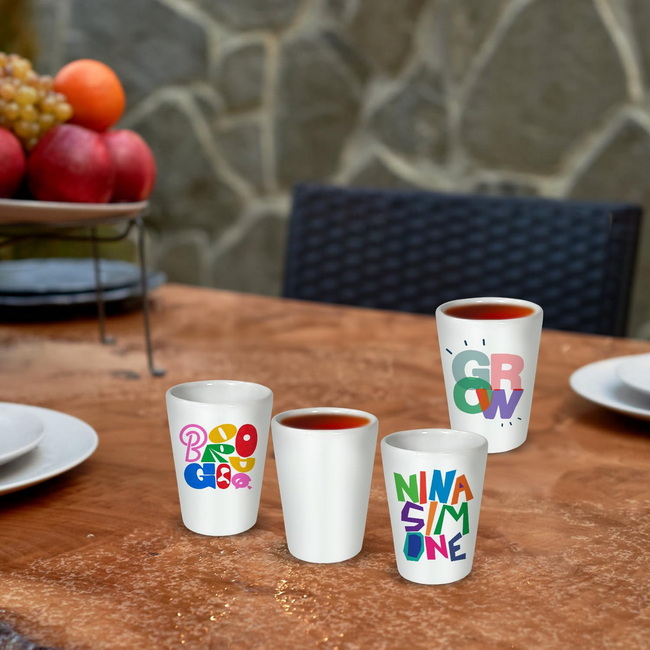
Correct cooling protects the glass and preserves color density.
- Once the timer is done, open the press carefully, peel the long tape strip off the press body, and remove the hot shot glass using gloves.
- Let the glass cool away from the heating element for about 30–60 seconds before touching the paper.
When the surface is warm but comfortable to handle, peel away the tape and paper in a smooth motion to reveal vibrant colors with no raised texture.
Avoid rapidly cooling hot glass or ceramic with very cold water to reduce the risk of thermal shock.
Small blanks magnify minor setup mistakes, but most problems are easy to correct once you know the cause.
1. Faded or washed‑out colors
- Possible causes: Insufficient time or temperature, poor contact pressure, or incompatible paper and ink settings.
- Fixes: Increase press time slightly, verify temperature with a thermometer strip, and ensure firm, even pressure along the full print area.
2. Ghosting or double images
- Possible causes: Loose wrap, paper shifting as the press closes, or the glass sliding inside the attachment.
- Fixes: Use a tighter wrapping technique, more tape at the seam and edges, and apply the tape trick to anchor the shot glass so it cannot move.
3. Uneven color bands or white edges
- Possible causes: Paper not fully covering the print area, pressure too low at top or bottom, or the shot glass sitting too high or low in the attachment.
- Fixes: Adjust template size and positioning, verify the glass sits centered in the heated area, and fine‑tune pressure to close any gaps.
Professional workflows treat safety and equipment care as part of the process, especially when running production batches.
- Always wear heat‑resistant gloves when loading and unloading hot ceramics to prevent burns.
- Keep the area around the press clear and ensure power cables and ventilation follow manufacturer guidelines.
For blank care and longevity:
- Hand‑wash or place in the top rack of a domestic dishwasher according to the blank supplier's recommendations; harsh abrasive cleaners can dull the polymer coating or ink over time.
- Inspect worn or damaged shot glasses and retire them from commercial service when chips or cracks appear.
Sublimation shot glasses are more than novelty items; they are versatile branding tools when produced with consistent quality.
- Hospitality and bars: Feature logos, drink recipes, and seasonal promotions on sets of shot glasses for in‑house service or retail.
- Souvenirs and tourism: Create city skyline, landmark, or festival themes and sell them as bundled gift sets with tumblers or mugs.
- Events and corporate gifts: Offer small batch personalized shot glasses for weddings, anniversaries, product launches, and membership clubs.
For production shops, using stable heat press equipment with accurate time and temperature control helps shorten troubleshooting cycles and improve consistency across high‑volume runs.
High‑quality hardware plays a direct role in color consistency, transfer sharpness, and operator efficiency when working with small drinkware.
- Stable temperature control keeps the heater near the target setting throughout the dwell time, reducing the risk of undercooked or scorched sections on small ceramics.
- Adjustable, repeatable pressure lets you accommodate slightly different shot glass diameters and coatings without guesswork.
For global decorators and small studios, partnering with a manufacturer that designs, builds, and services heat transfer equipment, welding machines, and embossing machines provides consistent support across multiple product lines.
If you are ready to turn sublimation shot glasses into a stable, profitable product line, now is the moment to align your workflow with reliable equipment. By combining precise temperature and time control with the tape trick and the correct templates, your team can consistently produce sharp, vibrant 1.5 oz ceramic shot glasses for bars, events, and retail customers. To optimize your production capacity and upgrade your mug press or multi‑function system, contact COLORFUL today to discuss professional heat press, welding, and embossing solutions that match your applications, budget, and growth plans.
Contact us to get more information!
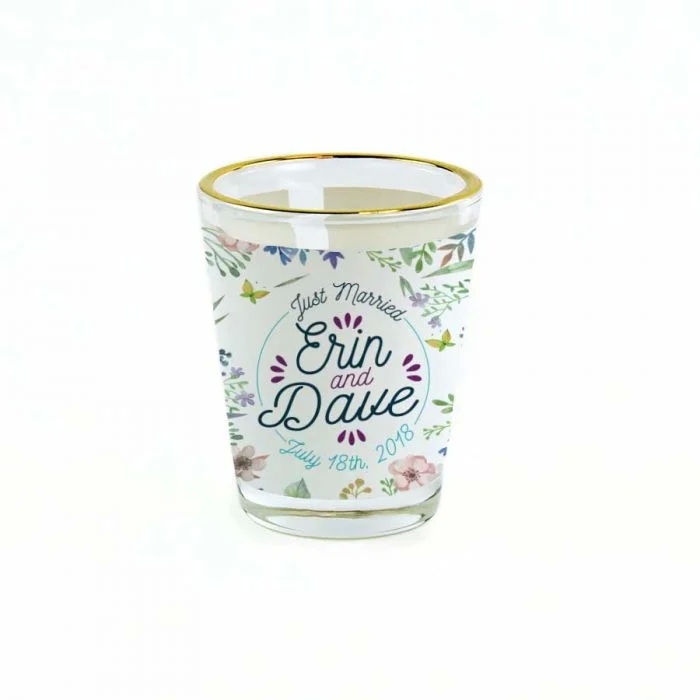
Most 1.5 oz ceramic sublimation shot glasses press well at around 385°F for 180–190 seconds with firm pressure in a mug press with a shot glass attachment. Always test a small number of blanks and adjust slightly based on your specific press, local conditions, and artwork density.
Many suppliers provide oven settings such as 400°F for about 10–13 minutes using a silicone wrap around the shot glass. Follow the blank manufacturer's guidelines and test for your own oven, as heating performance can vary widely between models.
Use firm pressure and the tape trick. Wrap the transfer tightly, then run a long strip of heat‑resistant tape up the side, leaving 2–3 inches extending beyond the rim to stick onto the mug press frame. This anchors the glass so it stays in place when you close and open the press.
Faded results often come from low temperature, short time, or weak contact pressure between the paper and the coating. Increase the dwell time slightly, confirm your press reaches the target temperature, and tighten the pressure so the paper sits flush against the ceramic.
Most polymer‑coated ceramic sublimation shot glasses are rated as dishwasher safe by their manufacturers when pressed at correct settings. For maximum life, many decorators still recommend gentle hand washing or top‑rack use and avoiding strong abrasives.
1. https://www.heatpressnation.com/blogs/blog/how-to-sublimate-a-1-5oz-ceramic-shot-glass
2. https://www.heatpressnation.com/pages/sublimation-templates
3. https://www.heatpressnation.com/products/1-5-oz-sublimation-blank-shot-glass-with-white-patch-144-per-case
4. https://www.coastalbusiness.com/white-ceramic-shot-glass-for-sublimation-printing-1-5oz-74684-g.html
5. https://www.silhouetteschoolblog.com/2023/02/how-to-sublimate-on-shot-glasses-using.html
6. https://www.youtube.com/watch?v=iqK2FqJxF-Y
7. https://www.youtube.com/watch?v=06CaEbrvEec


