If you have any questions, please feel free to contact us.| Email Us: info@dcheatpress.com


Views: 222 Author: Amanda Publish Time: 2026-01-21 Origin: Site


Content Menu
● What Is a Sublimation Key Hanger
● Why Personalize a Key Hanger with Sublimation
● Tools and Materials You Need
● Designing Artwork for a Sublimation Key Hanger
>> Using Templates for Accurate Alignment
>> Design Tips for Readability and Impact
● Printing the Sublimation Transfer
● Preparing the Key Hanger Before Pressing
● Recommended Time, Temperature, and Pressure
>> Baseline Settings for Sublimation Key Hangers
>> Why Your Exact Settings May Differ
● Step‑by‑Step: Pressing a Sublimation Key Hanger
● Pro‑Level Tips to Avoid Common Mistakes
● Creative Design Ideas for Sublimation Key Hangers
● Business and Pricing Insights
● Why Quality Heat Press Equipment Matters
● Start Your Sublimation Key Hanger Line Today
● FAQs
>> 1: Can I use any key hanger for sublimation?
>> 2: What should I do if my print looks faded?
>> 3: Why am I seeing ghosting or blurry shadows around my design?
>> 4: Can I sublimate both sides of a key hanger?
>> 5: How should I clean a sublimated key hanger?
Personalized sublimation key hangers are an easy way to add functional wall décor to any home, office, or studio while showcasing your favorite photos, artwork, or branding. This upgraded 2026 guide explains the complete process from design to pressing, with pro‑level tips and troubleshooting so beginners and small businesses can get consistent, professional results.
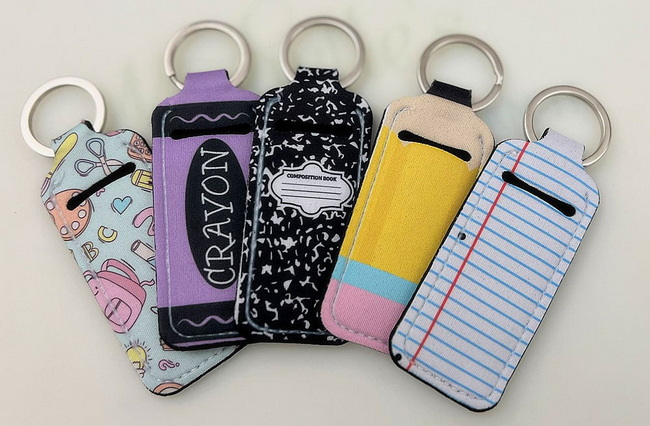
A sublimation key hanger is a wall‑mounted panel with a special polymer‑coated surface designed to accept sublimation ink under heat and pressure. The front face is typically white and glossy for full‑color prints, while metal hooks at the bottom hold keys, lanyards, or small accessories.
Most popular sublimation key hangers are made from MDF or FRP with a factory‑applied coating for sublimation. Common sizes include approximately 5" x 11" with four brass hooks and pre‑drilled mounting holes, making them easy to hang in entryways, mudrooms, or offices.
Because these hangers use the same sublimation chemistry as other hard‑surface blanks, you can match them to products like photo panels, coasters, and name plates for coordinated wall décor sets.
Personalized sublimation key hangers combine practical storage with full‑color, edge‑to‑edge graphics. They work well as everyday home accessories and as high‑perceived‑value gifts.
Popular uses include:
- Family photo key hangers for entryways and mudrooms
- Branded key holders for real‑estate offices, car dealerships, or rental agencies
- Pet‑themed, monogram, or seasonal designs for online shops and craft fairs
Because sublimation ink becomes part of the coating, the artwork is typically scratch‑resistant and fade‑resistant under normal indoor conditions, which supports long‑term customer satisfaction.
To personalize a sublimation key hanger, you will need the following tools and consumables.
Hardware and blanks
- Sublimation‑ready key hanger (e.g., Unisub‑style), MDF or FRP with a white coated face
- Sublimation printer configured with sublimation ink
- Flat heat press with a platen large enough for a 5" x 11" panel and stable temperature, time, and pressure controls
Consumables and accessories
- Sublimation transfer paper (Legal size 8.5" x 14" or larger for full coverage)
- Heat‑resistant tape for securing the hanger to the transfer
- Parchment or protective paper to protect the press platens
- Microfiber cloth to remove dust and debris from the coated surface
- Heat‑resistant gloves for handling hot substrates
- Cooling rack or heat‑safe surface for cooling after pressing
One of the easiest ways to design a sublimation key hanger is to use the official product template provided for the blank. These templates include bleed, imprint, and safety areas, helping you avoid cut‑off text or cropped images.
Typical design workflow:
1. Download the key hanger template in PSD, AI, or EPS format.
2. Open it in design software such as Adobe Illustrator or Photoshop.
3. Use the bleed layer as a clipping mask so your background artwork extends slightly beyond the finished size.
4. Set imprint and safety layers to lower opacity so you can see where key elements should stay.
Working with a template reduces layout errors and ensures hooks or mounting holes do not interfere with names, logos, or important image content.
For a sublimation key hanger, designs should be readable from several meters away while still looking detailed up close.
Best practices:
- Use high‑resolution images (at least 300 dpi at final size) to avoid pixelation
- Keep critical text, such as family names or slogans, inside the safety area
- Use bold, legible fonts for short phrases like “Welcome Home” or “Keys & Leashes”
- Leave some negative space near the hook area, so hanging keys do not visually clash with the main artwork
Correct printer settings are essential for accurate color and sharp details on MDF or FRP key hangers.
If you are using a Sawgrass printer with its print manager, a common approach is:
- Paper size: Legal (8.5" x 14") or larger to fully cover the hanger
- Substrate: MDF Board or similar hard‑surface preset
- Paper: Profile that matches your sublimation paper brand
- Mirror: Enabled so text reads correctly on the finished hanger
- Color mode: Photographic for detailed photos or Vivid for graphics that need stronger saturation
After configuring these settings, send your design to print and let the transfer dry briefly before taping it to the blank.
Proper blank preparation helps prevent defects like ghosting, random specks, or uneven color.
Preparation steps:
1. Pre‑heat the press to your chosen time and temperature settings.
2. Remove any protective film from the white coated face of the key hanger.
3. Gently run your fingers along the edges to remove loose debris from manufacturing.
4. Wipe the coated surface with a clean microfiber cloth to remove dust or fingerprints.
These simple steps improve print clarity and reduce the chance that particles will cause visible white spots in the finished image.
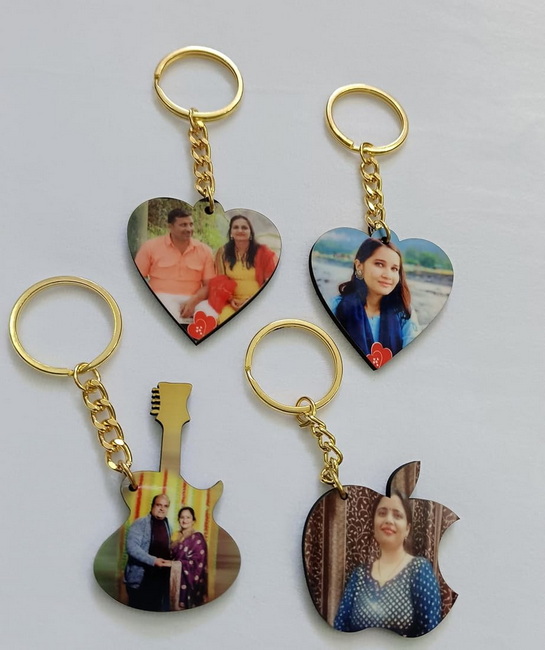
Different brands and presses may require slight adjustments, but Unisub‑style key hanger projects commonly use medium temperature and pressure with an 80–120‑second dwell time.
A practical starting point:
- Temperature: 385 °F (about 195 °C)
- Time: 80–120 seconds
- Pressure: Medium
The original tutorial uses around 80 seconds at approximately 400 °F with medium pressure, which works well for many MDF key hangers. Other makers report success within the general range of 365–385 °F for 90–120 seconds for similar MDF hard‑surface products.
The ideal settings depend on:
- Type and thickness of the blank (MDF vs FRP and overall thickness)
- Ink density in your design (heavy, full‑bleed artwork may need more time)
- Performance and calibration of your specific heat press
It is best to test with one spare key hanger or a similar MDF test piece to fine‑tune your settings before running production.
Example structure:
Setup type | Temperature | Time | Pressure | Notes |
Tutorial baseline | 385–400 °F | 80 s | Medium | Common for Unisub-style key hangers |
MDF variant | 200 °C | 45 s | Firm | Higher pressure, shorter dwell |
General MDF range | 365–385 °F | 90–120 s | Medium | Works for many hard-surface blanks |
This step‑by‑step workflow expands the original process with more detail for consistent results.
1. Pre‑heat the press
- Set the press to your chosen time, temperature, and medium pressure.
- Allow it to reach temperature and stabilize before loading any blanks.
2. Prepare the pressing stack
- Place a sheet of parchment or protective paper on the lower platen.
- Lay the printed sublimation transfer face up on the lower platen or a flat work surface.
3. Align and tape the key hanger
- Position the coated white side of the key hanger face down on the printed area, aligning with the template bleed.
- Use heat‑resistant tape on 2–4 edges to keep the key hanger firmly attached to the transfer.
4. Move the assembly to the press
- Flip the taped assembly so the paper side faces up.
- Position it in the center of the press and cover it with another sheet of protective paper.
5. Press the transfer
- Close the press using medium pressure and start the timer.
- Keep the press closed for the full dwell time to ensure proper ink transfer.
6. Cool and peel
- After time has elapsed, open the press and move the key hanger to a cooling rack or heat‑safe surface using gloves.
- Allow it to cool slightly, then peel the transfer paper in one smooth motion to avoid ghosting.
7. Install hooks and hardware
- Attach the metal hooks into the pre‑drilled holes on the lower section of the key hanger.
- Add any wall‑mounting hardware as needed and your key hanger is ready for use.
Even experienced sublimation decorators occasionally run into issues with MDF and FRP blanks. These tips can significantly improve your first‑pass success rate.
- Handle moisture in MDF: In more humid environments, lightly pre‑press MDF blanks for a few seconds with protective paper to drive off moisture before applying the transfer.
- Prevent ghosting: Use enough heat tape, ensure consistent pressure, and avoid reopening the press mid‑cycle; peel the paper cleanly rather than lifting and replacing it.
- Eliminate white specks: Always wipe the coated surface with a microfiber cloth and inspect under good lighting before pressing.
- Dial in color consistency: Keep your printer profile, paper, and substrate brand consistent from job to job so colors remain predictable for repeat customers.
If prints look washed out, increase time gradually in 10–15 second increments rather than raising temperature drastically, which can cause yellowing or over‑baking of MDF.
Strong technique is only half the story; creative themes help your sublimation key hangers stand out in search results and online marketplaces.
Ideas that work well:
- Family and household themes: Family name and established date, vacation photo collages, or kids' artwork turned into functional wall décor
- Pet and leash stations: Dog or cat portraits, paw prints, and labeled hooks for each pet or family member
- Business branding: Company logos, slogans, and QR codes linking to websites, booking pages, or social profiles
- Seasonal sets: Christmas, Halloween, or summer‑themed key hangers paired with matching sublimation mugs, tumblers, and coasters
Packaging key hangers as part of coordinated décor bundles can help you raise the perceived value and average order size in your store.
Sublimation key hangers are efficient add‑ons for an existing heat press or sublimation business because they leverage the same printer, ink, and press used for other hard‑surface products.
Simple pricing strategy:
- Calculate your total material cost (blank, paper, ink, packaging).
- Add a design fee that reflects the time spent on customization and client communication.
- Apply a healthy profit margin based on your local market and target customers.
Key hangers can be positioned as premium gifts or branded décor, often commanding higher prices than small items like individual keychains while still being easy to ship.
Consistent time, temperature, and pressure are critical for sharp, durable sublimation transfers on MDF key hangers. Uneven heat or pressure can lead to faded centers, banding, or patchy color.
Important features in a reliable heat press for this work include:
- Even heat distribution across the platen
- Stable, repeatable clamping pressure
- Accurate digital time and temperature controls
- Solid build quality for consistent daily use
Using professional‑grade heat transfer equipment helps ensure every sublimation key hanger has predictable color, sharp linework, and strong adhesion, which is especially important when you fulfill time‑sensitive or large orders.
With a clear design process, correct printer settings, and dialed‑in pressing parameters, sublimation key hangers become a fast, repeatable product that fits naturally into any heat press workflow. By combining well‑designed templates, high‑quality blanks, and reliable heat press equipment, you can deliver vibrant, durable, and profitable wall‑mounted key holders for homes and businesses. If you are ready to launch or scale your custom décor line, now is the perfect time to set up your printer, fine‑tune your press settings, and start producing sublimation key hangers that stand out in both everyday use and in your customers' online reviews.
Contact us to get more information!
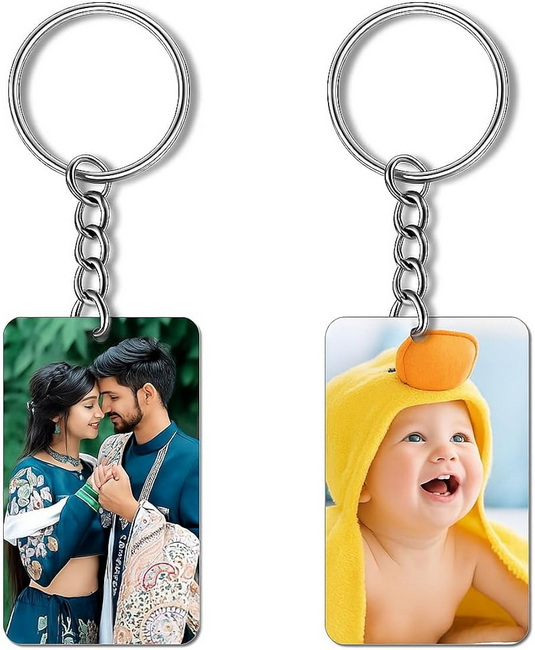
No. Only key hangers that are specifically coated or manufactured for sublimation will properly bond with sublimation ink. Uncoated MDF, raw wood, or painted boards will generally produce dull, unstable prints and should not be used for this process.
Faded prints usually indicate that the time, temperature, or pressure was too low, or that the wrong substrate preset was selected in your print software. Start by increasing pressing time slightly, verify that your press actually reaches the set temperature, and confirm that you are using a hard‑surface or MDF preset in your print manager.
Ghosting happens when the transfer paper shifts against the coated surface during or after pressing. To avoid this, use more heat tape, apply firm and even pressure, and peel the transfer paper in one clean motion only after the key hanger has cooled slightly instead of lifting and re‑placing it.
Most sublimation key hangers are designed for single‑sided printing, with the white coated face on the front and uncoated material or hardware details on the back. Always check the product specifications; if only one side is coated, only that side will accept sublimation ink correctly.
For routine cleaning, wipe the surface with a soft, damp cloth and mild soap if necessary. Avoid abrasive pads, harsh chemicals, or solvent‑based cleaners, as these can damage the polymer coating over time or reduce the gloss of the printed image.
1. https://www.heatpressnation.com/blogs/blog/how-to-personalize-a-key-hanger-with-sublimation
2. https://www.heatpressnation.com/pages/hpn-sublimation-key-ring-instructions
3. https://www.heatpressnation.com/products/unisub-sublimation-blank-key-hanger-with-brass-hooks-5-x-11-5-pack
4. https://www.conde.com/proddetail.asp?prod=U4392
5. https://www.youtube.com/watch?v=Uwgkg0mh6cw


