If you have any questions, please feel free to contact us.| Email Us: info@dcheatpress.com


Views: 222 Author: Amanda Publish Time: 2026-01-29 Origin: Site


Content Menu
● What Is a Sublimation Flag and Why It Works So Well
● Core Keywords and Use Cases for Sublimation Flags
● Tools and Materials You Need for Sublimation Flags
>> Recommended work environment
● Designing Your Sublimation Flag Artwork
>> Step 1: Define purpose and message
>> Step 2: Set correct canvas size and bleed
>> Step 3: Choose colors and contrast
>> Step 4: Typography and layout
● Printing Your Sublimation Flag Design
>> Test prints and color checks
● Preparing the Flag Blank Before Pressing
● How to Press a Sublimation Garden Flag (Step-by-Step)
● Double-Sided Sublimation Flags
● Troubleshooting Common Sublimation Flag Problems
>> White lines or uneven edges
>> Ink marks on the press or next items
● Production Workflow Tips for Small Businesses
● Recommended Equipment Features for Reliable Sublimation Flag Pressing
● Example Settings Table for Sublimation Flags
● Strong Call to Action: Take Your Sublimation Flag Production to the Next Level
● Frequently Asked Questions About Sublimation Flags
>> FAQ 1: What type of fabric is best for sublimation flags?
>> FAQ 2: Can I sublimate on dark-colored flags?
>> FAQ 3: Do I need a special heat press for sublimation flags?
>> FAQ 4: Why do my sublimation flags look faded after pressing?
>> FAQ 5: How do I avoid ghosting when sublimating flags?
Creating custom sublimation flags is one of the fastest ways to produce vibrant, weather-resistant decor for gardens, events, and campaigns, as long as you combine the right polyester flag blanks, sublimation printer, and a reliable heat press.
In this guide, you will learn how to design, print, and press your own sublimation flags, avoid common production mistakes, and choose equipment that supports stable, scalable flag production for both hobby and business use.

Sublimation flags are polyester flags decorated by transferring special sublimation ink into the fabric fibers using heat and pressure, instead of sitting on top like traditional vinyl or plastisol ink. Once heated to the right temperature, the ink turns into gas, penetrates the polyester yarns, and then solidifies, creating permanent, high-resolution color that does not crack or peel.
Because the color becomes part of the fabric, sublimation flags are ideal for outdoor garden flags, car flags, event branding, and promotional displays where durability and wash resistance are essential. For best results, use white or light-colored polyester fabric with a composition of 100% or at least 65% polyester.
To reach the right audience and match search intent, it helps to understand how people look for sublimation flag information.
Common search intents include:
- “how to make a sublimation flag” (DIY hobbyists and small shops)
- “garden flag sublimation tutorial” (home décor users)
- “custom sublimation flags for business” (small businesses and event organizers)
- “best heat press for sublimation flags” (buyers evaluating equipment)
If you sell services, focus your content and offers on applications such as seasonal garden décor, political or local campaigns, sports team flags, car flags, trade show branding, and in-store promotional displays.
To make your own sublimation flag consistently, you need a complete workflow from design to heat pressing.
- Sublimation printer (such as an A3/A4 desktop or wide-format sublimation printer)
- Sublimation inks compatible with your printer
- Heat press machine with accurate temperature, pressure, and time control (swing-away or clamshell; for larger flags, a wide-format press is ideal)
- Computer with design software such as Adobe Illustrator, Photoshop, or comparable graphic tools
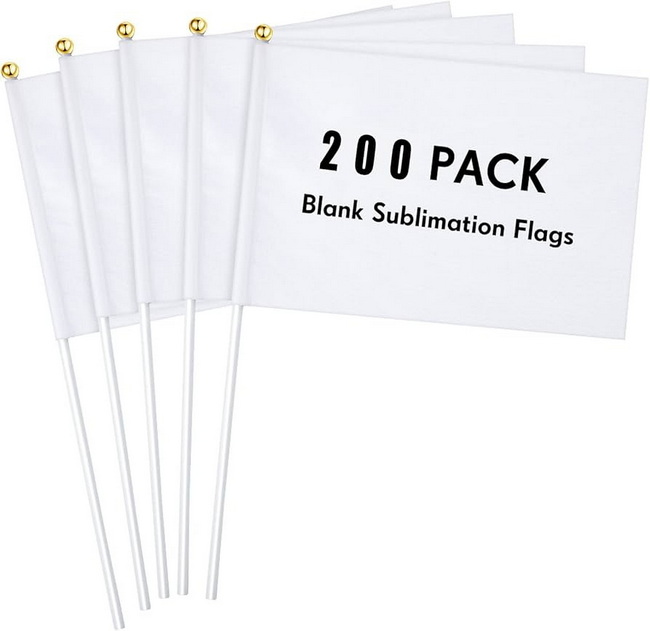
- Polyester garden flag blanks or car flag blanks (white or very light base, 100% or poly-rich 65%+ polyester)
- Sublimation transfer paper sized for your printer and flag design
- Heat-resistant tape to hold the transfer in place
- Protective paper (parchment or butcher paper) to prevent ink bleed on the press platens
- Lint roller to remove fibers that can cause blue specks or ghosting
Use a clean, flat work surface near your heat press with enough space for positioning flag blanks and laying hot items to cool. Keep ventilation adequate, especially when pressing many flags in continuous production runs.
Good design ensures your flag is readable from a distance and prints cleanly without unwanted white borders.
Before you open your design software, clarify:
- What is the flag for (garden décor, event, campaign, store promo)?
- Where will it be viewed (close-up in a garden, from a road, in a booth)?
- What is the main message (name, slogan, logo, graphic only)?
A clear purpose will guide your color choices, typography, and layout.
Measure the printable area of your flag blank, then set your artboard slightly larger to create a full-bleed design. For example, if your flag is 12 x 18 inches, you can:
- Create a rectangle roughly 0.25 inch larger on each side (around 12.5 x 18.5 inches)
- Use this shape as a clipping area in your software to avoid visible white borders
Leave a safety margin near the pole sleeve side so that important text or logos are not hidden or stitched over.
Sublimation reproduces saturated colors very well, especially on white polyester, but you still need strong contrast for readability.
- Use dark text on light backgrounds, or light text on a dark background
- Limit your palette to a few brand-consistent colors for professional results
- Avoid very subtle tone-on-tone combinations that can appear washed out outdoors
High-resolution images (at least 150–300 dpi at final print size) will look sharper and more detailed after pressing.
Flags are often read at a distance or while moving, so keep text short and bold.
- Use large, clean fonts with simple shapes
- Keep phrases short (“Welcome Home”, “Grand Opening”, “Vote Smith”)
- Center key elements or align them so they read clearly when hanging vertically
For double-sided flags, ensure your layout either accounts for mirroring or uses two separate prints so both sides read correctly.
Once the artwork is ready, you can print your sublimation transfer.
For a typical sublimation printer:
1- Install any required accessories such as a bypass tray if printing longer sheets
2- Load sublimation paper according to the manufacturer's instructions
3- In the print driver or print manager, choose settings such as:
- Substrate: Polyester
- Paper type: Matched to your sublimation paper profile
- Source: Appropriate tray or bypass tray
- Color mode: Photographic or vivid, depending on desired saturation
Always enable mirror printing so the design appears correctly when flipped onto the flag.
Print a small test sample or reduced version on the same paper and press it onto a similar polyester scrap before running a full batch. This lets you check color balance, sharpness, and any unexpected clipping before consuming large flag blanks.
Proper preparation is critical for avoiding creases, moisture spots, and lint marks.
- Preheat the press
Set your heat press to around 385–400 °F (about 196–204 °C) with medium pressure. Typical time settings for polyester flags are 50–60 seconds, similar to polyester T-shirts.
- Pre-press the flag
Place protective paper on the lower platen. Lay the flag on the press and pre-press for 5–10 seconds to remove moisture and wrinkles.
- Remove lint and debris
Use a lint roller on the side that will receive the sublimation print. This helps prevent tiny dots or ghosting that appear when loose fibers sublimate.
Follow these steps to make your first sublimation garden flag.
- Position and tape the transfer
Place the printed transfer face up on the protective paper on your work surface. Lay the flag blank on top, aligning the printable side with the design, and tape the edges with heat-resistant tape so nothing shifts.
- Load onto the heat press
Cover the lower platen with clean protective paper. Place the flagged transfer assembly on the press with the printed paper side facing up. Add another sheet of protective paper on top to catch any ink blowout.
- Press with correct settings
Press at approximately 385–400 °F (196–204 °C) for about 50–60 seconds with medium pressure. Ensure the entire printed area is within the heat press platen for even transfer.
- Peel and cool
Carefully open the press and remove the flag while still warm, being cautious of hot surfaces. Peel the transfer in a smooth motion rather than dragging it across the fabric, and allow the flag to cool flat to prevent unwanted curling or bowing.
If the flag begins to bow while still hot, peel the transfer quickly to avoid overheating and distortion.
Many garden and car flags are double-sided or use two layers of fabric sewn together.
- If the back is completely blank, you can repeat the same process with either the same design or a different artwork for the reverse side.
- Use fresh protective paper for each side to avoid ghosting or transferring residual ink from previous presses.
- Take care with alignment so the design on each side appears centered and balanced when viewed from the street or garden path.
For thicker double-layer flags, you may need slightly more pressure or a test press to verify complete ink penetration.
Even experienced decorators occasionally encounter issues when learning to make sublimation flags.
Possible causes: too low temperature, insufficient press time, incorrect paper or substrate settings, or a low polyester content flag.
How to fix it: increase temperature or dwell time slightly, check that your flag is at least 65% polyester (ideally 100%), and verify that the printer is using the correct ink and paper profile.
Possible causes: transfer shifting during pressing or re-contacting the fabric while still hot.
How to fix it: use more heat-resistant tape, ensure firm but not excessive pressure, and avoid sliding the paper when peeling; instead, lift it smoothly.
Possible causes: insufficient bleed in your design or wrinkles and folds in the flag during pressing.
How to fix it: add more bleed to the artwork, pre-press the flag longer to remove folds, and ensure the flag lays completely flat on the press.
Possible causes: reusing protective paper that already holds sublimation ink.
How to fix it: always use fresh protective paper on top and bottom for each flag.
If you plan to sell sublimation flags, standardizing your process is key to profitable production.
- Create repeatable presets for time, temperature, and pressure on your heat press for different flag sizes and fabrics.
- Batch similar jobs (same fabric and settings) to reduce setup time and maximize throughput.
- Maintain a simple record of design files, print sizes, and press settings for each product type so you can re-run orders easily.
For larger orders or bigger flags, consider a wider format printer and a larger, reliable heat press that can handle bigger platens and continuous cycles without overheating or cold spots.
While any accurate heat press can apply sublimation transfers, certain features make flag production more consistent and scalable.
Key features to look for:
- Even heat distribution across the platen to avoid faded corners or hot spots
- Stable pressure control with easy, repeatable adjustments
- Timers and audible alerts for precise dwell times
- Larger platen sizes or interchangeable platens for different flag dimensions
Pairing your sublimation setup with robust, industrial-grade heat press machines, welding equipment, and embossing solutions allows you to expand into related textile and promotional product lines without rebuilding your production floor.
You should always run your own tests, but the table below summarizes commonly used starting points for polyester flags.
Flag type | Fabric composition | Temperature (°F) | Time (seconds) | Pressure |
Small garden flag | 100% polyester | 385–400 | 50–60 | Medium |
Double-sided garden flag | 100% polyester (2 ply) | 385–400 | 55–65 | Medium-firm |
Small car flag | Poly-rich (65%+) | 390–400 | 55–65 | Medium |
Large promotional flag | 100% polyester | 385–395 | 60–75 | Medium-firm |
Use this table as a starting guide and adjust based on your specific fabric, paper, ink, and press behavior.
Once you can confidently make your own sublimation flags at home or in a small studio, the next step is to scale production with equipment that delivers consistent heat, pressure, and throughput. Evaluate your current printer and heat press setup, then upgrade to professional-grade heat transfer, welding, and embossing machines that are engineered for continuous flag and textile printing workflows so you can handle larger orders, maintain stable quality, and expand into new sublimated products with confidence and speed.
Contact us to get more information!
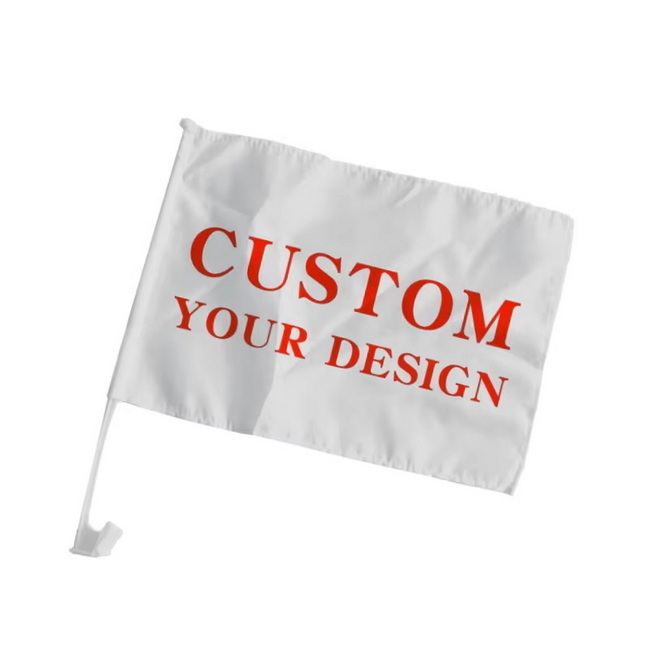
The best fabric for sublimation flags is white or light-colored 100% polyester, or at minimum a poly-rich blend of 65% polyester or more, because sublimation ink bonds with polyester fibers and produces bright, permanent color.
Sublimation works poorly on dark fabrics because the ink is translucent and cannot cover the background color, so dark flags will not show designs clearly even if they contain polyester. For dark backgrounds, consider alternative print methods such as screen printing or vinyl rather than sublimation.
You do not need a “sublimation-only” press, but you do need a heat press that can accurately reach about 385–400 °F with even heat and medium pressure across the platen to achieve reliable transfers on polyester flags. For larger flags or frequent production, a larger and more durable press helps maintain consistent results over long runs.
Faded results are usually caused by low temperature, short pressing time, incorrect paper or printer settings, or using fabrics with too little polyester. Increase time or temperature slightly, verify your substrate and paper settings, and confirm that you are pressing onto at least 65% polyester flags.
Ghosting happens when the transfer shifts on the fabric while the ink is still hot and gaseous. Use heat-resistant tape on all sides, maintain steady medium pressure, use fresh protective paper, and lift the paper straight off after pressing instead of sliding it across the flag.
1. https://www.heatpressnation.com/blogs/blog/make-your-own-flag-with-sublimation
2. https://www.thecountrychiccottage.net/sublimation-flag/
3. https://jennifermaker.com/sublimation-garden-flags/
4. https://www.expocart.com/blog/advice/a-quick-guide-to-dye-sublimation-printing/
5. https://soyang.co.uk/large-format-dye-sublimation-printing/
6. https://www.faberexposize.co.uk/feather-flags-guide-uk-2025-professional-insights-from-exhibition-display-experts/
7. https://www.portotheme.com/how-to-design-the-perfect-custom-flag-for-your-event-or-business/
8. https://embassyflag.com/guide-to-designing-custom-flag/
9. https://www.ju-color.com/blog/custom-flag-guide.html


