If you have any questions, please feel free to contact us.| Email Us: info@dcheatpress.com


Views: 222 Author: Amanda Publish Time: 2026-01-16 Origin: Site


Content Menu
● Understanding Why Vinyl Corners Lift
● How Heat, Time, And Pressure Work Together
● Why Pressure Is Often The Main Problem
● Cutting Side Causes: Offset, Blade, And Artwork Size
>> Blade Offset And Corner Accuracy
>> Blade Holder Wear And Contamination
>> Artwork Too Small For The Blade Arc
● Step By Step Process To Fix Lifting Corners While Cutting Vinyl
● Heat Press Settings That Prevent Corner Lifting
● Pro Technique: The Short Second Press
● Common Vinyl Corner Issues And Practical Fixes
>> Common Vinyl Corner Problems And Solutions
● Long Term Best Practices For Reliable Results
● When To Consider Servicing Or Upgrading Equipment
● Clear Next Step: Take Control Of Your Vinyl Corners
● FAQs About Lifting Corners And Vinyl Troubleshooting
>> 1. Why do my vinyl corners lift while cutting small letters?
>> 2. How much pressure should I use on my heat press for vinyl?
>> 3. Why does my vinyl look fine after pressing but peel after washing?
>> 4. How often should I replace my vinyl cutter blade holder?
>> 5. What is the fastest way to test if my issue is cutting or pressing related?
Vinyl corners lifting while cutting or pressing is almost always a pressure and setup problem, not just a bad material issue. By dialing in your blade, offset, cutting parameters, and heat press pressure, you can dramatically reduce lifting, tunneling, and peeling on both adhesive and heat transfer vinyl.[1][2][3]
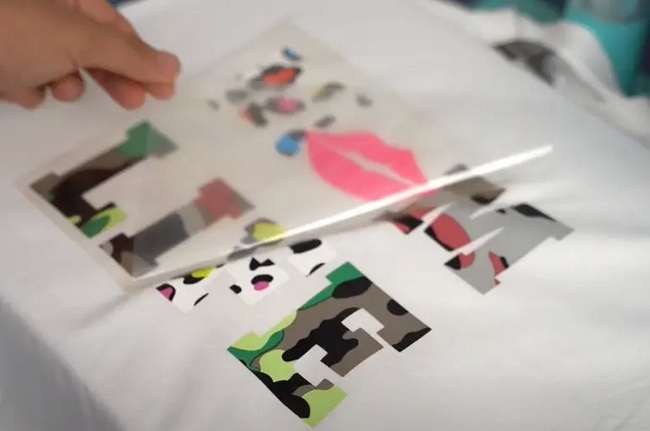
Even experienced decorators face lifting corners when cutting small graphics or weeding detailed vinyl designs. The issue usually comes from a combination of mechanical setup and application settings rather than the vinyl itself.[2][3][1]
Key root causes include:
- Incorrect blade offset settings.[4][1]
- Worn or dirty blade holder components.[1][2]
- Graphics that are too small for the blade arc.[2]
- Insufficient or uneven press pressure during application.[3]
- Inaccurate temperature or dwell time for the film type.[3]
Most thermal transfer films rely on a specific interaction of temperature, pressure, and dwell time to activate the adhesive and form a durable bond. Different films, such as CAD cut films, print and cut films, and certain sublimation systems, each have ranges where these variables perform best.[3]
Important points to remember:
- Temperature softens the adhesive but does not replace pressure.[3]
- Pressure drives the molten adhesive into the fabric fibers, especially at corners and edges.[3]
- Time controls how long the adhesive remains at its activation temperature.[3]
If any one factor is too low, vinyl may appear to adhere initially but will often lift at the corners during liner removal or after several wash cycles.[3]
In real production environments, pressure is the variable that causes the most inconsistency, even more than temperature in many shops. Adhesive backed thermal transfer films need adequate and even pressure to penetrate fibers and anchor the graphic.[3]
Typical outcomes of incorrect pressure:
- Too light a pressure: corners lift during peeling or after the first washes.[3]
- Uneven pressure: areas over seams or thick zones fail before the rest of the design.[3]
Many products only provide pressure guidance as light, medium, or heavy, while some dye sublimation or hybrid systems specify pressure in pounds, such as around 60 lbs in certain cases. In practice, decorators often achieve stronger results by applying slightly more than the minimum recommended pressure, as most films tolerate firm pressure well.[3]
The blade offset tells your cutter how far past a corner it must travel so that the tip of the blade can cut sharply around angles. When this value is wrong, corners will not articulate correctly, causing lifting and rough edges.[4][1]
Common symptoms of incorrect offset:
- Rounded or hooked corners instead of clean angles.[1][4]
- Corners lifting or tearing as the blade changes direction.[4][1]
- Small pieces pulling up during cutting or weeding.[1]
Practical steps to refine offset:
- Start at the cutter manufacturer's recommended offset value.[1]
- Run standardized test cuts and inspect corner sharpness and weedability.[1]
- Adjust the offset in small increments and repeat tests until corners are clean.[4][1]
Over time, the blade holder can loosen, wear, or accumulate adhesive and vinyl dust, which prevents the blade from rotating freely and staying upright. Even a small amount of play can make corners lift or appear ragged.[2][1]
Maintenance best practices:
- Inspect the blade holder regularly for visible wear, cracks, or wobble.[2]
- Disassemble the holder according to instructions to avoid damage.[2]
- Clean the interior and exterior with a lint free cloth and isopropyl alcohol.[2]
- Replace the blade holder when movement feels loose or when cleaning no longer restores precision.[1][2]
Designs with extremely small letters, thin strokes, or tight curves can be smaller than the effective cutting arc of the blade. In this situation, the cutter cannot turn sharply enough without dragging and lifting corners.[2]
To tackle this challenge:
- Increase the overall size of tiny graphics or micro text when possible.[2]
- Switch to a finer or smaller blade designed for detail work.[2]
- Slightly increase blade offset, within safe limits, to better handle tight corners.[2]
- Add weed lines or bridges to help stabilize small cavities while cutting and weeding.[2]
A systematic approach helps identify the real source of lifting and prevents guesswork. Use the following process whenever lifting corners become visible during cutting or weeding.
1. Run a standardized test cut.
- Use the cutter's built in test shape, such as a square inside a circle.
- Confirm that the square corners are sharp and that the circle weeds cleanly.[1]
2. Verify blade depth.
- Extend the blade only far enough to cut the vinyl layer cleanly while lightly scoring or not cutting the backing.[1]
- Ensure the tip is barely visible from the holder rather than extended excessively.[1]
3. Adjust blade offset.
- Begin with the recommended offset and observe corner quality.[4][1]
- If corners lift or look misshaped, adjust the offset in small steps and repeat tests.[1]
4. Inspect and clean the blade holder.
- Remove the holder from the carriage and check for play or visible damage.[1][2]
- Clean any adhesive buildup and debris around moving parts.[2]
- Replace the holder if rotation remains inconsistent after cleaning.[1][2]
5. Optimize cutting pressure and speed.
- Reduce cutting speed for detailed or intricate graphics to reduce drag.[1]
- Increase cutting pressure only enough to ensure full depth cuts without deeply scoring the backing.[1]
6. Evaluate design size and complexity.
- Enlarge very small text, thin outlines, or tight curves to a more cutter friendly scale.[2]
- Use a smaller blade if detail requires tighter turning without lifting.[2]
- Add additional weed lines to break the design into easier sections for weeding.[2]
7. Check material handling and support.
- Confirm that the vinyl is firmly secured to the mat or that roll fed material is properly aligned and tensioned.[5]
- Use pinch rollers positioned correctly to prevent shifting and skewing during cutting.[5]
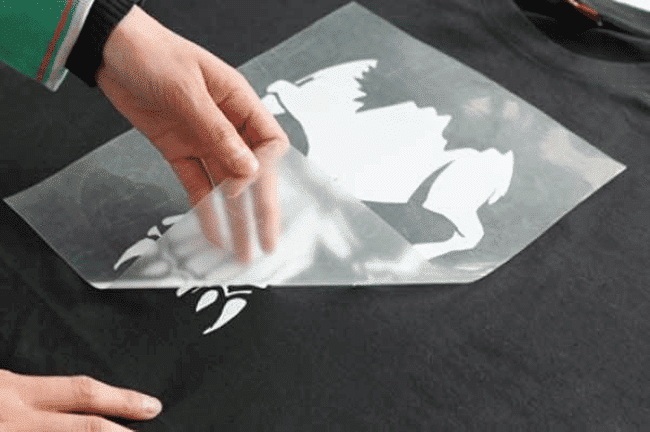
Even with perfect cuts, improper heat press settings can still cause vinyl corners to lift, tunnel, or peel over time. Thermal transfer films are designed to perform within specific temperature, pressure, and time windows.[3]
Practical guidelines:
- Confirm the manufacturer's recommended temperature, time, and pressure for each film.[3]
- Recognize that some systems specify pressure in pounds, and that certain applications, such as some ChromaBlast processes, call for relatively high pressures around 60 lbs.[3]
- Use a digital thermometer or heat test strips to confirm that the displayed press temperature matches platen surface temperature.[3]
When corners lift at or after pressing:
- Increase pressure by one level or adjust until you feel a firm clamp over the entire design.[3]
- Make sure the garment and transfer are placed away from thick seams, collars, or zippers that prevent even pressure.[3]
- Confirm that dwell time matches the recommended range for the film and substrate.[3]
A short second press after peeling the liner is a simple technique that significantly improves long term corner adhesion. This step allows the adhesive to recover from the stress of carrier removal and deepen its bond to the fabric.[3]
Typical procedure:
- Apply the design using the recommended time, temperature, and pressure settings.[3]
- Peel the carrier hot, warm, or cold according to the film's instructions.[3]
- Lower the press time to about five seconds while keeping temperature and pressure the same.[3]
- Press the garment again briefly to reflow the adhesive into the fibers and reinforce edges and corners.[3]
This method is especially helpful for garments that will experience frequent washing or heavy wear.[3]
The following table helps separate cutting problems from pressing problems and directs attention to the most effective adjustments.
Symptom | Stage involved | Primary causes | First settings to adjust |
Corners lifting while still in the cutter | Cutting | Incorrect offset, worn blade holder, excessive cutting speed | Offset, blade holder cleaning or replacement, slower speed. |
Tiny letters lifting or tearing during cutting | Cutting | Artwork smaller than blade arc, dull or unsuitable blade | Increase graphic size, use a fine detail blade, add weed lines. |
Vinyl weeds hard or corners not fully cut | Cutting | Insufficient blade depth or cutting pressure | Slightly increase blade depth and cutting force. |
Corners peel after the first wash | Pressing | Too little pressure, insufficient dwell time, uneven platen | Raise pressure, verify time and temperature, avoid seams. |
Edges lifting or tunneling immediately post press | Pressing | Inadequate pressure or incorrect temperature for the film | Correct temperature settings and increase pressure slightly. |
Building consistent habits ensures that lifting corners become the exception rather than a recurring problem.
Recommended practices:
- Run a small test cut whenever changing vinyl type, blade, or force settings.[1]
- Keep a written or digital record of working cutter and press settings for each material and garment type.[1][3]
- Schedule regular cleaning and inspection of blade holders, cutting strips, and press platens.[2][1][3]
- Train team members on how blade offset, pressure, and dwell time affect real world results.
- Use the short second press on designs that must withstand frequent washing or industrial laundering.[3]
These habits reduce waste, save time, and deliver a more consistent experience for customers.
If lifting corners persist even after careful optimization, the equipment itself may be a limiting factor. Worn or entry level machines can struggle to maintain the stability needed for demanding workflows.[5][2][1]
Signs that servicing or upgrading could be beneficial:
- The heat press struggles to maintain even temperature across the platen.
- Pressure is difficult to set, drifts during production, or feels inconsistent from corner to corner.
- The vinyl cutter has tracking issues or cannot keep long runs aligned even when loaded correctly.[5]
- Blade holders and consumable parts wear out more quickly than expected.[2][1]
In such cases, investing in more precise and stable cutters and presses can significantly improve quality, reduce material losses, and make troubleshooting easier.
If lifting corners are affecting your production time, material costs, or customer satisfaction, treat them as a signal to tighten your process and equipment. Start by standardizing test cuts, documenting your best settings, and applying short second presses on critical jobs. Then evaluate whether your existing cutter and heat press can consistently deliver stable offset, accurate tracking, and even pressure. Combining optimized workflows with reliable, well maintained equipment gives you clean corners, durable transfers, and more predictable results across every project.
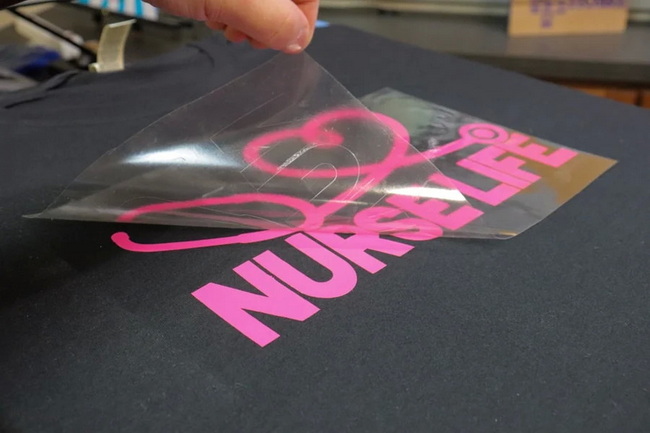
Corners lifting on small letters typically indicate incorrect blade offset, a worn or dirty blade holder, or artwork that is too small for the current blade to cut cleanly. Reducing cutting speed, cleaning or replacing the blade holder, and slightly enlarging the design are effective ways to reduce this problem.[1][2]
Most films offer guidance such as light, medium, or heavy pressure, and some systems define pressure in pounds, with certain applications calling for values around 60 lbs. In many workflows, applying slightly higher pressure than the minimum recommended setting improves corner adhesion and wash durability without damaging the film.[3]
When vinyl looks fine immediately after pressing but peels after washing, the pressure or dwell time was often too low, even if temperature seemed correct. Increasing pressure, confirming actual platen temperature with an external thermometer, and using a short second press after peeling usually produces a more wash resistant bond.[3]
The blade holder should be replaced whenever you observe wobble, visible wear, or inconsistent corner quality that persists even after changing blades and recalibrating offset. Regular inspection and cleaning extend its life, but high volume environments should expect periodic replacement as part of normal equipment maintenance.[2][1]
The quickest approach is to inspect the cuts before pressing and the garment after pressing. If corners are jagged, incomplete, or lifting on the mat, it is a cutting setup issue. If cuts look sharp but corners lift during peeling or after washing, it is primarily a heat press issue related to pressure, temperature, or time.[1][3]
[1](https://signwarehouse.com/blogs/content/vinyl-cutting-tip-fix-lifting-corners)
[2](https://www.allprintheads.com/blogs/news/vinyl-cutting-tip-how-to-fix-lifting-corners)
[3](https://www.heatpressnation.com/blogs/blog/how-to-fix-any-lifting-corners-while-cutting-vinyl)
[4](https://signworld.org/signworld-guide-fixing-lifting-vinyl-corners/)
[5](https://www.heatpressnation.com/blogs/blog/get-the-most-out-of-any-vinyl-cutter)


