If you have any questions, please feel free to contact us.| Email Us: info@dcheatpress.com


Views: 222 Author: Amanda Publish Time: 2026-01-16 Origin: Site


Content Menu
● Understanding Why Ink Cartridges Dry Out
● Step 1 – Use the Printer's Built‑In Cleaning Tools
● Step 2 – Clean Cartridge Contacts and Exterior
● Step 3 – Restore Flow with a Warm Water Soak
● Step 4 – Advanced Cleaning Options for Severe Clogs
● Step 5 – Decide When Replacement Is the Better Choice
● Preventing Ink Cartridges from Drying Out
>> Print and Maintain Regularly
>> Store Cartridges in the Right Environment
● Quick Decision Table: Repair or Replace?
● Best Practices for High‑Volume and Business Users
● Take the Next Step for Reliable, Clog‑Free Printing
>> FAQ 1. How many times can the cleaning cycle be safely used?
>> FAQ 2. Is very hot water safe for unclogging cartridges?
>> FAQ 3. Can alcohol be used directly on the printhead?
>> FAQ 4. Do refillable or third‑party cartridges dry out faster?
>> FAQ 5. How often should printing occur to keep cartridges from drying out?
Inkjet printers can start producing streaks, faded colors, and missing lines when ink dries inside the cartridge nozzles or printhead, but most of these issues can be resolved with careful cleaning and better storage habits. This guide explains the main causes of dry ink cartridges, step‑by‑step solutions, and proven ways to prevent clogs in the future.[2][3][1]
Knowing the root causes of drying and clogging is essential for choosing the most effective fix and preventing repeat problems. Several environmental and usage factors work together to shorten cartridge life and increase the chance of printhead blockages.[4][3][1]
- Infrequent printing: Long idle periods allow ink at the nozzles to evaporate, which leads to partial or complete clogs.[3][1]
- Refilled or low‑quality cartridges: Poorly sealed refills and low‑grade ink invite air into the cartridge and can accelerate drying.[1][2]
- Expired ink: Cartridges used beyond their recommended shelf life are more likely to clog and produce inconsistent colors.[5][1]
- Improper storage: Heat, direct sunlight, or rapid temperature swings dry ink faster and can damage seals or nozzles.[6][3][1]
- Incorrect shutdown: Unplugging the printer instead of using the power button may stop the printhead from sealing, leaving nozzles exposed to air.[7][3]
When several of these factors occur together, the risk of dried ink and clogged nozzles rises significantly, especially in hot or very dry environments.[8][3]

Most modern printers provide built‑in maintenance functions that can clear light to moderate clogs without any manual disassembly. Starting with these tools reduces the chance of damaging cartridges or printheads.[6][3][1]
- Open the printer's maintenance menu and look for options such as “Clean Printhead,” “Head Cleaning,” or “Nozzle Check.”[3][1]
- Run a cleaning cycle, then print a test page or nozzle check pattern to see whether missing lines or bands improve.[1]
- Repeat the cleaning cycle up to two or three times, allowing a few minutes between runs to avoid overheating and unnecessary ink waste.[6][1]
If print quality improves but is still imperfect, additional manual cleaning methods can help restore normal operation.[2][1]
Dirty electrical contacts and dried ink on the printhead surface can disrupt ink flow and cause error messages, even when ink levels are adequate. A careful exterior cleaning often restores normal communication between the cartridge and printer.[9][1]
- Turn the printer off with the power button and unplug it before touching internal components.[7][3]
- Remove the cartridge and place it on a clean, dry paper towel with the printhead facing up.[9][1]
- Gently wipe the contact strip on the cartridge with a lint‑free cloth lightly dampened with isopropyl alcohol, then clean the matching contacts inside the carriage.[2][1]
- Avoid touching the nozzle area with your fingers, because skin oils and pressure can damage the delicate coating.[10][1]
After the contacts are completely dry, reinstall the cartridge, run one cleaning cycle, and print a test page to check for improvement.[1]
When dried ink physically blocks the nozzle openings, a controlled warm water soak can help dissolve clogs without harsh solvents. This method is widely used because it is simple, inexpensive, and effective for many dried cartridges.[10][2][1]
Recommended soaking procedure:
1. Fill a shallow dish or bowl with warm water that feels comfortable to the touch, not hot or boiling.[5][1]
2. Hold or place the cartridge so only the printhead/nozzle area is submerged; keep the electronic contacts completely dry.[2][1]
3. Let the cartridge soak for about 5–15 minutes, checking occasionally for ink traces in the water or on the printhead.[11][2]
4. Remove the cartridge and gently press the printhead against a damp, lint‑free paper towel until solid, continuous ink streaks appear.[10][1]
5. Pat the cartridge dry thoroughly and allow a few extra minutes for any hidden moisture to evaporate.[5][1]
6. Reinstall the cartridge, run a nozzle check, and print a simple color page to confirm that all channels are firing.[9][1]
If print quality improves noticeably but a few gaps remain, repeating the soak once is usually safe; beyond that point, further soaking tends to deliver diminishing returns.[11][1]
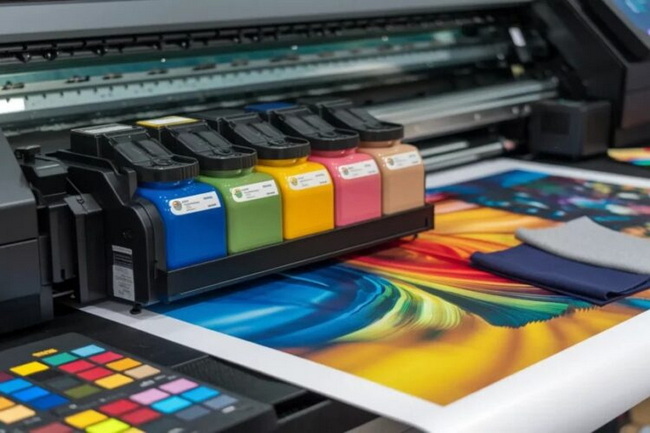
Some cartridges and printheads become so clogged that basic soaking is not enough, especially after long periods of inactivity or exposure to heat. In those cases, more advanced techniques may help, but they require extra caution.[12][9][1][2]
Common advanced methods include the following approaches.[1][2]
- Alcohol‑based cleaners: Lightly apply isopropyl alcohol or specialized printhead cleaning fluid to the nozzle area using a cotton swab to break down stubborn dried ink.[9][2]
- Syringe or squeeze‑bottle flushing: On removable printheads, some users gently push cleaning solution through the ink intake with a syringe to clear internal clogs, using very low pressure.[5][1]
- Vacuum or air pressure tools: A small vacuum device or carefully used compressed air can draw ink through the nozzles, but excessive force can cause permanent damage or leaks.[2][1]
These methods are best reserved for experienced users or situations where replacement is not immediately possible, because incorrect handling can ruin the cartridge or printhead assembly.[12][9]
There is a point where continuing to revive a dry cartridge consumes more time and ink than simply installing a new one. Identifying this point early saves frustration and prevents repeated print quality issues.[6][1][2]
Consider replacing the cartridge when any of the following situations apply.[10][1]
- Multiple cleaning cycles and at least one warm water soak have produced little or no visible improvement.[10][1]
- The cartridge is significantly past its expiration date and prints remain faint, streaky, or off‑color after cleaning.[5][1]
- The body, printhead, or seal shows cracks, leaks, or other physical damage.[9][1]
- The ink level is already low, so additional cleaning will waste more ink than a fresh cartridge would cost.[6][2]
For users who rely on consistent output in offices, studios, or production environments, timely replacement is usually more economical than repeated revival attempts.[4][2]
Preventive maintenance is the most reliable way to avoid clog‑related downtime and extend cartridge life. With a few intentional habits, most users can dramatically reduce drying problems.[3][1][6]
Regular printing keeps ink moving through the nozzles and stops it from sitting long enough to harden. Maintenance functions support this by detecting and correcting early blockages.[8][3][1][6]
- Print at least one small color document or nozzle test pattern every one to two weeks.[8][3]
- Run a cleaning cycle if you notice early signs such as light streaks or missing lines.[4][6]
- Schedule recurring reminders to perform a test print, especially on printers that are used only occasionally.[8][6]
Storage conditions have a direct impact on how fast ink dries, whether cartridges are installed or kept as spares. Temperature, humidity, and orientation all play a role in keeping nozzles clear.[3][8][1]
- Keep printers and cartridges in a cool, dry, stable‑temperature room away from direct sunlight or heating vents.[4][3][1]
- Maintain moderate humidity, often recommended in the 40–60 percent range, to reduce evaporation without causing condensation.[8][4]
- Store spare cartridges sealed in their original packaging until needed, and keep opened units in airtight bags in an upright position.[13][3]
When leaving a printer idle for an extended period, powering it down properly allows the printhead to park and seal, reducing air exposure and drying.[7][3]
A concise reference helps users quickly choose between more cleaning and installing a new cartridge. This kind of overview improves troubleshooting speed and reduces trial‑and‑error.[1][2][6]
Situation | Recommended Action |
Slight banding after short period of inactivity | Run one or two printhead cleaning cycles and print a nozzle check. |
Improvement after cleaning, but colors still faint | Use a warm water soak on the printhead and test again. |
No change after repeated cleaning and soaking | Replace the cartridge, as clogs are likely severe or internal. |
Cartridge is far past expiration date | Install a fresh cartridge to restore reliable color and density. |
Visible cracks, leaks, or damaged nozzles | Dispose of the damaged unit and use a new cartridge. |
Frequent clogs with very cheap refills | Switch to higher-quality or OEM cartridges to reduce drying. |
Organizations that depend on consistent printing need processes that minimize downtime and unexpected cartridge failures. A structured approach helps avoid last‑minute issues and protects overall print quality.[15][4][6][2]
- Implement a routine maintenance schedule including test prints, nozzle checks, and quick visual inspections each week.[6][3]
- Standardize on a limited set of high‑quality cartridges to reduce variability in performance across different printers.[4][2]
- Track installation dates, page counts, and expiration dates so that aging cartridges can be replaced proactively.[13][6]
- Train staff with a concise internal checklist that follows the step‑by‑step cleaning and replacement process described above.[1][9]
With these measures in place, high‑volume environments can maintain stable color, reduce waste, and keep productivity high even during peak workloads.[15][2]
A consistent approach to cartridge care, from regular cleaning cycles to proper storage and timely replacement, is the most effective way to avoid streaks, gaps, and unexpected failures. Review the current printing setup, apply the preventive practices outlined above, and update any outdated cartridges or maintenance routines so every print job can run smoothly and with dependable quality.[6][3][1][2]
Contact us to get more information!
Most manufacturers advise running the printhead cleaning function no more than two or three times in succession, because each cycle uses ink and slightly heats the head. If print quality does not improve after that, additional manual cleaning or replacement is usually more effective.[3][6][1]
Extremely hot or boiling water can soften plastics, damage seals, and potentially warp the printhead components. Warm water that feels comfortable to the touch is enough to loosen dried ink without risking structural damage.[5][2][1]
Small amounts of isopropyl alcohol or dedicated printhead cleaning solution are commonly applied to the nozzle area to break down stubborn residues. However, soaking the entire cartridge or exposing rubber seals and electronics to large quantities of alcohol should be avoided.[2][9][5][1]
Refillable and low‑cost third‑party cartridges can be more prone to drying if they are not sealed properly or use lower‑quality ink formulations. Choosing reputable brands and following strict storage and handling practices greatly reduces that risk.[4][3][1][2]
Many guides recommend printing at least one page or nozzle test pattern every one to two weeks to keep ink flowing through the nozzles. This minimal activity helps prevent evaporation at the printhead and serves as an early warning if clogs begin forming.[8][6][4][3]
[1](https://blog.flextg.com/dry-ink-cartridges-fix/)
[2](https://cartridgeworldusa.com/blog/how-to-fix-a-dry-ink-cartridge-tips-tricks)
[3](https://blog.inktonerstore.com/how-to-prevent-printer-ink-cartridges-from-drying-out/)
[4](https://abcartridges.co.uk/blogs/printer-cartridges-printer-information/why-ink-dries-out-and-how-to-stop-it)
[5](https://www.printer4you.com/en/printer-guide/ink-cartridge-dried-up)
[6](https://www.redrivercatalog.com/infocenter/how-to-keep-ink-cartridges-from-drying-up.html)
[7](https://www.oreateai.com/blog/simple-strategies-to-prevent-your-ink-cartridges-from-drying-out/5f1d45cb7216ddb68bdd4aa324095787)
[8](https://www.inkjets.com/blogs/printer-ink-guides/how-to-keep-ink-cartridges-from-drying-out)
[9](https://www.ifixit.com/Guide/How+to+Fix+a+Dry+Printer+Cartridge/145845)
[10](https://www.stinkyinkshop.co.uk/articles/how-to-fix-a-dry-ink-cartridge)
[11](https://smart.dhgate.com/effective-methods-to-restore-and-prevent-dry-ink-cartridges-for-seamless-printing/)
[12](https://www.youtube.com/watch?v=lVvDRHpn3ZQ)
[13](https://h30434.www3.hp.com/t5/Printer-Ink-Cartridges-Print-Quality/How-to-keep-Ink-cartridges-from-drying-out-till-used/m-p/9562436)
[14](https://www.youtube.com/watch?v=oIuJsiaicW0)
[15](https://www.redrivercatalog.com/infocenter/how-to-keep-ink-cartridges-from-drying-up.html%3Fsrsltid=AfmBOopPRk-5mx0ZvLSovC27zqBU0N_t88u4hmUryI1J8-BxRCrwK8Ls)
[16](https://www.heatpressnation.com/blogs/blog?page=21)
[17](https://h30434.www3.hp.com/t5/Printers-Archive-Read-Only/Ink-cartridges-dry-out/td-p/5988866)
[18](https://www.youtube.com/watch?v=U3dp1T7tr4M)


