If you have any questions, please feel free to contact us.| Email Us: info@dcheatpress.com


Views: 222 Author: Amanda Publish Time: 2026-01-16 Origin: Site


Content Menu
● What Is a Sublimation Placemat?
● Why Use Sublimation for Placemats?
● Essential Supplies and Equipment
● Choosing the Right Placemat Blanks
● Planning and Designing Artwork
● Printing the Sublimation Transfer
● Step‑by‑Step Sublimation Process
● Advanced Tips for Oversized Placemats
● Common Issues and Troubleshooting
● Care, Durability, and Customer Guidance
● Business Opportunities and Pricing Ideas
● Equipment Considerations for Consistent Results
● Take the Next Step With Your Sublimation Placemat Line
● FAQs About Sublimation Placemats
>> 1. Can sublimation be used on cotton placemats?
>> 2. What temperature and time work best for sublimation placemats?
>> 3. Is a special printer required for sublimation?
>> 4. Why do ghosting and blurry shadows appear on finished placemats?
>> 5. How should sublimation placemats be washed?
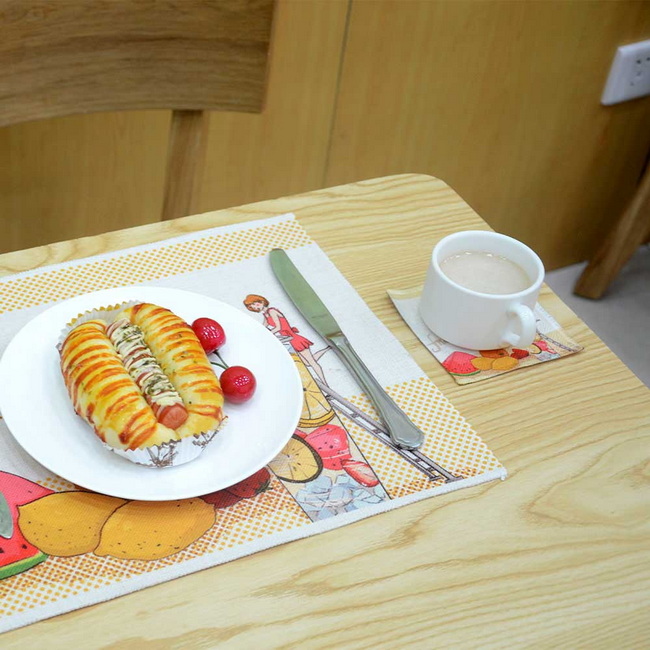
Sublimation placemats are a simple, profitable way to upgrade any dining table with vibrant, full‑color custom designs while showcasing heat press and printing workflows. This expanded guide walks through everything from design preparation to pressing settings so beginners and small businesses can confidently create high‑quality sublimation placemats.[1][2][3]

Sublimation placemats are table mats coated or made with polyester or a sublimation‑ready surface that can permanently receive printed inks under high heat and pressure. The ink becomes part of the material, so the finish is smooth and does not crack or peel in normal use.[2][3][4]
- Common cores: polyester fabric, MDF board, cork‑backed hardboard, or coated wood.[4][5]
- Ideal uses: everyday dining, holiday themes, weddings, cafes, restaurants, and branded corporate gifts.[3][2]
Customized placemats combine practical table protection with strong visual impact. They also pair well with mugs, coasters, and runners to build coordinated tableware sets that increase average order value.[5][2][3][4]
Key benefits:
- Full‑color, edge‑to‑edge artwork on light polyester or coated blanks.[2][4]
- Durable prints that resist peeling and fading when properly pressed and cared for.[3][4]
- Fast production once artwork and press settings are refined, making them ideal add‑ons to an existing heat press lineup.[6][2]
A consistent, reliable setup ensures repeatable color and quality across placemat sets. Preparing all tools in advance reduces misprints, ghosting, and uneven transfers.[7][8][6][1]
Core requirements:
- Sublimation‑ready placemats (100% polyester or specially coated hardboard/wood).[4][5]
- A sublimation printer with compatible sublimation ink.[6][1]
- Quality sublimation paper sized to match the placemat, often 13 × 19 in or A3 for 14 in round mats.[1]
- A flat heat press, ideally 15 × 15 in or larger for full‑size placemats.[8][7]
- Heat‑resistant tape or light adhesive spray to secure printed transfers.[8][1]
- Parchment or butcher paper to protect the press from stray sublimation ink.[6][1]
- Optional: pressing pillow or silicone pad to compensate for seams, thick borders, or uneven padding.[1][8]
Material and construction strongly affect color brightness, sharpness, and durability. For most workflows, simple, light‑colored polyester placemats are the safest and most forgiving option.[9][2][3][4]
Recommended blank types:
- White or light polyester fabric placemats for bold, photographic designs.[1]
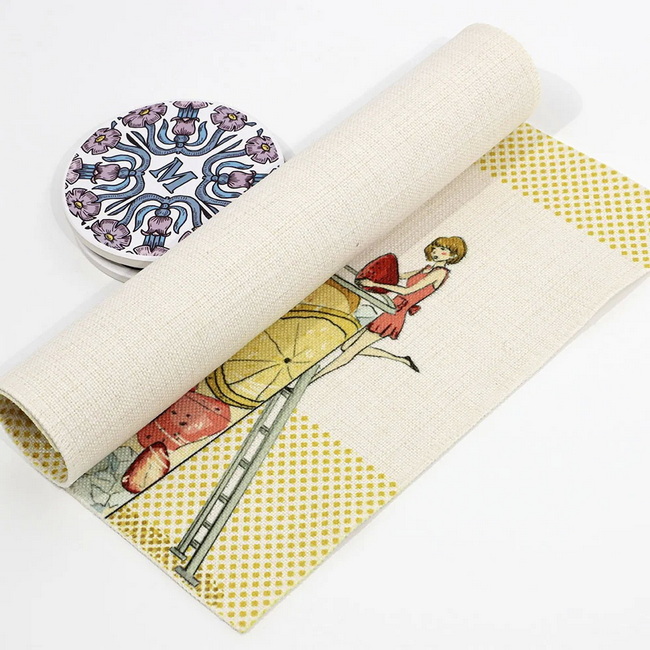
- Linen‑look polyester placemats for a more textured, upscale table presentation.[9][2]
- Hardboard or MDF placemats with a white sublimation coating for rigid, wipe‑clean surfaces.[5][4]
Points to check:
- Dark or non‑polyester fabrics will not sublimate vibrantly and often look muted.[2][4]
- Raised seams, thick hems, or stitched borders may require a pressing pillow to maintain even pressure.[8][1]
Strong results start with well‑planned artwork sized precisely to the shape and dimensions of each placemat. A reusable design template speeds future orders and helps maintain consistent branding.[7][5][2]
Design tips:
- Measure the printable area; for a 14 in round placemat, many creators design within a 12.5 in circle to match 13 × 19 in paper.[7][1]
- Use 300 dpi or higher so text and detailed graphics remain crisp, especially on textured surfaces.[9][2]
- Extend backgrounds slightly beyond the live area to create bleed and avoid white edges.[5][2]
Content ideas:
- Seasonal themes such as holidays, autumn harvests, or spring florals.[2][5]
- Personalized name or monogram sets for families, kids, or wedding parties.[10][2]
- Restaurant and café branding with logos, slogans, or QR codes that link to menus.[11][3]
When artwork is finalized, correct printer configuration is essential for accurate color and proper mirroring. Following recommended settings for a given printer and paper reduces waste and reprints.[6][7][1][2]
Typical settings for printers like Sawgrass SG1000:
- Substrate: Polyester.[1]
- Paper: Set to the chosen sublimation paper profile.[1]
- Source: Use the bypass tray for larger 13 in media when needed.[1]
- Mirror: Enabled so the design reads correctly on the placemat.[1]
- Color mode: Photographic or Vivid, depending on the level of detail and saturation.[7][1]
After printing:
- Allow the transfer to dry fully before taping or trimming.[6][2]
- Trim excess paper when working with centered logos or smaller motifs for easier alignment.[7][6]
Thoughtful preparation strongly improves final print quality and reduces surface defects. A short pre‑press and cleaning routine helps remove wrinkles and stray fibers before transferring ink.[8][2][6]
Preparation checklist:
1. Pre‑press the blank placemat briefly at pressing temperature to remove wrinkles and moisture.[9][6]
2. Use a lint roller on fabric surfaces to capture dust and fibers that can appear as blue specks after pressing.[2][6]
3. Place butcher or parchment paper on the lower platen to protect it from excess ink and moisture.[6][1]
For thick or padded placemats, a pressing pillow under the blank often helps maintain consistent pressure across the full surface.[8][1]
Once tools and materials are ready, the core pressing workflow follows a clear, repeatable sequence. Consistency in temperature, time, and pressure is critical for professional‑looking results.[8][1]
1. Set the heat press
- Temperature: usually 385–400°F for polyester‑based placemats.[6][1]
- Time: around 45–50 seconds, adjusted for thickness and specific blanks.[8][1]
- Pressure: medium, even pressure across the entire print area.[8][1]
2. Align the transfer and placemat
- Place the printed transfer on the protected lower platen with the print side facing upward.[1]
- Position the placemat face down over the print, centering it carefully; folding the placemat lightly in half can help find the center.[7][1]
- Secure with heat‑resistant tape or a light adhesive spray to prevent any shifting during pressing.[8][1]
3. Press the stack
- Cover the stack with a second sheet of parchment or butcher paper to protect the upper platen from ink.[6][1]
- Close the press and apply heat for the chosen time and temperature, maintaining steady, even pressure.[1][8]
4. Cool and peel
- Open the press and allow the placemat to cool briefly to minimize ghosting.[6][1]
- Peel away the transfer in a smooth, continuous motion to reveal the finished design.[8][1]
Larger placemats and designs that exceed the press size need careful layout and pressing strategy. Slight adjustments can avoid visible press lines and mismatched overlaps.[12][6][8]
Practical techniques:
- Arrange artwork so key elements do not fall directly along the seam where presses will overlap.[2][6]
- Press one half of the placemat first, then carefully slide and re‑align the remaining section under the press with a small overlap to avoid an unpressed strip.[6]
- Pre‑press butcher paper to flatten curling edges, making multi‑step pressing easier to control.[6]
Several recurring issues can appear during sublimation, but most are easy to correct once the cause is understood. Addressing them early saves both time and blanks.[2][8]
Typical problems:
- Faded or dull colors: often caused by low temperature, short press time, or non‑polyester materials.[4][2]
- Ghosting or shadows: usually due to the transfer shifting while the ink is still active.[8][6]
- Uneven color or light areas: linked to cold spots in the press, thick seams, or insufficient pressure.[3][8]
Preventive actions:
- Run a single test placemat and record final settings before starting a large batch.[2][6]
- Use sufficient tape, and avoid moving the placemat until it cools slightly after pressing.[6][8]
- Test presses with and without a pressing pillow when working with thick or padded blanks to find the most even result.[1][8]
Clear care instructions protect the longevity and appearance of sublimation placemats. Good after‑care information also reinforces a professional brand image.[4][2]
Suggested care guidance:
- Wash gently with mild detergent and avoid harsh chemicals or bleach.[13][4]
- Air dry flat or tumble dry on low, according to the blank manufacturer's recommendations.[3][4]
- Avoid ironing directly over the printed area; if needed, iron from the reverse side or through a protective cloth.[4][2]
Including these instructions on product pages and in package inserts helps users maintain vibrant color and proper placemat shape.[3][2]
Sublimation placemats can be positioned as high‑margin personalized décor in both retail and wholesale channels. Bundling placemats with matching coasters, mugs, and runners can increase perceived value and order size.[11][5][3][4]
Potential markets:
- Seasonal table sets marketed through online shops and social media.[5][2]
- Branded restaurant and café placemats ordered in bulk with consistent artwork.[11][3]
- Personalized placemats for children, families, or special events like birthdays and weddings.[14][2]
Pricing considerations:
- Include blank cost, ink, paper, press time, design work, and packaging when calculating margins.[11][3]
- Offer discounts for sets of 2, 4, 6, or 8 placemats to encourage higher‑quantity purchases.[3][4]
Consistent quality depends heavily on even heat and stable pressure. Printers and presses that maintain reliable output reduce reprints and protect both blanks and transfers.[3][8]
Key characteristics to prioritize:
- Even heat distribution across the full platen area used for placemats.[3][8]
- Accurate digital controls for temperature and timing with smooth pressure adjustment.[7][8]
- Compatibility with thicker or padded textile items and the option to add pressing pillows or silicone pads.[8][1]
For decorators offering multiple sublimation products, a robust press and printer combination forms the core production platform for placemats, coasters, mousepads, and more.[4][3]
Well‑designed sublimation placemats provide a flexible way to expand any heat transfer lineup with practical, eye‑catching products. Once reliable designs, settings, and workflows are in place, production can scale from single gifts to coordinated sets and bulk orders for commercial clients.[5][3][2]
To convert this potential into consistent sales, refine a signature placemat collection, standardize press settings, and pair proven blanks with dependable heat press equipment so every sublimation placemat reflects the same professional quality from the first order to the hundredth.[3][8]
Pure cotton does not bond properly with sublimation ink, so prints appear faded and wash out quickly on untreated cotton. For vivid, long‑lasting results, use 100% polyester or sublimation‑coated placemat blanks.[4][2][3]
Many polyester fabric placemats press well around 385–400°F for 45–50 seconds at medium pressure. Always confirm the blank manufacturer's recommendations and run a single test before starting a larger run.[2][6][1][8]
A printer must be compatible with sublimation ink, such as a dedicated sublimation model or a carefully converted inkjet system. Standard office printers with dye or pigment ink cannot produce permanent sublimation transfers.[7][2][6][1]
Ghosting usually occurs when the transfer shifts during pressing or when the placemat is moved while still hot and sublimation‑active. Securing the transfer firmly and allowing a brief cooling period before handling reduce this risk.[6][1][8]
For best durability, wash with mild detergent on a gentle setting or by hand, and avoid bleach or abrasive cleaners. Air drying or using low heat helps maintain both color vibrancy and placemat shape.[13][4][3]
[1](https://www.heatpressnation.com/blogs/blog/how-to-customize-a-placemat-with-sublimation)
[2](https://jennifermaker.com/how-to-customize-a-placemat-with-sublimation/)
[3](https://www.xpres.co.uk/sublimation-placemats)
[4](https://www.dyesublimationsupplies.co.uk/collections/coasters-placemats)
[5](https://michellespartyplanit.com/2024/09/wood-sublimation-placemats/)
[6](https://www.youtube.com/watch?v=7CLtcXH74-E)
[7](https://www.youtube.com/watch?v=M8bDmqUhIO4)
[8](https://www.youtube.com/watch?v=LoVhVKZPJbI)
[9](https://www.youtube.com/watch?v=xbeBuPk5AJg)
[10](https://www.youtube.com/watch?v=ACmqH_-5uvA)
[11](https://www.alibaba.com/showroom/placemat-for-heat-press.html)
[12](https://www.youtube.com/watch?v=sYeUKimAB6c)
[13](https://www.inkthreadable.co.uk/place-mat)
[14](https://www.facebook.com/groups/craftyfungroup/posts/1411799409492346/)
[15](https://www.youtube.com/watch?v=rqn6gRQWDw8)
[16](https://michellespartyplanit.com/2022/09/how-to-sublimate-on-wood-with-or-without-a-sublimation-printer/)
[17](https://www.facebook.com/groups/1111594662191131/posts/9601962746487571/)
[18](https://www.youtube.com/shorts/p3dLxdonTIM)
[19](https://www.heatpressnation.com/blogs/blog?page=7)
[20](https://www.octopus-office.de/info/en/all-about-ink/ink-types/sublimation-ink/washing-and-care-instructions-for-textiles-with-sublimation-printing/%3Fsrsltid=AfmBOopYHd6zjuUm5t3Bm66zSFXD43cqpVGTgiHSihRtIP-0v91CGov8)
[21](https://www.youtube.com/watch?v=0bKfGAI4Yzg)


