If you have any questions, please feel free to contact us.| Email Us: info@dcheatpress.com


Views: 222 Author: Amanda Publish Time: 2025-12-21 Origin: Site


Content Menu
● What a Heat Press Is Really Doing
● Main Heat Press Applications
>> Dye Sublimation, DTF, HTV, Plastisol and Laser Transfer
● The Core Settings: Temperature, Time and Pressure
>> Temperature
>> Time
>> Pressure
● Sublimation Heat Press Settings
● DTF Printing Heat Press Settings
● Laser Transfer Paper Settings
● HTV (Heat Transfer Vinyl) Settings
● Screen Printed / Plastisol Transfer Settings
● Five‑Step Method to Dial In Settings
● Key Factors Beyond Temperature, Time and Pressure
● Interpreting Light, Medium and Heavy Pressure
● Best Practices for Consistent Heat Press Results
● When a More Advanced Heat Press Helps
● FAQs About Heat Press Time, Temperature and Pressure
>> 1. How do I check whether my heat press temperature is accurate?
>> 2. Why do dark garments sometimes behave differently from light garments?
>> 3. Can DTF or laser transfers on hard surfaces?
>> 4. What is the best peel method: hot, warm, or cold?
>> 5. How often should I recalibrate my heat press?
A reliable heat press time and temperature chart helps avoid ruined garments, faded prints and customer complaints when running a T‑shirt or custom printing business. This article explains how to set temperature, time and pressure step by step for sublimation, DTF, HTV, plastisol transfers and laser transfer paper, with practical tables you can apply directly in production.
A heat press uses controlled heat, pressure and time to activate inks or adhesives so that your design bonds permanently to the substrate. When any of these factors is incorrect, typical defects include cracking, peeling, ghosting or wash‑out in finished products.
- Heat softens polymers, melts adhesives or drives sublimation dyes into coatings and fibers.
- Pressure ensures full contact between transfer and substrate for even bonding.
- Time allows heat to penetrate to the correct depth without scorching or under‑curing.
Heat presses are essential for most transfer‑based customization workflows, especially dye sublimation, DTF, HTV, plastisol screen printed transfers and laser transfer paper. Each technology requires a specific temperature-time-pressure range, so using a single generic setting across all methods often leads to inconsistent quality.
- Dye sublimation for polyester textiles and polymer‑coated hard substrates such as mugs, slates and aluminum panels.
- DTF transfers for cotton, blends and polyester garments.
- HTV for lettering, logos and special‑effect finishes like glitter or reflective.
- Plastisol transfers for durable apparel graphics with a screen‑printed look.
- Laser transfer paper for toner‑based transfers on fabrics, paper products and some plastics.
Temperature is the primary variable that activates adhesive and ink chemistry in heat transfer processes. If it is too high, substrates can scorch or discolor; if it is too low, adhesives may not fully activate, causing weak bonding and peeling.
- Sublimation typically runs hotter and longer because dyes must transition directly from solid to gas to penetrate polyester or polymer coatings.
- Moderate ranges are common for DTF and HTV, where the main goal is melting adhesive layers without damaging fabrics.
Time determines how long the substrate remains at an effective bonding temperature, which directly affects adhesion and color development. Longer times are usually required for thick or highly insulated substrates such as ceramics, glass and stone, because heat needs more time to penetrate evenly.
- Excessive time can cause yellowing, distortion and brittle coatings.
- Insufficient time often results in dull prints and partial transfer, especially at edges and fine detail areas.
Pressure defines how tightly the upper platen presses the transfer against the substrate during the dwell time. Too much pressure can crush fibers and leave platen marks, while too little pressure leads to incomplete contact and poor edge bonding.
- Plastisol transfers commonly require very heavy pressure to drive ink into the garment surface.
- Sublimation and many HTV applications operate best at medium to medium‑heavy pressure for consistent results.
Sublimation works only on polyester‑based fabrics or substrates with a polymer coating, so blanks must be compatible before printing. Uncoated cotton or bare ceramics cannot properly receive sublimation dyes, regardless of temperature or time.
Sublimation Substrate | Temperature | Time | Pressure |
General polyester fabric | 320-383 °F / 160-195 °C | 45-80 s | Medium to heavy |
Linen | 420 °F / 215 °C | 45 s | Heavy |
Canvas | 350 °F / 180 °C | 80 s | Medium |
Aluminum | 350 °F / 180 °C | 45 s | Medium |
Photo slate | 350 °F / 180 °C | 300 s | Light |
PU | 350 °F / 180 °C | 60 s | Medium |
MDF | 350 °F / 180 °C | 60 s | Medium |
PET | 350 °F / 180 °C | 60 s | Medium |
Sequins | 350 °F / 180 °C | 60 s | Heavy |
Glass | 350 °F / 180 °C | 180 s | Medium |
Crystal | 350 °F / 180 °C | 180 s | Medium |
Felt | 350 °F / 180 °C | 60 s | Medium |
Ceramic | 350 °F / 180 °C | 150 s | Medium |
Sandstone | 350 °F / 180 °C | 80 s | Light |
Puzzle | 350 °F / 180 °C | 60 s | Medium |
Hat | 350 °F / 180 °C | 60 s | Medium |
HPP | 350 °F / 180 °C | 60 s | Medium |
Mugs | 375 °F / 190 °C | 20 s | Medium |
For thick items like slate, glass and ceramic, pre‑warming the substrate can reduce temperature shock and improve color consistency across the surface.
DTF transfers rely on a hot‑melt adhesive powder that liquefies under heat and then solidifies as it cools, forming a strong bond to the fabric. This process usually requires less time than sublimation but benefits from medium‑to‑heavy pressure for consistent adhesion.
Fabric Type | Temperature | Time | Pressure |
Cotton | 320-350 °F / 160-180 °C | 10-15 s | Medium to heavy |
50/50 blends | 320-350 °F / 160-180 °C | 10-15 s | Medium to heavy |
Synthetics and polyester | 280-300 °F / 140-150 °C | 10-15 s | Medium to heavy |
If transfers do not adhere properly, a second short press after cooling can improve edge bonding, especially on textured fabrics and seams.
Laser transfer papers use toner fused onto a heat‑resistant coating that re‑melts and bonds to the substrate during pressing. Some presses do not provide enough pressure for certain laser papers, so equipment capability is an important consideration.
Substrate | Temperature | Time | Pressure |
Cotton | 300-320 °F / 150-160 °C | 30 s | Medium to heavy |
Polyester | 248-266 °F / 120-130 °C | 30 s | Medium to heavy |
Polypropylene | 220 °F / 105 °C | 30 s | Medium to heavy |
Blend fabric | 285-305 °F / 140-150 °C | 30 s | Medium to heavy |
Paper / carton | 210 °F / 100 °C | 15 s | Light to medium |
Book covers | 230-250 °F / 110-120 °C | 15 s | Light to medium |
Because laser papers are sensitive to pressure, it is wise to run one or two test presses every time you change paper type, substrate thickness or machine.
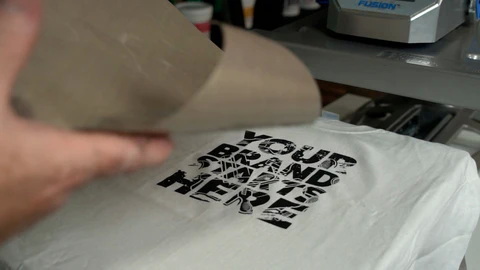
HTV uses a heat‑activated adhesive backing that bonds vinyl to fabric once the correct activation temperature is reached. Different vinyl types, such as flock, glitter and metallic, require slightly different settings for optimal results.
HTV Type | Temperature | Time | Pressure |
Smooth | 305 °F / 150 °C | 10-15 s | Medium |
Flocked | 320 °F / 160 °C | 15-20 s | Medium |
Glitter | 320 °F / 160 °C | 10-15 s | Heavy |
Metallic | 305 °F / 150 °C | 15-20 s | Medium to heavy |
Reflective | 320 °F / 160 °C | 15-20 s | Medium to heavy |
Fabric | 320 °F / 160 °C | 15-20 s | Heavy |
Iridescent | 320 °F / 160 °C | 15-20 s | Medium to heavy |
Glow-in-the-dark | 345 °F / 175 °C | 20-25 s | Heavy |
Printable - light fabrics | 345 °F / 175 °C | 15-20 s | Heavy |
Printable - dark fabrics | 345 °F / 175 °C | 15-20 s | Heavy |
Printable fabric texture | 345 °F / 175 °C | 15-20 s | Heavy |
Although some users apply HTV with an iron, using a stable heat press offers more consistent temperature and pressure control for commercial work.
Plastisol transfers are widely used in apparel decoration because they combine screen print quality with heat press convenience. They are usually produced on coated transfer paper, sprinkled with adhesive powder and gelled before final application.
Transfer Type | Temperature | Time | Pressure | Remarks |
Rough / low-heat transfers | 325-350 °F / 163-177 °C | 5-7 s | Heavy (hard to open press) | Gently hot peel; if issues arise, press for 2-3 s more |
Soft / high-heat transfers | 350-375 °F / 177-191 °C | 7 s | Heavy (hard to open press) | Gently hot peel; re-press 2-3 s if needed |
These transfers require heavy pressure so that the ink fully fuses into the garment and the adhesive activates across the entire design.
A structured workflow helps maintain quality when changing substrates, transfer types or suppliers.
- Start from a reliable chart for the technology and substrate in use, rather than guessing settings from scratch.
- Run controlled test prints and change only one parameter at a time, such as temperature, time or pressure level.
- Perform stress tests, including stretch checks and wash tests for garments or rub tests for hard goods.
- Document successful settings in a simple shop log so operators can repeat proven combinations quickly.
- Standardize by machine and note any consistent offsets between presses to keep results aligned.
Even with accurate charts, several external factors influence final print quality in real production environments. Professional users treat recommended settings as a starting point and adjust based on observed behavior on each line.
- Machine design and platen quality affect heat distribution and pressure uniformity.
- Substrate thickness and base color influence heat absorption and may require adjustments in time or temperature.
- Material quality, including fabric construction and coating formulation, can limit how far settings can be pushed.
- Ambient conditions such as room temperature can change how quickly substrates cool during pressing.
Terms like light, medium and heavy pressure are relative, but they can be translated into practical guidelines for most presses. Understanding these ranges improves repeatability when multiple operators share equipment.
- Light pressure: handle closes easily with one hand and offers little resistance, suitable for delicate or brittle substrates.
- Medium pressure: handle closes with firm one‑hand force and moderate resistance, common for fabrics and standard transfers.
- Heavy pressure: handle requires noticeable force and may feel hard to open, often needed for plastisol and some special‑effect HTVs.
Consistency depends on both correct settings and disciplined operating habits in day‑to‑day work.
- Verify platen temperature with an external thermometer or heat gun rather than relying only on the display.
- Keep the platen surface clean and flat to avoid residue‑induced hot spots or pressure inconsistencies.
- Standardize the use of cover sheets and note them in your internal settings documentation.
- Train operators with a simple checklist that includes substrate type, transfer method, temperature, time, pressure and peel method.
Shops that run multiple processes such as sublimation, DTF, HTV, plastisol and laser transfer benefit from presses with precise control and robust construction. Features like even heat distribution, stable high pressure and reliable digital controls make it easier to follow and fine‑tune settings for different jobs.
- Uniform platen heating improves color consistency and adhesion across the entire design area.
- Strong pressure systems support demanding applications like plastisol and some laser transfer papers.
- Fine temperature and time adjustment allows quick optimization for new materials and products.
Use the charts and methods in this guide to build clear, repeatable heat press settings for every material in your workshop, then review your current equipment to ensure it can deliver stable temperature, time and pressure for all of your processes. By standardizing settings, documenting successful recipes and training your team around these best practices, you can reduce misprints, improve product quality and create a more reliable production workflow. Click here to get more information!
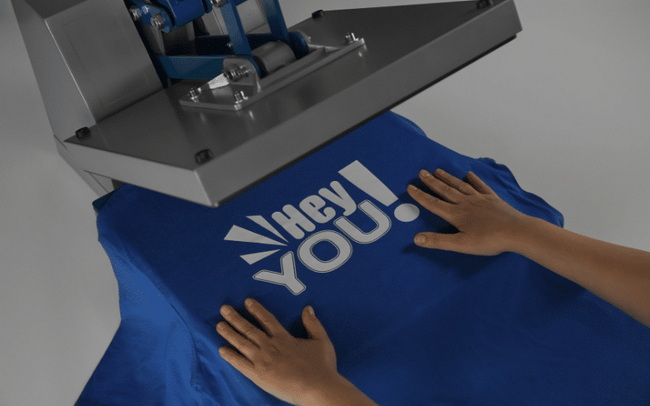
The most practical approach is to place a surface thermometer or heat‑sensitive test strip on the platen and compare the reading to the machine's display. If there is a consistent difference, adjust working temperatures accordingly so that the actual platen surface matches the recommended ranges for each transfer type.
Dark garments often absorb and radiate heat differently than light ones, and some inks or adhesives are more sensitive to these changes. For this reason, certain transfer systems recommend slightly lower temperatures or shorter times on dark fabrics to avoid scorching, dye migration or gloss marks.
Some suppliers promote DTF and laser transfers on hard substrates, but real‑world results are often less consistent than with proper sublimation coatings. If you experiment with these methods, start with sample pieces, follow the upper end of the recommended pressure range, and be prepared for variable durability compared to purpose‑coated sublimation blanks.
The correct peel method depends on the transfer system and film type. Many plastisol transfers and some DTF films are designed for hot peel, while others require warm or cold peel for full bonding and to avoid lifting. Always check the film specification and resist the temptation to peel early, especially on complex or fine‑detail designs.
If you run daily production, check platen temperature and pressure at least once per month, and any time you notice unexplained quality changes. After moving the machine, changing major components, or switching power circuits, recalibrate immediately so that your time–temperature–pressure charts remain reliable in the new setup.


