If you have any questions, please feel free to contact us.| Email Us: info@dcheatpress.com


Views: 222 Author: Amanda Publish Time: 2025-12-21 Origin: Site


Content Menu
● What Is a Heat Press Machine?
>> Drawer (Slide-Out) Heat Press
● Choosing the Right Heat Press Size
>> Recommended Sizes by Use Case
>> Pressure Readout and Control
>> Automatic Floatation and Even Pressure
>> Interchangeable Platen System
>> Comfort and Safety Features
● The Three Essential Settings
>> Why There Is No Single “Perfect” Setting
>> How to Find Reliable Starting Points
● Step-by-Step: Using a Heat Press
>> 1. Prepare Design and Transfer
● Useful Accessories for Better Results
>> Teflon Sheets and Protective Covers
● Expert Tips to Avoid Common Mistakes
● Where to Add Visuals for Better Learning
● Take the Next Step and Build a Reliable Heat Press Setup
● Frequently Asked Questions (FAQ)
>> 1. What size heat press is best for a new T-shirt business?
>> 2. Can one heat press handle sublimation, DTF, and HTV?
>> 3. Why do my transfers peel or fade after washing?
>> 4. Is it necessary to buy extra platens at the beginning?
>> 5. How important is an auto-open feature for small operations?
Heat press machines are essential for anyone serious about custom T-shirts, merch, and branded gifts because they deliver consistent, professional results that irons and low-end tools cannot match. Whether you run a print-on-demand store, a growing workshop, or a hobby studio at home, understanding how heat presses work, how to choose the right type, and how to set time, temperature, and pressure is the foundation of long-term success.[1]
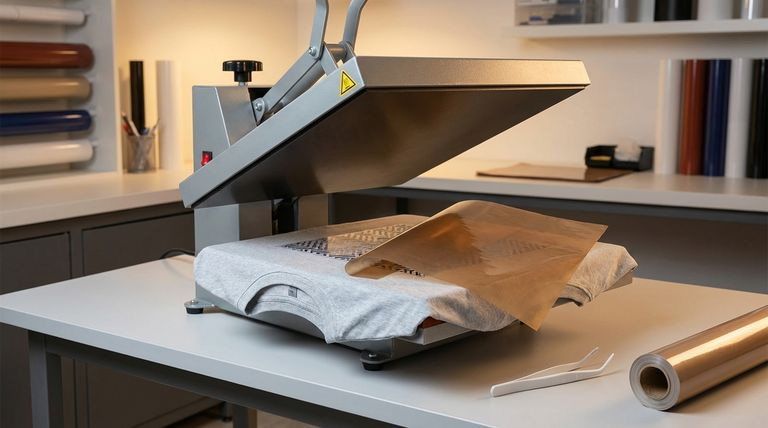
A heat press machine uses heat, pressure, and time to transfer a printed design from transfer media (such as sublimation paper, DTF film, or HTV) onto a substrate like fabric, metal, or ceramics. Compared with a household iron, a good heat press offers accurate temperature control, even pressure across the platen, and repeatable settings so you can produce higher volumes with much more consistent quality.[1]
- Common applications include T-shirts, hoodies, sportswear, tote bags, caps, mugs, and promotional gifts.
- Popular techniques are sublimation, DTF (Direct-to-Film), HTV (Heat Transfer Vinyl), laser transfer, and screen-printed heat transfers.
Different heat press structures change how you load garments, how much space you need, and how safe and efficient daily operation feels. Choosing the right construction early can save many future upgrades and workflow issues.[1]
A swing-away press allows the upper heating platen to swing completely away from the lower platen, exposing the work area.[1]
- Advantages: Full access to the lower platen for precise placement and safer loading because your hands stay away from the hot platen.
- Considerations: Requires extra side space to swing out and is often heavier, which suits more permanent shop setups.
A clamshell press opens and closes like a clamshell, with two hinged plates.[1]
- Advantages: Space-saving footprint, simple motion, and fast operation, ideal for small studios and home users.
- Considerations: Less room at the back of the platen can make placement trickier and increases the risk of touching the hot plate if you reach too far.
A drawer press combines a clamshell upper platen with a slide-out lower platen.[1]
- Advantages: You pull the platen out, arrange the garment in front of you, then slide it back, which improves safety and visibility.
- Considerations: The rail system adds moving parts, so overall build quality matters for long-term stability.
Heat presses are available in multiple platen sizes, from compact logo presses to extra-large format models. Selecting a size that matches your main applications helps balance investment cost, productivity, and flexibility.[1]
The market typically groups presses into extra small, small, standard, large, and extra large categories.[1]
- Extra small (around 4"×6"–6"×8") for labels, chest logos, sleeves, and very small areas.
- Small (around A4 / 9"×12"–12"×15") for hobbyists and compact workspaces.
- Standard (15"×15", 16"×16") for most everyday adult T-shirts and hoodies.
- Large (16"×20") for full fronts, full backs, and sports numbering.
- Extra large (18"×20" and above) for oversized textiles and specialty items.
Main use case | Recommended size range | Reason |
Hobby and home crafting | Small (A4 / 9"×12"–12"×15") | Compact, affordable, and sufficient for kids' shirts, small designs, and gifts. |
Start- up T- shirt business | Standard (15"×15", 16"×16") | Versatile for most adult garments and common print areas. |
Growing custom apparel shop | Large (16"×20") | Faster layout of bigger graphics and sports numbers. |
Oversized / specialty prints | Extra large (18"×20"+) | Supports full- bleed and extra- large panels at higher cost and footprint. |
Modern heat presses integrate smart features that directly affect speed, consistency, safety, and ease of training staff. Focusing on critical functions helps you avoid both under-specced and unnecessarily complex equipment.[1]
The auto-open function automatically lifts the upper platen when the timer ends.[1]
- Protects garments from scorching if you get distracted.
- Helps a single operator manage multiple tasks at once during busy periods.
Pressure is one of the three core variables, together with time and temperature.[1]
- Digital pressure levels make it easier to standardize setups across different operators.
- They also simplify troubleshooting when you fine-tune new transfer media or fabrics.
Automatic floatation allows the upper platen to self-adjust slightly for more even contact.[1]
- Helps accommodate seams, zippers, and thicker garments.
- Reduces issues like incomplete transfers and uneven colors at the edges.
Many mid- to high-end presses allow you to store presets for different materials and transfer types.[1]
- Commonly used for separate profiles for sublimation, DTF, HTV, and laser transfers.
- Minimizes human error and speeds up switching between jobs.
A threadable platen lets you slide garments over the platen so only one layer is in the pressing zone.[1]
- Prevents press marks and dye transfer to the back of the garment when only the front needs printing.
- Makes front-and-back printing faster by rotating the garment instead of re-dressing it completely.
Slide-out platens provide a safer and more ergonomic loading area.[1]
- Garments and transfers can be positioned in front of the machine, away from the hot upper platen.
- Improves visibility for alignment, which reduces misprints.
Some presses use a detachable control box that can work across multiple machines in the same series.[1]
- Simplifies replacement and reduces downtime during repairs.
- Makes it easier for distributors and shops to keep critical spare parts on hand.
Interchangeable platens significantly expand the range of products one press can handle.[1]
- Small platens for sleeves and youth garments, larger ones for full prints.
- In some systems, you can convert between flat and cap pressing by changing both upper and lower platens.
Gas shocks, sleep mode, and basic configuration options support safer and more comfortable operation.[1]
- Gas shocks provide smoother opening and closing than simple springs, reducing fatigue.
- Sleep mode increases safety and saves energy when the press is idle.[1]
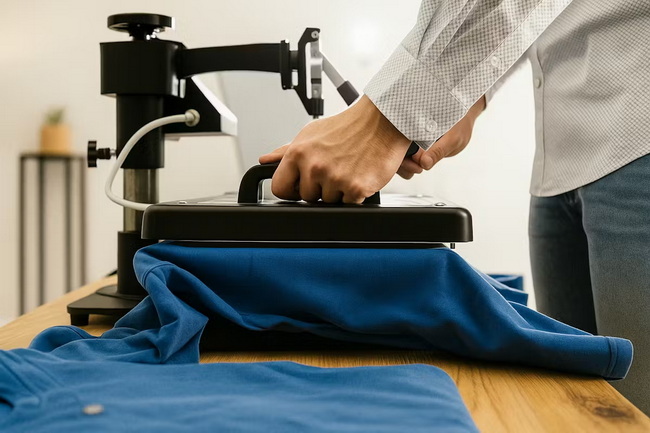
Every successful transfer depends on balancing time, temperature, and pressure for the specific material. Treat these three variables as a system instead of adjusting only one in isolation.[1]
Different fabrics and transfer systems respond differently to heat and pressure.[1]
- Polyester often requires higher temperatures and shorter times than cotton for certain transfer types.
- Thicker or rigid substrates usually need more pressure and carefully controlled dwell times.[1]
Transfer and blank manufacturers typically publish recommended ranges for their products.[1]
- Use those ranges as starting points, then run small test prints to fine-tune for your environment.
- Record successful settings in a logbook or digital sheet so your team can repeat them later.
Most flat heat presses follow the same general operating sequence, with small variations by model. The steps below describe a typical workflow for pressing a T-shirt with a standard transfer.[1]
Make sure your artwork and transfer media match the technique you plan to use.[1]
- Print on the correct paper or film and check whether the design needs to be mirrored.
- Verify resolution and color settings before running multiple sheets.
Place the press on a stable, heat-resistant surface with good airflow.[1]
- Switch on the machine and set the target temperature and time on the control panel.
- Wait until the press reaches the set temperature before loading any garments.[1]
Use the pressure knob or digital control to reach the appropriate level.[1]
- Perform a simple “paper test” to check that pressure feels even across the platen.
- Re-check pressure if you change to thicker or thinner substrates.[1]
Pre-pressing removes moisture and flattens wrinkles.[1]
- Lay the garment flat, smoothing seams away from the pressing area.
- Close the press for a few seconds to dry the fabric and improve adhesion.[1]
Accurate alignment is crucial for professional results.[1]
- Place the transfer at the desired location using rulers or guides.
- Secure it with heat-resistant tape and cover with a protective sheet if needed.[1]
Close the press firmly and let the timer run for the required duration.[1]
- Do not open early, as this can weaken adhesion and color vibrancy.
- Allow the auto-open or signal to indicate that the cycle is complete.[1]
Follow the peel instructions for your specific transfer.[1]
- Peel hot, warm, or cold according to the manufacturer's guidance.
- Check edges, color density, and feel, then adjust settings slightly if needed.[1]
The right accessories help improve consistency, speed, and safety without major investment.[1]
Teflon sheets are simple but extremely effective.[1]
- They protect the platen, prevent ink and adhesive build-up, and reduce scorching.
- They also help distribute heat more evenly for certain applications.[1]
Additional platens make one machine suitable for a wider product mix.[1]
- Smaller surfaces work well for sleeves, youth sizes, and pockets.
- Narrow shapes are ideal for pant legs, straps, and other long, thin items.
Certain attachments let a single controller support multiple pressing functions.[1]
- Examples include adapters that power different types of small presses for promotional products.
- This approach can expand your offering without a full separate machine for each product.[1]
Protective gloves and simple PPE are recommended even for small studios.[1]
- Heat-resistant gloves help you handle hot blanks and garments safely.
- Organized cable routing and clear workspaces reduce trip and burn hazards.[1]
Many beginners face similar issues when they first start pressing. Paying attention to a few expert habits can dramatically improve results from the beginning.[1]
- Always check fabric composition and match it with compatible transfer systems and settings.
- Test on spare garments or scraps before production runs to avoid expensive misprints.
- Clean the platen regularly to remove adhesive and ink residues.
- Document successful settings so anyone on your team can reproduce them.[1]
Well-chosen visuals can make this guide easier to follow for new users.[1]
- Place diagrams of swing-away, clamshell, and drawer presses near the “Core Heat Press Types” section.
- Use a size comparison graphic in the “Choosing the Right Size” section to show platen sizes on T-shirt outlines.
- Add a short video or GIF walkthrough next to the “Step-by-Step” section.
- Show photos of accessories and a tidy workstation in the “Useful Accessories” section.[1]
Once you understand types, sizes, key features, and the three essential settings, the next step is to choose a machine that fits your main products and growth plan, then configure it carefully with the accessories and workflows described above. Review your current or planned product range, estimate your daily or weekly volume, and then select a press with stable temperature control, consistent pressure, and practical convenience features so you can start producing confident, repeatable results and expand into more advanced transfer methods as your business grows.[1]
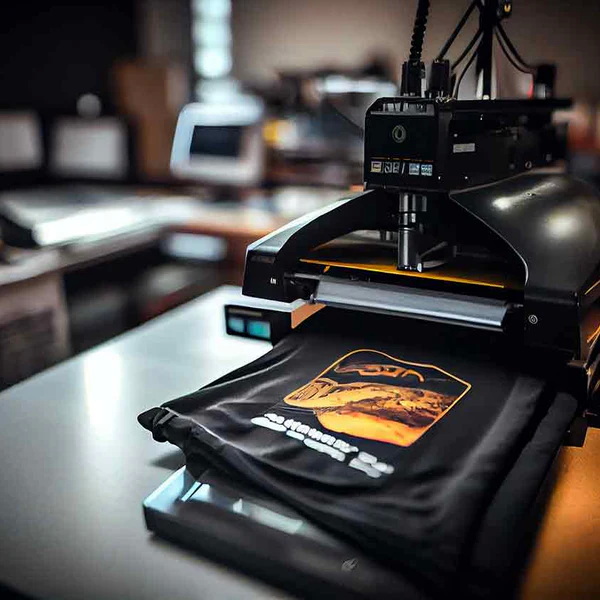
For most new T-shirt businesses, a 15"×15" or 16"×16" press offers a strong balance of affordability, compact footprint, and compatibility with common adult print areas. These sizes also handle hoodies, tote bags, and many standard promotional items efficiently.[1]
A single press can usually work with multiple transfer types as long as it maintains accurate control over time, temperature, and pressure. The key is to follow the recommended ranges for each media and save successful settings so you can repeat them later.[1]
Peeling or fading often indicates that time, temperature, or pressure are not correctly matched to the transfer and fabric. Under-pressing, over-pressing, or pressing at the wrong temperature can all weaken adhesion, so running controlled tests and adjusting one variable at a time is important.[1]
Extra platens are not mandatory when you start, but they can quickly become valuable once you add children's garments, sleeves, or smaller logos to your range. Planning for platen upgrades allows you to extend your capabilities without buying a completely new press.[1]
Auto-open is very helpful but not strictly required. It protects garments from over-pressing when you multitask and can reduce stress during busy periods, especially in small teams where one person handles several steps at once.[1]


