If you have any questions, please feel free to contact us.| Email Us: info@dcheatpress.com


Views: 222 Author: Amanda Publish Time: 2025-12-31 Origin: Site


Content Menu
● What This Guide Will Help You Decide
● Core Specs: Epson F170 vs F570 at a Glance
>> Key Technical Comparison Table
● Machine Size, Workspace, and Installation Planning
● Print Size, Product Range, and Real-World Output
● Print Quality, Color, and Perceived Value
● Productivity, Speed, and Material Efficiency
● Software, Workflow, and Color Management
● Total Cost of Ownership and Upgrade Strategy
● Matching Your Printer to Your Heat-Press and Oven Setup
● Practical Buying Scenarios (Beginner, Growing Shop, Production Studio)
>> Beginner Crafter or Home-Based Business
>> Growing Online Store or Local Boutique
>> Small Factory or B2B Production Environment
● Step-By-Step Checklist Before You Buy
● Final Verdict: Which Printer Is Best for You?
● Build a Complete Heat-Transfer System with COLORFUL
● Frequently Asked Questions (FAQ)
>> 1. Is a compact sublimation printer enough for a small online shop?
>> 2. When does it make sense to choose a wide-format printer?
>> 3. Do both types of printers require dedicated sublimation paper and ink?
>> 4. Is it useful to run both a compact and a wide-format printer?
>> 5. How important is maximum dpi when customers evaluate product quality?
Choosing between the Epson SureColor F170 and Epson SureColor F570 Pro comes down to your workspace, budget, and the level of production you want to achieve. Both printers deliver reliable sublimation quality, but they serve very different types of users and growth plans.
This guide compares Epson F170 vs Epson F570 from a real business perspective, focusing on product range, efficiency, and upgrade paths. It is written for crafters, studios, and small factories that produce sublimated tumblers, textiles, and promotional items.
By reading through, you will understand:
- Which printer matches your current production volume
- When to start with a compact model versus investing in wide-format
- How to match your printer with professional heat-transfer equipment
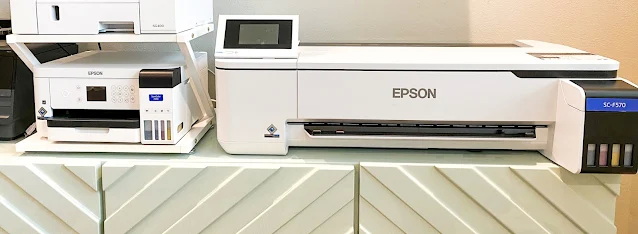
Below is a concise comparison of the two printers to give you a quick overview of how they differ in size, capability, and positioning.
Feature | Epson SureColor F170 | Epson SureColor F570 / F570 Pro |
Target user | Beginners, hobbyists, small startups on a budget | Growing shops, studios, small factories with higher volume |
Footprint / size | Approx. 14.8" x 19.8" x 7.4" (desktop friendly) | Approx. 38" x 32" x 10" (needs dedicated bench or stand) |
Weight | Light desktop unit, easy to move | Around 60–64 lbs, semi-industrial |
Max print width | 8.5" sheets, up to 8.5" x 14" (longer with custom length) | Up to 24" wide on sheets or rolls, length mainly software-limited |
Print resolution (max dpi) | Up to 1200 x 600 dpi | Up to 2400 x 1200 dpi |
Media type | Sheets only (sublimation transfer paper) | Sheets and rolls, with roll support and cutting |
Productivity focus | On-demand, low-volume jobs | Batch printing, nested jobs, larger runs |
Included software | Standard driver; works with common design tools | Includes advanced printing software on compatible systems |
Typical price level | Entry-level price range | Mid-to-high price range with starter supplies |
Ideal applications | Small shirts, mugs, coasters, keychains, small flat items | Gang sheets, wide apparel panels, banners, multiple tumbler wraps |
This section is an ideal place to add a simple column or bar chart showing max width, max dpi, and price level to visually emphasize the differences between the two models.
Machine size affects not only where the printer sits but also how comfortable the daily workflow feels. A compact device is easier to integrate into a home office, while a wide-format unit usually requires dedicated space.
The smaller model is designed as a desktop printer that fits easily on a standard table or workstation, making it suitable for home studios or micro-shops. Its lighter weight also means it can be moved or repositioned without much effort.
The larger model occupies significantly more space and is heavier, so it typically needs a dedicated stand or solid bench. When planning installation, it is important to consider space for loading rolls, performing maintenance, and organizing printed output.
Print size directly defines which products you can produce in one pass and how efficiently you can arrange designs on each sheet or roll. This is crucial when you start selling more complex or larger items.
With the narrow-format device, you can comfortably handle small sublimation blanks such as mugs, coasters, luggage tags, and standard T-shirt front graphics. You can also print wraps for many popular tumbler sizes, especially in the 20 oz range, though extremely large or all-over designs may require multiple panels.
The wide-format device supports a much larger print width, which opens the door to printing full-wrap designs for bigger tumblers, wide shirt fronts, jumbo back designs, banners, and panels. The ability to print long rolls also allows you to place many small designs on a single job, improving productivity and reducing waste.
Here you can insert a visual comparison: one graphic showing the largest sheet from the smaller printer next to a 24-inch roll from the larger printer, with sample product templates overlaid.
Both printers deliver bright, durable results compatible with modern sublimation blanks. However, maximum resolution and head configuration influence how smooth gradients look and how sharp fine details appear.
The lower-resolution option still provides more than enough clarity for typical mugs, small photos, and everyday apparel designs. At normal viewing distance, customers rarely notice any difference in sharpness on small items.
The higher-resolution option offers finer droplet control and higher maximum dpi, which becomes more visible on large photo panels, detailed artwork, or high-end branded pieces. For businesses selling premium products or working with demanding brand clients, this extra level of detail can justify higher price points.
Productivity depends on how many sellable items per hour you can produce, not only on the speed of a single print. Print area, nesting, and media format all play important roles in this equation.
On the sheet-only model, each job is typically printed on individual sheets, which works well at low volumes but involves more handling when you process multiple items. As volume rises, frequent sheet changes and limited nesting area can slow production.
On the roll-capable model, you can print long runs of designs on a continuous roll and then cut them, often using built-in functions. This allows you to nest many small items together, reduce paper waste, and load the heat press with multiple pieces per cycle, which significantly boosts throughput.
This is a strong place to add a line or bar chart comparing “number of coasters per square inch of paper” or “number of tumbler wraps per print job” between the two devices.
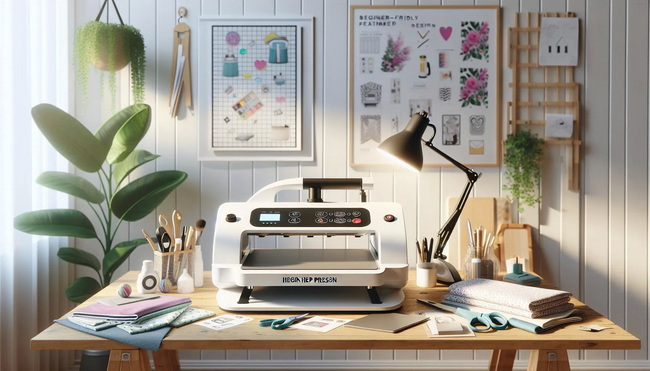
Software compatibility and workflow features matter more as your business grows and you need predictable, repeatable results. Basic drivers may be enough at the start, but advanced tools can save time when orders increase.
Both devices work with popular design platforms via standard print drivers, so day-to-day creation and printing is familiar for most users. This is usually sufficient for beginners and small shops that do not manage complex queues.
The higher-end model can include more powerful print management software on compatible systems, offering nesting, advanced layout tools, and more sophisticated color controls. Shops focused on consistent color reproduction across large batches and multiple materials benefit significantly from these features.
Initial price is important, but total cost of ownership includes media, time, labor, and the likelihood of needing an upgrade in the near future. Making a strategic choice at the beginning can prevent unnecessary reinvestment later.
The entry-level device is ideal as a first sublimation printer, especially when testing a new product line or validating a small online shop. Its lower price and compact footprint make it a low-risk option for creators who produce modest weekly volumes.
The wide-format device demands a higher initial investment but becomes more cost-effective when your order volume and product diversity grow. Higher productivity, better nesting, and larger print sizes can significantly reduce labor and media cost per item over the long term.
Printer choice should match the capabilities of your heat-transfer equipment. A mismatch between print size and press size often leads to wasted potential or unnecessary limitations.
If your current heat press has a relatively small platen, the compact printer's sheet size typically aligns well with that format, enabling efficient single-item pressing. This setup works well for one-off or small batch jobs.
If you already have or plan to purchase larger presses, double-station setups, or sublimation ovens, a wide-format printer becomes more attractive. You can print gang sheets or wide panels that match your press surface, allowing you to press multiple items per cycle and maximize equipment utilization.
A simple workflow diagram can be placed here to show: design creation, printing, heat pressing or oven curing, and final product output.
Looking at real-world situations makes it easier to decide which printer to choose.
- You mainly sell mugs, 20 oz tumblers, coasters, and a limited selection of shirts.
- Your workspace is a spare room, and your monthly volume is modest.
In this case, the compact printer paired with a small, reliable heat press offers more than enough capability without a large financial burden.
- You handle consistent weekly orders for sets of shirts, tumbler bundles, or corporate gift packs.
- You already own a mid-sized press and want to reduce paper waste and manual handling.
Here, the wide-format printer becomes a powerful upgrade, enabling gang printing, wide designs, and better alignment with a larger press or oven.
- You serve wholesale customers, produce uniforms, or supply promotional products to agencies.
- You operate multiple presses or ovens and have staff assigned to production.
For this type of operation, the wide-format model with advanced software offers better control over color, higher throughput, and more flexibility for complex jobs.
The following checklist helps you choose confidently and avoid costly mistakes:
1. Define your main products
List the top items you will produce over the next 6-12 months, including approximate sizes and materials.
2. Measure your largest design
Check the maximum width of your biggest planned design. If it exceeds typical sheet width, wide-format printing becomes more attractive.
3. Match printer size to press capacity
Align the printer's maximum width with the largest heat press platen or oven space you currently use or plan to purchase.
4. Estimate realistic weekly volume
- Low volume and mostly small items favor a compact printer.
- High volume, regular batch orders, and wide designs favor a wide-format printer.
5. Plan for future upgrades
Decide whether you will eventually run both types of printers, with one handling quick samples and the other handling larger production runs.
The entry-level model is the best choice for beginners and small businesses that need a compact, affordable, and reliable sublimation printer without committing to wide-format equipment on day one. It fits easily in limited spaces and covers most common products for startups.
The wide-format model is the stronger option for serious craft businesses, established online stores, and small factories that want to print larger designs, run batch jobs more efficiently, and leverage advanced layout and color tools. It aligns better with high-capacity heat presses and ovens and is less likely to be outgrown quickly.
Choosing the right sublimation printer is only the first step; long-term success depends on building a coherent, reliable heat-transfer system around it. Whether you operate a compact desktop printer or a wide-format workhorse, pairing it with professional heat presses, welding machines, and embossing equipment is essential for stable output and scalable production.
COLORFUL focuses on high-quality heat-transfer equipment designed for global customers, from small studios to growing factories. Explore the range of presses and related solutions, match them to your chosen printer and product line, and create a complete production setup that supports your business growth today and in the future. Contact us to get more information!
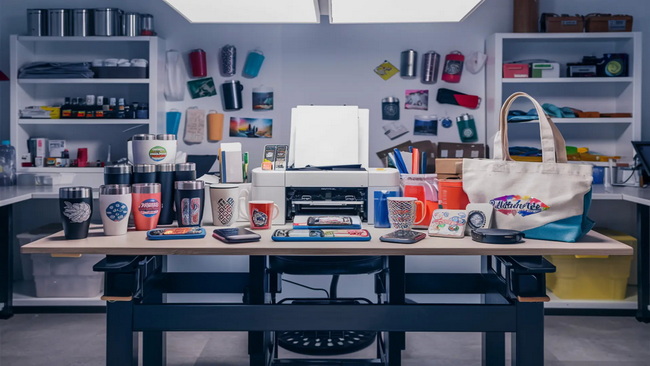
For small or newly launched online shops, a compact sublimation printer usually provides sufficient print area and speed for mugs, small panels, and standard T-shirt designs. Paired with a dependable heat press, it can handle typical starter volumes without difficulty.
A wide-format printer makes sense when you regularly print large designs, use gang sheets, or produce batches of items on a large press or in a sublimation oven. It becomes especially valuable once weekly orders increase and manual sheet handling slows you down.
Both kinds of sublimation printer require compatible sublimation ink and transfer paper to achieve vivid, durable results. Using suitable consumables helps maintain color consistency and reduces the risk of clogs or other print issues.
Many shops successfully run both, using the compact unit for quick samples, one-off jobs, or backup, and the wide-format unit for large or urgent production runs. This combination improves flexibility, reduces downtime, and allows better scheduling.
Customers usually judge quality based on overall color, clarity, and consistency rather than on a specific dpi number. Higher dpi becomes more important with large photorealistic prints or very detailed artwork, where finer droplets can improve gradients and sharpness.


