If you have any questions, please feel free to contact us.| Email Us: info@dcheatpress.com


Views: 222 Author: Amanda Publish Time: 2025-12-20 Origin: Site


Content Menu
● What Are DTF Heat Press Settings?
● Core DTF Heat Press Settings for Beginners
>> Baseline Settings You Can Start With
● How Temperature, Pressure, and Time Interact
>> Temperature: Avoid Under- and Over-Heating
>> Pressure: The Hidden Variable
● Fabric-Specific DTF Heat Press Settings
>> Suggested Settings by Fabric Type
● DTF Film Types, Peel Methods, and Their Impact
>> Standard vs Low-Temperature Films
>> Hot Peel, Warm Peel, and Cold Peel
● Step-by-Step DTF Press Workflow
>> From Garment to Finished Print in 7 Steps
● Troubleshooting Typical DTF Heat Press Problems
>> Common Issues, Causes, and Fixes
● Advanced Calibration and Maintenance Tips
>> Calibrating Temperature and Pressure
>> Daily and Periodic Maintenance
● Turn Stable DTF Settings Into Consistent Production
● FAQs About DTF Heat Press Settings
>> 1. What is a good starting DTF heat press setting for a new user?
>> 2. Why are my DTF transfers peeling after the first wash?
>> 3. Can I use the same DTF settings for cotton and polyester?
>> 4. How do I know if my pressure is correct for DTF?
>> 5. Is a second press (post-press) really necessary?
Getting the DTF heat press settings right is the difference between soft, vibrant prints and cracked, peeling designs that come back as complaints. This guide explains temperature, pressure, and time in clear steps, adds practical pro tips, and helps you dial in stable settings on professional presses suitable for business use.[1]
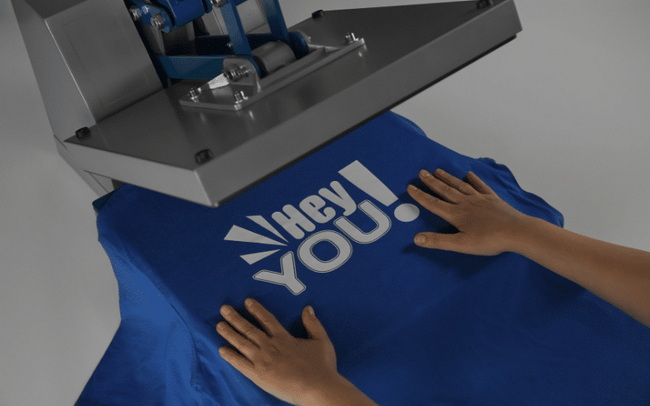
DTF (Direct-to-Film) heat press settings describe how you combine heat, pressure, and time to bond the printed transfer film to the fabric. When these three elements are correctly balanced, you get durable, stretchable prints that survive repeated washing without fading or cracking.[2][1]
- Temperature controls how fully the adhesive powder melts and flows into the fibers.[1]
- Pressure ensures the molten adhesive makes intimate contact with the garment surface.[3]
- Time determines how long heat and pressure can work together to complete the bond.[1]
Most DTF transfers fall into a predictable working range that suits many standard garments. Treat these values as a safe starting point and then fine-tune according to your films, fabrics, and press behavior.[4][1]
For many common cotton and cotton-rich garments, a practical baseline is:
- Temperature: 300- 310°F (149- 154°C)
- Time: 12- 15 seconds
- Pressure: Medium to medium-firm
These values are hot enough to fully melt typical DTF adhesive powders without scorching most fabrics, while giving enough time for proper bonding. Always check the recommendation from both your DTF film supplier and your heat press manual before standardizing these settings in production.[2][1]
Using the right numbers is important, but understanding the interaction between temperature, pressure, and time will help you solve problems faster. Small adjustments in one setting can often compensate for limitations in another.[3]
If the press temperature is too low, the adhesive under-melts and fails to penetrate the fibers, causing incomplete transfers, weak edges, and easy peeling in the first few washes. If the temperature is too high, the adhesive and ink can over-bake, creating a stiff print, visible gloss, and even color shift or scorching on sensitive synthetics.[5][3]
A good practice is to adjust temperature in small steps of about 5- 10°F (3- 5°C) and test each change, rather than making large jumps that complicate troubleshooting.[6]
Many beginners focus only on temperature and time, but pressure is just as critical for proper DTF application. Too light a pressure allows the film to “float” on top of the fibers, leading to lifting edges and poor wash resistance, while pressure that is too heavy can crush the fabric and leave shiny press marks.[7][3]
On a well-built press, a medium-firm closure that feels solid but not forced usually produces reliable, fully bonded transfers with a natural drape.[2]
Time determines how long heat and pressure can complete the adhesive bond, especially on thicker materials. Pressing for too short a period leaves the adhesive partially cured, which may look acceptable at first but fails quickly during washing. Excessively long pressing can over-bake the adhesive and dull the colors, especially on polyester and technical fabrics.[8][5][1]
For most DTF applications, 10- 15 seconds is a proven range; heavy garments or multilayer designs may benefit from the upper end of that range.[1]
Different fabrics handle heat and pressure in different ways, so your DTF settings must always consider the substrate. The table below provides practical working ranges that many shops use as a starting point.[1]
Fabric Type | Temp (°F) | Temp (°C) | Time (s) | Pressure | Notes |
Cotton (light/dark) | 315- 325 | 157- 163 | 12- 15 | Medium- firm | Handles heat well; ideal for vivid, opaque prints. |
Polyester / sportswear | 285- 300 | 140- 150 | 10- 12 | Medium | Lower heat reduces glossing and dye migration. |
Cotton/poly blends | 300- 310 | 149- 154 | 12- 15 | Firm | Protects heat-sensitive fibers while preserving opacity. |
Nylon / technical | 280- 295 | 138- 146 | 8- 12 | Light- medium | Use low-temp films and always test small areas first. |
Heavy fleece / hoodies | 305- 320 | 152- 160 | 15- 20 | Medium- firm | Increase time so heat reaches through fabric thickness. |
When working on blends, it is safer to base your recipe on the most heat-sensitive fiber in the garment rather than on the fiber with the highest percentage. Pre-pressing thick garments such as hoodies or fleece helps drive out moisture and prevents uneven results.[11][5]
DTF films differ in coating chemistry, thickness, and recommended peel stage, and these variations significantly affect your ideal press settings. Understanding the type of film you are using is essential before you standardize any temperature or time values.[4][1]
Conventional DTF films usually press in the 300- 320°F (149- 160°C) range for 10- 15 seconds with medium pressure, which suits many cotton and blend garments. Low-temperature films are formulated for delicate fabrics and can often be pressed successfully at 260- 280°F (127- 138°C) with shorter dwell times, reducing the risk of scorching and glossing.[12][1]
- Hot-peel films are removed immediately after pressing and favor quick production and glossy or semi-gloss finishes.[11]
- Warm-peel films are peeled after a brief cooldown, giving a balance between speed and stability.[9]
- Cold-peel films are peeled only once the transfer is completely cool, often producing a matte finish and excellent fine detail.[13]
Peeling too early or too late for the film type can cause ink lift, grainy edges, or partial removal of the image, even if the settings appear correct. Always follow the peel instructions from your film supplier, then refine them as you learn how your press behaves in daily use.[3][1]
A simple, repeatable workflow helps beginners avoid most of the typical DTF mistakes. The sequence below can be adapted to a wide range of presses and garments.[11]
1. Identify fabric and film
Confirm the garment fiber content and match it with the appropriate DTF film and adhesive.[5]
2. Set a realistic baseline
For cotton and blends, start around 300°F, 12- 15 seconds, medium pressure, then adjust by fabric type.[1]
3. Pre-press the garment
Pre-press for 5- 10 seconds to remove moisture and flatten wrinkles, avoiding heavy seams or zippers directly under the platen.[6]
4. Align the transfer
Position the film design-side down using alignment tools or simple visual reference points for consistent placement.[14]
5. Press with full contact
Close the press smoothly so that the entire design area receives consistent heat and pressure for the full programmed time.[7]
6. Peel at the right stage
Follow the recommended hot, warm, or cold peel timing based on your film type to avoid ink lift or texture damage.[1]
7. Optional post-press
Add a 3-5-second post-press with a protective sheet to enhance wash resistance and slightly soften the handfeel.[2]
Issue | Likely Cause | Suggested Fix |
Incomplete transfer | Temperature too low, time too short, or pressure too light. | Raise temperature in small steps, add 2- 3 seconds, and increase pressure while ensuring even platen contact. |
Peeling after washing | Under-cured adhesive or no post-press. | Use the upper end of the time range and add a brief post-press through parchment or a matte sheet. |
Cracking when stretched | Over-baked adhesive or poor-quality film. | Lower temperature or time slightly and test a different film or adhesive powder if the issue persists. |
Faded or dull colors | Uneven heating or insufficient ink lay. | Verify platen temperature with a surface thermometer and adjust artwork or printer settings for stronger ink coverage. |
Ink bleeding / halo | Temperature too high or pressing too long. | Reduce temperature and/or time and test again on the same fabric type until edges remain crisp. |
Shiny marks on polyester | Excessive heat or pressure on synthetic fibers. | Lower temperature, reduce pressure slightly, and consider a protective or silicone sheet to diffuse direct contact. |
Even with good equipment, most DTF failures come from small deviations in settings or process rather than from the film itself. Having a quick troubleshooting reference on hand can save both time and materials.[3]
Keeping a simple press log that records adjustments and outcomes allows the team to repeat successful “recipes” and avoid repeating past mistakes.[2]
Once production volume increases, stable DTF settings depend not just on numbers but also on equipment condition and routine calibration. Small investments in measurement tools and preventive maintenance can greatly improve consistency.[7]
Checking platen temperature with an infrared thermometer at several points helps identify cold or hot spots that affect transfer quality. If the variation across the platen exceeds about 10°F (5- 6°C), compensating with slightly longer time or arranging service can prevent chronic quality issues.[14][7]
For pressure, many shops rely on the feel of the handle or the reading from a digital press, but you can also test by placing transfers in different platen areas and comparing results for uniformity.[7]
- Keep the platen surface clean and free from adhesive buildup that can cause marks or uneven heat transfer.[7]
- Inspect hinges, locks, or pneumatic components regularly to ensure smooth, even closing.[7]
- Provide adequate ventilation or filtration around the press area to maintain a safe working environment for operators.[7]
A consistent maintenance routine helps the press deliver stable temperature and pressure so that your DTF settings remain reliable over time.[2]
Understanding and controlling DTF heat press settings gives you a strong foundation for producing consistent, high-quality prints at scale. To fully benefit from these best practices, pair them with reliable, well-calibrated equipment that can hold accurate temperature, pressure, and time day after day, so your team can focus on quality and throughput rather than rework.[7][1] Contact us to know more!
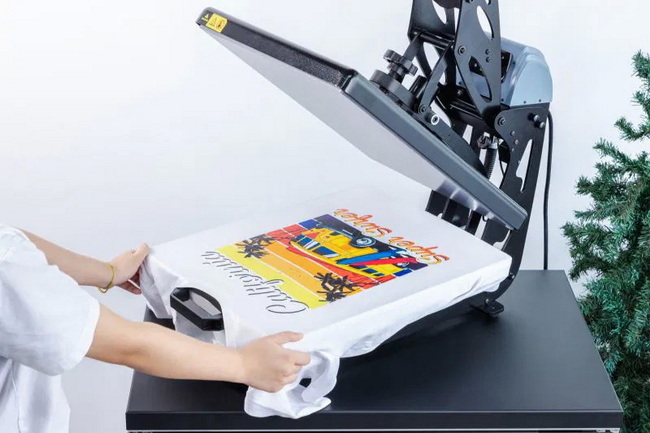
A practical starting point for many new users is around 300°F (149°C) for 12- 15 seconds at medium pressure on cotton or cotton-rich garments. From there, you can adjust temperature down slightly for polyester or up to the higher end of the range for thicker fabrics while keeping time and pressure consistent.[4][1]
Peeling soon after washing usually means the adhesive was not fully cured, often due to low temperature, short time, or insufficient pressure. Increasing the dwell time within the recommended range and verifying the true platen temperature with a thermometer typically improves wash resistance.[8][3]
Using identical settings for cotton and polyester often leads to shiny press marks or dye migration on polyester garments. Polyester usually requires a lower temperature and sometimes slightly shorter time, typically around 285- 300°F (140- 150°C) and 10- 12 seconds, while maintaining moderate pressure.[9][10]
Correct pressure produces a flat, fully adhered transfer with clean edges, without crushing the texture of the garment or leaving deep imprints. If the press closes too easily or you see corners lifting, pressure is probably too light; if seams and collars leave heavy marks, it is likely too high.[3][7]
A short 3- 5-second post-press with a protective sheet is not always mandatory but is strongly recommended for higher-wear garments such as sportswear, workwear, or children's clothing. This extra step further stabilizes the adhesive bond and often results in a slightly softer handfeel.[11][2]
[1](https://www.mtutech.com/Blog-DTF-Printer/Heat-Press-Settings-for-DTF-Transfers-Temperature-Time-and-Pressure-Guide-870.html)
[2](https://jotoimagingsupplies.com/blogs/blogs/professional-tips-for-dtf-heat-press-settings)
[3](https://dtfprintco.com/troubleshooting-common-dtf-transfers-application-issues/)
[4](https://dtfprintco.com/beginners-guide-to-heat-press-settings-for-dtf-transfers/)
[5](https://goatdtf.com/blogs/printing-guides/dtf-printing-temperature-and-pressure-settings-explained-perfect-heat-press-guide)
[6](https://eazydtf.com/blogs/blog/5-best-heat-press-settings-for-dtf-prints)
[7](https://www.transfersuperstars.com/blogs/dtf-graphics-tips-and-tricks/troubleshooting-heat-press-settings-issues)
[8](https://dtfprintco.com/dtf-printing-problems-troubleshooting-guide/)
[9](https://smithartistproductions.com/blogs/news/dtf-heat-press-settings-the-complete-guide-temperature-pressure-amp-time)
[10](https://dtfdallas.com/blogs/news/dtf-transfer-temperature-and-time-perfect-heat-press-settings-for-every-fabric)
[11](https://samsdtftransfers.com/pages/dtf-heat-press-settings)
[12](https://www.xtool.com/blogs/xtool-academy/the-ultimate-guide-to-dtf-heat-press-settings-for-flawless-transfers)
[13](https://dtftransfers.com/blogs/news/what-temperature-is-best-for-dtf-transfers)
[14](https://www.youtube.com/watch?v=hUsAG-0BENs)
[15](https://lasertransfersupplies.com/blogs/articles/12-common-dtf-printing-problems-how-you-can-solve-them)
[16](https://www.reddit.com/r/dtfprintings/comments/1id574j/common_dtf_printing_mistakes_and_how_to_fix_them/)


