If you have any questions, please feel free to contact us.| Email Us: info@dcheatpress.com


Views: 222 Author: Amanda Publish Time: 2025-12-30 Origin: Site


Content Menu
● What Heat Transfer Paper Does
>> Devices That Are Poor Matches
● How To Identify Printer Type Quickly
>> Step 1: Look Up Your Printer Model
>> Step 2: Read The Supply Type
● Matching Printer And Heat Transfer Paper
>> Checking Packaging And Specs
● Step-By-Step Workflow From Design To Finished Garment
>> 3. Handle Printed Sheets Carefully
● Notes On Commonly Asked Printer Models
● Practical Ways To Improve Transfer Quality
● When Basic Equipment Starts To Limit Growth
● Take The Next Step With Your Heat Transfer Setup
● FAQs About Printers And Heat Transfer Paper
>> 1. Can I use any printer with heat transfer paper?
>> 2. How do I find out whether my printer is inkjet or laser?
>> 3. Is a heat press necessary, or can an iron work?
>> 4. What happens if I use inkjet paper in a laser printer or the other way around?
>> 5. Why do my prints sometimes crack or fade quickly?
Using your existing printer with heat transfer paper is possible in many situations, as long as the printer type matches the transfer paper and you follow correct printing and pressing settings.
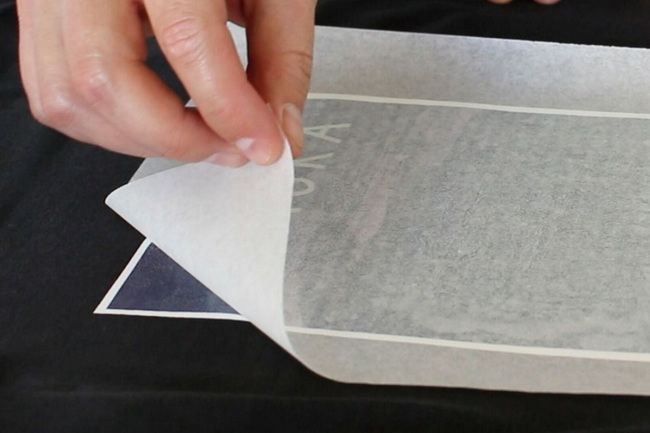
This guide is written for:
- People wondering if a home or office printer can handle heat transfer paper.
- Hobby crafters who print designs for T-shirts, tote bags, and gifts.
- Small businesses testing garment decoration before investing in larger equipment.
The focus stays on clear steps to identify the printer type and match it with suitable heat transfer paper.
Heat transfer paper has a special coating that holds printed ink or toner until heat and pressure move that image onto fabric or other compatible surfaces.
Common uses include:
- Custom shirts, hoodies, uniforms, and team wear.
- Tote bags, aprons, pillowcases, and other fabric gifts.
- Short-run promotional items and event merchandise.
Well-matched printer and paper choices help designs look sharp and last longer through washing.
Many home and office devices are inkjet printers that rely on liquid ink in cartridges.
Typical signs:
- Use “ink cartridges” in product descriptions or listings.
- Series names such as DeskJet, OfficeJet, PIXMA, and EcoTank.
These printers pair with inkjet-specific heat transfer paper designed either for light fabrics or for dark fabrics. Correct paper choice improves color and wash resistance on T-shirts and similar items.
Laser printers use toner, a fine powder that bonds to the paper surface with heat.
Typical signs:
- Replacement supplies described as “toner cartridges” and sometimes “drums”.
- Series names such as LaserJet and ImageRunner.
Laser devices require laser-compatible heat transfer paper that can handle higher fusing temperatures. Using the right paper reduces issues like paper jams, poor release, and premature cracking.
Some devices are not suitable for standard heat transfer papers.
Less suitable examples:
- Dedicated sublimation printers when used with regular transfer paper instead of sublimation paper.
- Thermal fax and label devices or receipt printers.
The user manual and paper specifications should always be checked before attempting any specialty media.
First, locate the brand, series, and model on the printer body.
A quick web search using that full model name plus the words “ink toner” shows what kind of supplies it uses.
For example, searching “Canon Pixma iX6820 ink toner” leads to listings that show either ink cartridges or toner cartridges.
Once the replacement supply type appears:
- If listings focus on ink cartridges, the machine is an inkjet printer.
- If listings focus on toner cartridges, the machine is a laser printer.
Specification pages on manufacturer websites also clearly label an inkjet or laser category. Knowing this category is the key step before buying heat transfer paper.
Different combinations work best for different fabrics and colors.
Printer type | Paper type (H3) | Main fabric use |
Inkjet | Inkjet light transfer paper | White and very light cotton or cotton-blend garments. |
Inkjet | Inkjet dark/opaque transfer paper | Dark or richly colored garments where the design must stay bright. |
Laser | Laser light transfer paper | Higher-speed runs on light garments using toner designs. |
Laser | Laser dark/opaque transfer paper | Dark garments and composite fibers needing a white backing layer. |
Laser | Advanced no-cut or low-temperature transfer paper | Detailed, multi-color designs with simplified weeding. |
Selecting paper designed for a specific printer technology helps avoid smearing, poor adhesion, and fabric scorching.
Before purchasing:
- Confirm the label clearly states “for inkjet” or “for laser”.
- Review any notes on supported fabric color (light or dark) and fiber content.
Following these labels provides a more predictable printing and pressing experience across different garments and products.
- Use images at or near 300 DPI at final print size to keep edges crisp.
- For many light-fabric inkjet papers, designs need mirroring before printing if the instructions say so.
- For many dark-fabric and several laser papers, designs are not mirrored unless specifically required.
Reading the guidelines that come with each paper avoids mistakes at this early stage.
Appropriate printer settings affect color, detail, and durability. Useful adjustments include:
- Choosing a media or paper type that matches thick or specialty papers, such as “Photo Paper” or “Heavy Paper”.
- Selecting a higher quality or “best” print mode for richer ink laydown on inkjet papers.
- Making sure the sheet is placed so printing happens on the coated side of the transfer paper.
A quick small test print helps verify layout, colors, and direction before larger jobs.
After printing:
- Let inkjet prints dry fully before heat pressing so the coating can stabilize.
- Hold sheets by the edges to avoid fingerprints in design areas.
This gentle handling step reduces smudging and uneven transfer results.
Standard application steps work for many transfer brands:
1. Pre-press the garment to remove moisture and flatten the surface.
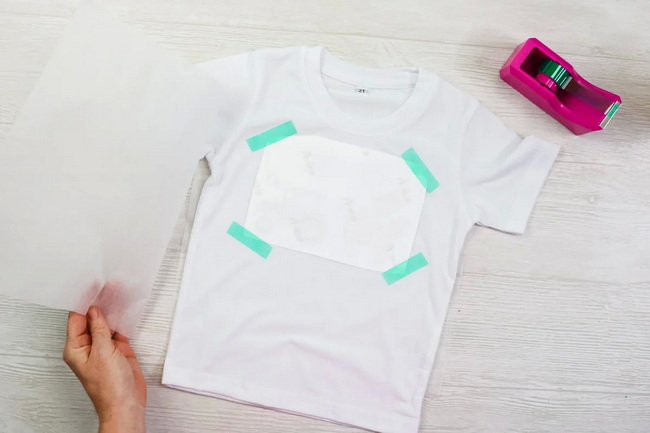
2. Position the printed transfer exactly where the design should appear.
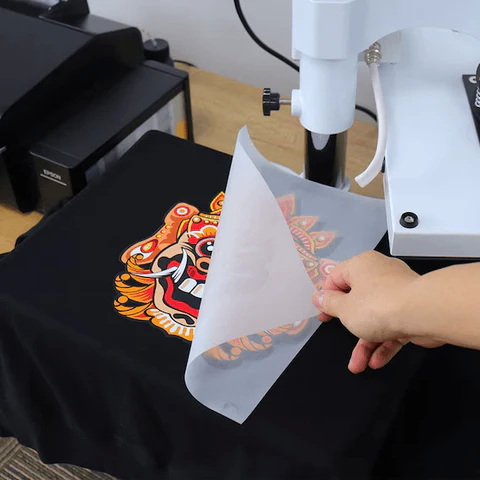
3. Cover with any recommended protective sheet such as parchment or Teflon.
4. Use the recommended time, temperature, and pressure from the paper instructions.
5. Peel according to the specified method: hot, warm, or cold.
A dedicated heat press allows more stable and repeatable control over these variables than a household iron.
To extend garment life:
- Wait a full day before the first wash so the transfer can fully set.
- Turn garments inside out before washing and avoid aggressive detergents or bleach.
- Use gentle wash cycles and moderate temperatures whenever possible.
Following these care tips reduces cracking, fading, and early peeling.
Many people ask whether specific devices can print on heat transfer paper, including various HP DeskJet, OfficeJet, Color OfficeJet Pro models and Canon PIXMA or ImageRunner units.
The most important step is always to determine whether each model is an inkjet or laser device, then select paper designed for that printing method.
Checking both the manual and the maximum supported media type ensures that the printer can handle the thickness and coating of the chosen transfer sheet.
Several simple habits noticeably improve finished results:
- Use fresh, good-quality heat transfer paper and matching inks or toners.
- Keep the printer in good condition through routine cleaning and cartridge or toner replacement.
- Test new paper types and settings on sample garments before running full sets.
Taking time to tune these steps saves wasted shirts and reduces reprints for both hobbyists and small production teams.
Home printers and entry-level transfer setups can support experiments and short runs, but limitations appear with larger workloads.
Common challenges include fluctuating color output, slow speeds, inconsistent pressure from irons, and difficulty handling thicker or specialty papers.
When orders increase, purpose-built heat transfer systems, professional welding and embossing machines, and industrial-grade heat presses from specialized manufacturers can offer more stability, higher throughput, and better repeatability for global customers.
Now that you know how to check printer type, match it with suitable heat transfer paper, and follow a reliable workflow, this is an ideal moment to improve your equipment and process. Review your current printer, fabric types, and production volume, then upgrade to a stable, professional heat press and related machinery that fits your long-term needs so every transfer project looks clean, durable, and ready for customers around the world. Contact us to get more information!
Not every printer is suitable, but many inkjet and laser devices can work when used with transfer paper made for that specific technology. The safest approach is to confirm both the printer manual and the paper label before printing.
Search the exact model name together with the phrase “ink toner” and see whether the replacement supplies are ink cartridges or toner cartridges. Official specification pages also state the printer type clearly.
A household iron can handle very small, occasional projects, but it is hard to control temperature, pressure, and time accurately over a larger area. A dedicated heat press offers more consistent transfers, especially when creating garments for others.
Using mismatched paper and printer types can lead to poor image quality, failed transfers, and even equipment damage because the coatings are designed for different technologies. Always follow the printer-type label on the transfer paper packaging.
Early cracking or fading often comes from unsuitable paper, incorrect press settings, insufficient pressure, or harsh washing conditions. Adjusting time, temperature, and pressure, plus following gentle wash instructions, usually improves durability.


