If you have any questions, please feel free to contact us.| Email Us: info@dcheatpress.com


Views: 222 Author: Amanda Publish Time: 2026-01-02 Origin: Site


Content Menu
● What Is a Sublimation Printer and Why It Matters for Beginners
● Best Sublimation Printers for Beginners in 2026
● Epson SureColor F170: Beginner-Friendly Sublimation Printer
>> Key Specs and Features of Epson F170
>> Who Should Choose the Epson F170
● Epson SureColor F570: Wide-Format Sublimation Printer for Growth
>> Key Specs and Features of Epson F570
>> Who Should Choose the Epson F570
● Sawgrass SG500: High-Resolution Sublimation Printer
>> Key Specs and Features of Sawgrass SG500
>> Who Should Choose the Sawgrass SG500
● Epson EcoTank ET-2800: Converted Budget Sublimation Option
>> Key Specs and Features of Epson ET-2800 (Converted)
>> When a Converted EcoTank Makes Sense
● Comparison of Beginner Sublimation Printers
● Risks of Converting Inkjet Printers for Sublimation
>> Main Disadvantages of Conversion
● How to Choose the Right Beginner Sublimation Printer
>> 2. Estimate Volume and Speed Needs
>> 4. Consider Learning Resources and Community Support
>> 5. Check Warranty and After-Sales Support
● Step-by-Step Setup for Your First Sublimation Prints
● Choose Your Printer and Build a Complete Sublimation Setup
● Frequently Asked Questions (FAQs)
>> 1. What is the best sublimation printer for absolute beginners?
>> 2. Is a converted EcoTank printer suitable as a first sublimation printer?
>> 3. Do I need a specific type of heat press for sublimation?
>> 4. Which beginner sublimation printer is best for photo-quality work?
>> 5. Which sublimation printer should I choose if I plan to scale into bulk and large-format orders?
If you are just starting with sublimation printing, choosing the best sublimation printer for beginners directly affects how fast you progress, how professional your results look, and how quickly you can turn designs into profit.
For beginners, a sublimation printer is a dedicated or converted inkjet printer that uses special sublimation ink to transfer designs onto polyester fabrics, coated tumblers, mugs, metal sheets, and other compatible blanks.
Sublimation ink turns into gas under high heat and bonds with polyester fibers, creating vivid, long-lasting prints that resist peeling, cracking, and fading.
Key advantages for new users:
- Professional results with rich color on T-shirts, tumblers, coasters, and more.
- Low per-item cost once the printer, heat press, and supplies are in place.
- Easy scalability from hobby projects to small-batch commercial production.
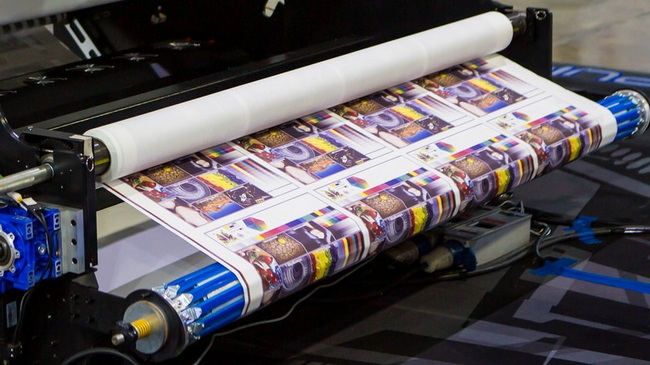
Several models stand out as top sublimation printers for beginners, each suited to a different stage of growth and budget level.
The main options include the Epson SureColor F170, Epson SureColor F570, Sawgrass SG500, and a converted Epson EcoTank ET-2800.
Quick recommendations:
- Best beginner-friendly printer: Epson SureColor F170
- Best for growing businesses: Epson SureColor F570
- Best high-resolution option: Sawgrass SG500
- Best low-budget converted option: Epson EcoTank ET-2800
The Epson SureColor F170 is a compact, purpose-built sublimation printer that prioritizes ease of use for first-time users.
It combines straightforward installation, official sublimation ink, and a manageable price point for serious beginners.
- Max print resolution: 1200 × 600 dpi
- Max paper size: up to 8.5" × 47.2"
- Ink type: bottles (dedicated sublimation ink)
- Paper capacity: 150 sheets
- Dimensions: 14.8" × 19.8" × 7.4"
- Weight: 10.2 lbs
- Warranty: 1-year unit exchange
- Typical starter price: around $450 including starter ink and paper
The Epson F170 suits beginners who want a reliable printer that is ready for sublimation out of the box.
It is ideal for producing T-shirts, tote bags, mugs, tumblers, and small rigid items when paired with suitable pressing equipment.
The Epson SureColor F570 targets beginners who already plan to handle larger designs or higher volumes.
Its wide-format capability and roll support make it well suited for small business environments.
- Max print resolution: 2400 × 1200 dpi
- Max paper width: 24.4" (sheets and rolls)
- Paper capacity: 50 sheets
- Ink type: bottles
- Dimensions: 38" × 32" × 10"
- Weight: 64 lbs
- Warranty: 1-year unit exchange
- Typical starter price: about $2,900 with printer, paper, and eight ink bottles
The Epson F570 fits beginners who treat sublimation as a business and need efficient production of larger or multiple designs on each sheet.
It works particularly well for bulk apparel, banners, table runners, and other wide-format products.
The Sawgrass SG500 focuses on high-quality output and user-friendly setup, making it attractive for detail-oriented beginners.
Its cartridge system simplifies installation, and its ecosystem supports color-critical work.
- Max print resolution: 4880 × 1200 dpi
- Max paper size: 8.5" × 14" (up to 8.5" × 52" with bypass tray)
- Ink type: cartridges (Sublijet)
- Dimensions: 15.75" × 17.25" × 8.5"
- Weight: 11 lbs
- Warranty: 2 years
- Typical starter price: around $630 with printer, ink, and paper
- Replacement ink set cost: about $300
The Sawgrass SG500 suits users who prioritize detailed photo prints, fine text, and strong color management.
It is well suited for premium mugs, photo panels, coasters with small typography, and other high-detail items.
The Epson EcoTank ET-2800 is an inkjet printer frequently converted to sublimation by filling its tanks with sublimation ink.
This approach lowers initial cost but introduces trade-offs in support and reliability.
- Max print resolution: up to 5760 dpi
- Max paper size: 8.5" × 14"
- Ink type: bottles
- Dimensions: 14.8" × 22.8" × 10"
- Weight: 8.6 lbs
- Warranty: void once converted
- Approximate printer price: around $250, with sublimation ink purchased separately
A converted Epson ET-2800 is appropriate only for users who accept the risks of voided warranty and potential clogging to keep upfront investment very low.
It is best for experimental setups or ultra-budget hobby use rather than long-term commercial workflows.
A clear comparison helps beginners align printer choice with goals and budget.
Feature | Epson F170 | Epson F570 | Sawgrass SG500 | Epson ET-2800 (Converted) |
Approx. price | ~$449 | ~$2,495-2,900 | ~$574-630 | ~$199.99-250 |
Printer type | Dedicated sublimation | Dedicated sublimation | Dedicated sublimation | Converted inkjet |
Sublimation-ready | Yes | Yes | Yes | No |
Max print width | 8.5" | 24.4" | 8.5" | 8.5" |
Max print length | Up to 47.2" | Roll-dependent | Up to 52" (tray) | Up to 14" |
Max resolution | 1200 × 600 dpi | 2400 × 1200 dpi | 4880 × 1200 dpi | Up to 5760 × 1440 dpi |
Ink type | Bottles | Bottles | Cartridges | Bottles |
Starter ink included | Yes | Yes | Yes | No |
Starter paper included | Yes | Yes | Yes | No |
Weight | 10.2 lbs | 64 lbs | 11 lbs | 8.6 lbs |
Warranty | 1 year | 1 year | 2 years | Void after conversion |
This overview shows that dedicated sublimation models offer more predictable performance and valid support than a converted EcoTank, especially for beginners.
Converting an inkjet printer such as the EcoTank ET-2800 to sublimation is possible but introduces several issues that new users should evaluate carefully.
These risks affect print consistency, maintenance efforts, and long-term cost.
- Performance variability: Wheel marks, banding, or inconsistent color may appear because the printer was not engineered for sublimation ink.
- Clogging risk: Heavier sublimation ink can clog the print head more easily, increasing the need for cleaning cycles and wasting ink.
- Loss of warranty: Using third-party sublimation ink in a non-sublimation printer voids the manufacturer warranty.
- Limited support: Official support teams typically do not assist with configurations outside supported ink types.
Beginners seeking smooth learning and minimal troubleshooting are usually better served by a dedicated sublimation printer.
A structured decision process helps beginners match printer choice to real-world requirements.
Considering products, volume, budget, and workspace is more effective than looking at price alone.
- Small items: mugs, tumblers, coasters, ornaments, keychains, and basic shirts
- Suitable for Epson F170 or Sawgrass SG500.
- Larger or wide-format products: blankets, banners, table runners, and full-size jerseys
- Better matched with the Epson F570.
- Low to moderate volume for gifts and small online shops can be handled by compact printers.
- Higher volume or frequent bulk orders benefit from wide-format printing and ganged layouts.
- Initial equipment purchase is only part of the cost; ink, paper, and maintenance also matter.
- Cartridges for high-end systems often cost more per print than bottle-based options.
- User reviews, video tutorials, and community showcases help new users navigate installation and color tuning.
- Strong documentation and active communities shorten the learning curve significantly.
- Dedicated sublimation printers retain full warranty and direct support, which is reassuring for beginners.
- DIY conversions remove those safety nets and shift all responsibility to the user.
A simple, repeatable workflow makes it easier to get consistent results from any beginner sublimation printer.
1. Prepare the workspace
- Use a stable table with room for the printer, computer, and pressing equipment.
- Maintain good ventilation and clear pathways for handling hot blanks.
2. Install printer and ink
- Follow the manufacturer's steps to install drivers and load ink correctly.
- Run nozzle checks and head alignment before printing real designs.
3. Configure print settings
- Select the correct media type, size, and quality for the sublimation paper.
- Enable image mirroring so designs transfer in the correct orientation.
4. Print a test design
- Start with a small design on a sample blank to verify colors and sharpness.
- Adjust profiles or saturation settings if colors look washed out or too dark.
5. Press with suitable equipment
- Use a flat heat press, mug press, or tumbler press capable of stable, even heat and pressure across the surface.
- Apply recommended time and temperature settings for each type of blank.
6. Inspect and refine
- Look for ghosting, uneven color, or faded spots after pressing.
- Fine-tune press pressure, dwell time, or print density until results become consistent.
The most important step now is to select a beginner-friendly sublimation printer that matches your budget, target products, and growth plans, then pair it with reliable pressing equipment and quality supplies.
Review the strengths of the Epson F170, F570, Sawgrass SG500, and EcoTank ET-2800, decide which balance of price, size, and quality fits your situation, and commit to a setup that you can use confidently every week.
Once your choice is clear, move forward by ordering the printer, securing a stable heat press or specialized mug or tumbler press, and stocking compatible blanks so you can immediately turn designs into finished products and start building your portfolio or business.
For most beginners, the Epson SureColor F170 offers a strong combination of affordability, ease of setup, and dedicated sublimation support.
It provides enough print area for common items like shirts, mugs, and small decor while keeping operation straightforward.
A converted Epson EcoTank ET-2800 can be used with sublimation ink but is less suitable as a first choice because conversion voids the warranty and may lead to more frequent clogging or maintenance.
It is better suited for users who accept experimentation and potential replacement costs.
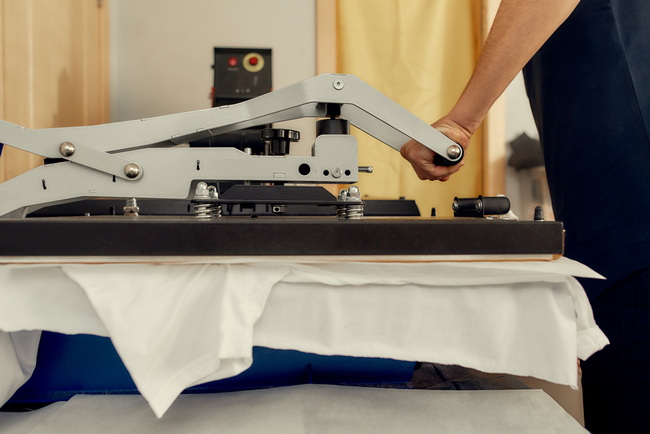
Reliable sublimation requires a heat press, mug press, or tumbler press that can reach appropriate temperatures and maintain even pressure across the print area.
Standard household irons do not provide stable coverage or control and are not recommended for consistent results.
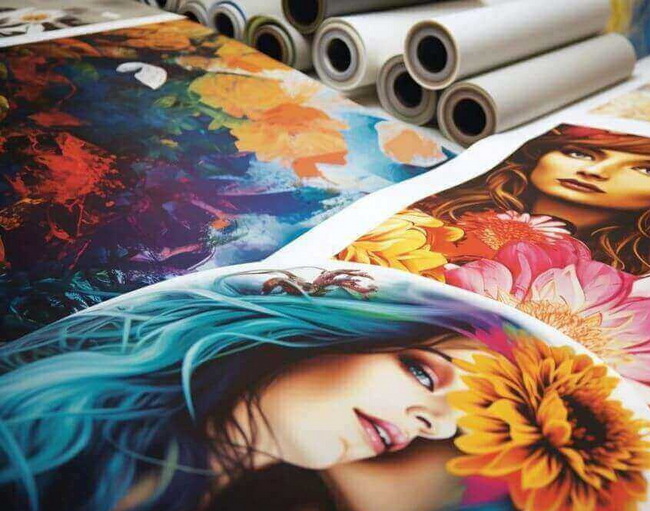
The Sawgrass SG500 stands out for photo-quality work due to its high maximum resolution and refined color-management tools.
It is particularly effective for photo panels, detailed designs, and small text where clarity is critical.
The Epson SureColor F570 is better suited for scaling because its 24.4" print width and roll capability allow efficient production of multiple items in a single print run.
This capacity supports larger garments, textiles, and wide-format decor projects with fewer print cycles.


