If you have any questions, please feel free to contact us.| Email Us: info@dcheatpress.com


Views: 222 Author: Amanda Publish Time: 2025-12-25 Origin: Site


Content Menu
● What Is Sublimation Printing?
● Why Not Every Printer Works for Sublimation
● Epson EcoTank vs Epson SureColor for Sublimation
>> EcoTank vs SureColor: Key Differences
● Why a Dedicated Sublimation Printer Is Often the Best Choice
● When a Converted EcoTank Printer Makes Sense
● How to Convert an Epson-Style EcoTank Printer for Sublimation
>> Step-by-Step Conversion Overview
● When to Upgrade to Larger or Higher-End Sublimation Printers
● Best Practices for Getting Bright, Durable Sublimation Prints
● Build a Sublimation Printing Setup That Matches Your Ambition
● FAQs: Epson Printers for Sublimation
>> 1. Which Epson-style printer is best for beginners in sublimation?
>> 2. Can I use any Epson inkjet printer for sublimation if I just change the ink?
>> 3. Do I really need ICC profiles for sublimation printing?
>> 4. What materials can I print on with a sublimation-ready Epson setup?
>> 5. How do I know when it is time to upgrade my sublimation printer?
Choosing the best Epson printer for sublimation is the key to building a reliable, profitable customization business that delivers vibrant, long-lasting prints on a wide range of products. For crafters and small brands, a dedicated sublimation setup saves time, reduces waste, and makes it easier to consistently delight customers.
Sublimation printing is a digital process where special dye-based ink turns into gas under heat and pressure, bonding with polyester fibers or polymer-coated surfaces instead of sitting on top of them like traditional vinyl. This creates smooth, durable prints that resist cracking, peeling, and fading even after many washes.
Because sublimation relies on heat-activated dye, it requires compatible blanks, such as polyester-rich fabrics, coated tumblers, mugs, metal plates, and other specially treated surfaces.
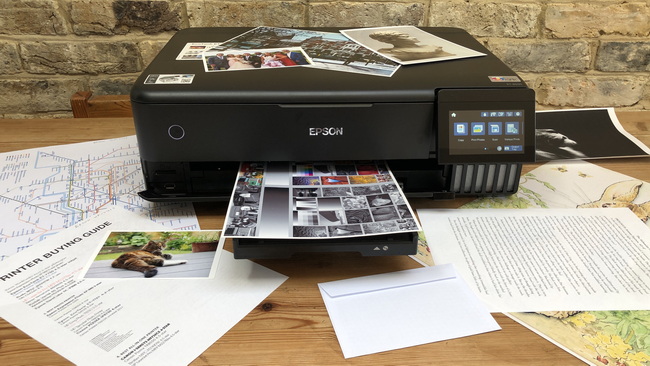
Not every desktop printer can safely handle sublimation ink, even if it looks similar on the outside. Many office printers use thermal inkjet technology, which heats the ink in the printhead and can trigger sublimation ink too early, causing clogs and damage.
Printers designed with mechanical (MicroPiezo-style) printheads are much better suited because they eject ink by pressure rather than heat, keeping sublimation ink stable until it is activated in a heat press or oven.
Epson printers used for sublimation usually fall into two broad categories: EcoTank models that users convert for sublimation, and SureColor models that are engineered specifically for dye-sublimation. Understanding the difference helps match the printer to your budget, risk tolerance, and growth plans.
EcoTank printers are general-purpose inkjets with refillable tanks, making them attractive for budget-conscious users who are willing to convert and maintain the system. SureColor printers, by contrast, are factory-configured for sublimation, optimized for reliability and color accuracy.
Feature / Aspect | SureColor Sublimation Models | Converted EcoTank Models |
Intended use | Dedicated sublimation | General inkjet, manually adapted |
Ink type | Purpose-made sublimation ink | Third-party sublimation ink |
Warranty alignment | Used as designed | Often compromised |
Setup complexity | Plug-and-play | Requires conversion steps |
Color consistency | Tuned profiles and settings | Depends on ink/paper/profiles |
Best suited for | Serious crafters, businesses | Budget and experimentation |
Users who prioritize predictable quality, smoother support, and minimal troubleshooting often lean toward dedicated sublimation models. Those exploring sublimation as a side hobby sometimes start with conversion to reduce initial investment.
A purpose-built sublimation printer is calibrated from the factory for dye-sublimation inks, papers, and workflows, which reduces the learning curve and improves day-to-day reliability. It typically comes with firmware, drivers, and color profiles tailored for sublimation, so prints look closer to “what you see is what you get.”
This type of printer is especially valuable if you sell products to paying customers, because consistent color and predictable output matter more as your order volume grows and your brand reputation becomes tied to print quality.
Converting a compatible EcoTank printer can still be a practical option, especially when carefully planned from day one. This route appeals to makers who already own a suitable EcoTank model that has never been filled with standard ink, or who want the lowest possible initial cost while they test product ideas.
However, conversion adds responsibility: users must handle ink selection, ICC profiles, maintenance routines, and potential warranty trade-offs themselves. The more critical your production schedule is, the more important it becomes to weigh these risks.

For those who choose conversion, a simple, structured process helps protect the printer and improve print quality. The crucial rule is that the printer must be brand-new or completely free of standard ink before sublimation ink is introduced.
1. Choose a compatible model
Select a tank-based inkjet printer that uses mechanical printheads and has a proven track record in the sublimation community.
2. Keep the included ink sealed
Do not install the original dye or pigment ink. Once regular ink enters the system, it is difficult to remove fully and can contaminate sublimation ink.
3. Fill tanks with sublimation ink
Use high-quality sublimation ink bottles that match the tank design, filling carefully to the indicated levels for each color channel.
4. Prime and test the system
Run the initial charging cycle, then print nozzle checks and color swatches until all lines are solid and colors appear clean and stable.
5. Install and apply ICC profiles
On the computer, install profiles designed for the combination of printer model, specific sublimation ink, and preferred sublimation paper.
6. Perform test presses on sample blanks
Print a multi-color design, press it onto a test blank using recommended time, temperature, and pressure, and adjust settings if colors look dull or shifted.
This process emphasizes control and repeatability. Users who follow it carefully typically experience fewer clogs, fewer color surprises, and more reliable results over time.
As order volume grows and product lines diversify, many businesses outgrow entry-level or desktop-sized printers. At that point, moving into larger or more advanced sublimation models becomes an investment in efficiency and scalability.
Signs that it may be time to upgrade include:
- You want to produce all-over shirts, blankets, or large fabric panels that exceed standard letter or legal widths.
- Production days are running long because a single desktop printer cannot keep up with the number of transfers needed.
- You plan to add soft signage, banners, or other large-format items that require roll media and wider printheads.
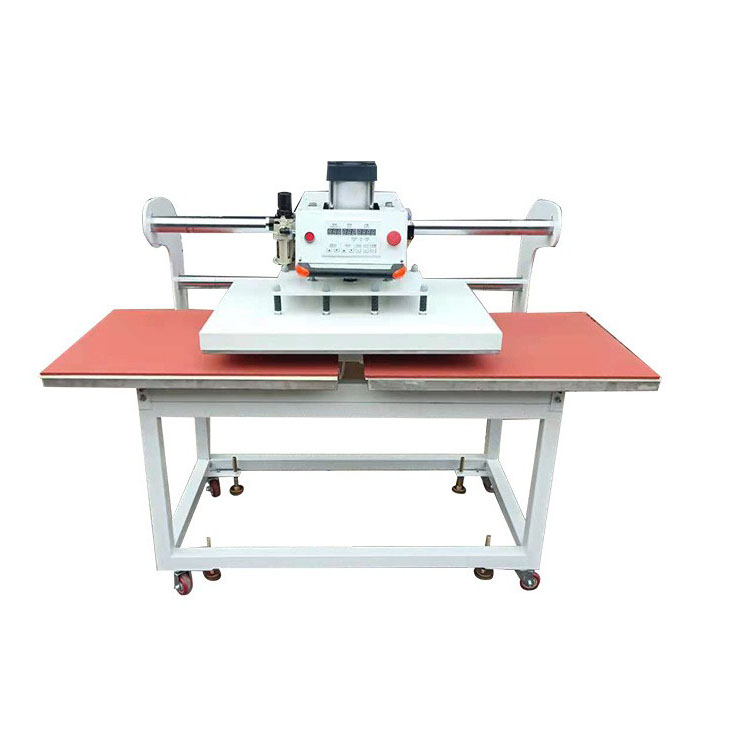
Pairing these higher-end printers with professional heat presses, fusing systems, and embossing machines helps maintain even temperature, pressure, and throughput across your entire workflow.
No matter which printer category you choose, good technique is what turns equipment into profit. A few best practices go a long way toward achieving bright, consistent results.
- Use correct blanks
Work with sublimation-ready products, such as polyester garments, coated stainless steel tumblers, ceramic mugs, and specially treated boards.
- Match ink, paper, and profiles
Select reputable sublimation ink, pair it with high-quality sublimation paper, and use appropriate ICC profiles or color settings.
- Control heat and pressure
Follow the blank manufacturer's recommended time and temperature, adjusting only after controlled testing on sample pieces.
- Minimize moisture and movement
Lightly pre-press fabrics to remove moisture and use heat-resistant tape to keep transfers from shifting and creating ghosting.
When printers and heat presses are correctly matched and calibrated, the workflow becomes more predictable and customer complaints decline sharply.
If you are serious about creating professional-grade sublimation products, the right printer is only one part of the equation. A well-matched setup combines a reliable sublimation-capable Epson printer with dependable heat presses, fusing machines, and finishing equipment, ensuring each print is vivid, durable, and repeatable.
Now is the ideal moment to define your priorities—budget, product range, and growth plans—then select a printer category and matching heat press that support those goals. Start by mapping your top three products, choose a sublimation-ready Epson solution that can handle them comfortably, and pair it with presses and machines that keep pace with your ambitions, so every design you produce becomes a showcase for your brand.
For beginners, a compact, dedicated sublimation printer or a carefully chosen tank-based model with a simple conversion path is usually the best option. It keeps setup straightforward while still providing good color and reliability.
No. Only printers with compatible printhead technology and refillable systems should be considered, and they must be completely free of standard ink before adding sublimation ink. Using incompatible models can lead to clogs and damage.
While it is possible to print without custom profiles, ICC profiles greatly improve color accuracy, especially for photos, skin tones, and brand colors. They help align what you see on screen with what you press onto blanks.
Sublimation works best on polyester-rich textiles and polymer-coated hard goods. That includes clothing, tote bags, drinkware, coasters, ornaments, photo panels, and many other items specifically labeled as sublimation-ready.
If your current printer cannot keep up with orders, limits your product size, or struggles with consistent color across large runs, it may be time to move to a larger or more advanced sublimation printer that supports wider media and higher throughput.


