If you have any questions, please feel free to contact us.| Email Us: info@dcheatpress.com


Views: 222 Author: Amanda Publish Time: 2025-12-28 Origin: Site


Content Menu
● Why Heat Press Mistakes Cost You Real Money
● Mistake 1: Using Wrong Time, Temperature, and Pressure
● Mistake 2: Uneven Pressure and Adhesion
● Mistake 3: Skipping Test Prints
● Mistake 4: Ignoring Preheating
● Mistake 5: Forgetting to Mirror the Design
● Mistake 6: Misaligned Design Placement
● Mistake 7: Wrong Fabric–Transfer Match
● Mistake 8: Incorrect Peel Timing
● Mistake 10: Ignoring Ventilation
● Mistake 11: Skipping Accessories
● Mistake 12: Disregarding Manufacturer Instructions
● Mistake 13: Lack of Workflow Standardization
● Mistake 14: Not Tracking Performance Metrics
● Mistake 15: Using Poor-Quality Equipment
● The Zero-Mistake Heat Press Routine
● Take Control of Your Heat Press Success
● FAQs
>> 1. What is the most common heat press mistake?
>> 2. How often should a heat press be calibrated?
>> 3. Can one setting work for all materials?
>> 4. What are the advantages of DTF over HTV or sublimation?
>> 5. When should I upgrade my heat press machine?
Running a heat press business can be profitable only when your prints are consistent, durable, and visually flawless. Hidden mistakes in settings, technique, or maintenance can quietly erase your profit margins and hurt your brand's reputation. This comprehensive guide walks you through fifteen crucial heat press mistakes to avoid and offers expert strategies to achieve consistent, high-quality results.
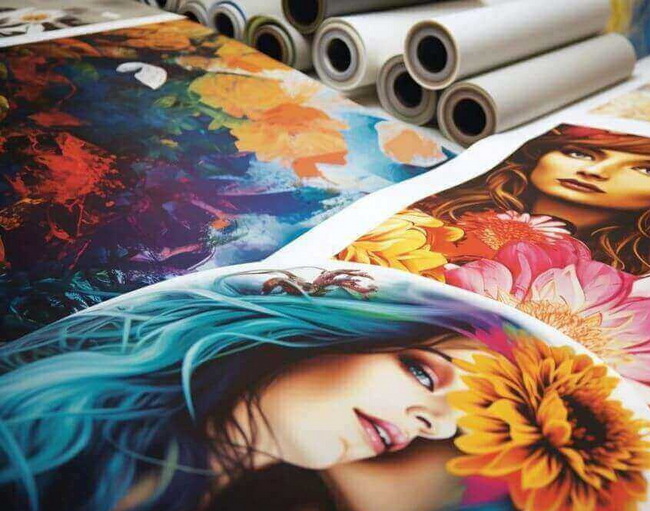
Even small errors in time, temperature, or pressure can lead to returns, wasted materials, and unhappy customers. Treat your workflow like a production system—each step should be documented and optimized for repeatable performance.
- Failed transfers waste garments, film, and ink.
- Inconsistent quality reduces repeat orders.
- Poor maintenance shortens machine lifespan and increases downtime.
Incorrect heat press settings are the fastest way to ruin prints. Fading colors, peeling, or scorching often trace back to faulty calibration.
How to correct it:
- Start with manufacturer-recommended settings for your transfer type.
- Adjust gradually based on fabric type and thickness.
- Record optimal results for different materials in a logbook.
- Invest in a press with accurate digital controls for consistency.
| Transfer Type | Temperature | Time | Pressure | Notes |
|---|---|---|---|---|
| DTF Transfers | 300–320°F (149–160°C) | 10–15 s | Medium | Works on multiple fabrics |
| Sublimation | 375–400°F (190–204°C) | 40–60 s | Medium | Only for polyester materials |
| HTV | 300–320°F (149–160°C) | 10–20 s | Medium | Ideal for cotton and blends |
| Screen-Printed Transfers | 325–375°F (163–191°C) | 7–15 s | Medium–High | Check for hot peel instructions |
Even when temperature is perfect, uneven pressure can result in patchy colors or partial bonding.
How to fix it:
- Load blank garments to test pressure balance.
- Use pressing pillows beneath zippers and seams.
- Recheck the pressure each time you switch garments or platens.
Skipping test prints is a costly mistake when starting new jobs.
Perform testing whenever:
- You use a new transfer or fabric.
- Your press has been serviced or replaced.
- You notice differences in design color or texture.
A single test print helps validate settings and prevents entire batch reworks.
Fabrics absorb moisture, which interferes with pressing. Preheating eliminates this and smooths out wrinkles.
Best practice:
- Pre-press for 3–5 seconds.
- Heat the lower platen before the first job.
- Avoid overheating delicate synthetic fabrics.
Failing to mirror artwork for HTV or sublimation causes reversed prints. Avoid this by checking the “mirror” box in design software or using a visual checklist before printing.
Even perfect prints look unprofessional if placed incorrectly.
Tips for better placement:
- Use alignment tools or laser guides.
- Maintain standard margins between the neckline and design.
- Secure designs with heat-resistant tape to prevent shifting.
Each transfer reacts differently on certain fabrics.
- Sublimation only bonds with polyester coatings.
- HTV works well on cotton blends but not on nylon.
- DTF provides the widest fabric compatibility.
Selecting the wrong pairing often leads to poor adhesion or faded images.
Peeling at the wrong temperature causes distortion and cracking. Follow the manufacturer's peeling method:
- Hot peel: Remove immediately.
- Warm peel: Wait 5–10 seconds.
- Cold peel: Wait until completely cool.
Also, avoid washing prints within 24 hours of pressing.
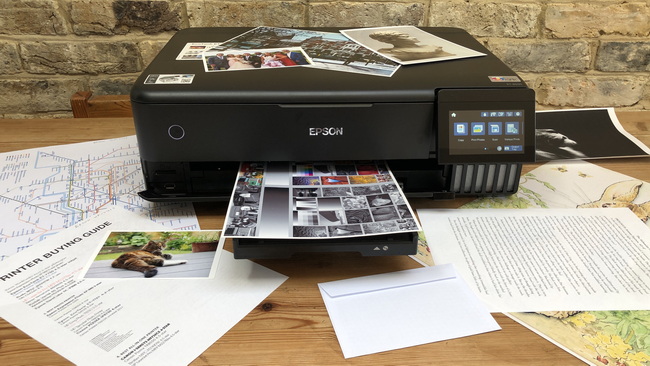
Neglecting maintenance leads to uneven heating, mechanical wear, and lower output quality.
Routine actions:
- Clean the platen regularly using approved cleaners.
- Avoid metal scrapers or abrasives.
- Lubricate hinges and press joints as instructed.
- Inspect twice yearly for cracks or warping.
Fumes from vinyl or adhesives can build up during pressing. Always work in a ventilated area or near airflow to ensure a safe workspace.
Accessories like Teflon sheets and pillows are essential for top-tier results.
- Teflon sheet: Prevents scorching and residue buildup.
- Pressing pillow: Levels uneven areas like seams or zippers.
- Cover sheets: Keep ink from transferring to the platen.
Each heat press and transfer type is different. Ignoring supplier directions causes unnecessary trial and error.
Checklist:
- Keep all manuals accessible.
- Note default settings from suppliers and adjust by testing.
- Train team members to use the same documented process.
Without a defined workflow, quality depends solely on individual experience.
Solution: Build an easy-to-follow SOP that covers:
- Pre-press and setup.
- Correct settings by fabric and transfer.
- Established QC checks before shipment.
This ensures uniformity and reduces learning time for new operators.
Monitoring performance allows you to identify weak points and improve efficiency.
Track metrics such as:
- Error rate per batch.
- Production time per order.
- Return or complaint rate.
Data-driven analysis helps refine workflows and increase reliability.
Low-grade presses lack accuracy and consistency.
Features to look for in a professional press:
- Uniform temperature distribution.
- Stable pressure mechanics.
- Durable structure for long-term usage.
Investing in precision-built equipment ensures repeatability, stable quality, and higher production capacity.
For every production run, follow this simplified checklist:
1. Verify fabric and select the correct transfer.
2. Preheat press and garment.
3. Set accurate time, temperature, and pressure.
4. Conduct a test print.
5. Align design and apply tape.
6. Peel correctly and respect curing time.
7. Inspect final garments for quality.
Mistakes happen—but they don't have to cost your business. By adopting best practices, using proper technique, and relying on precision-engineered equipment, you can ensure every print meets the highest quality standards. Equip your workshop to handle every fabric and transfer type efficiently and safely.
Upgrade your process today with high-performance heat press equipment, expert advice, and reliable global support. Visit dcsbheatpress.com to explore professional solutions engineered for consistent results and long-term growth.
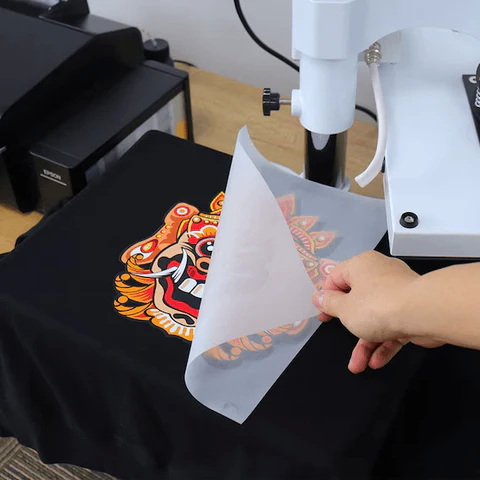
Using incorrect time, temperature, and pressure combined with improper calibration often causes dull colors or peeling results.
For daily users, check temperature and pressure accuracy at least once per month to maintain consistent output.
No. Each transfer type and fabric combination needs customized settings. Record tested values for quick future reference.
DTF works across multiple fabrics with vibrant, durable finishes, while HTV and sublimation require more specific materials.
If you frequently experience uneven heating, unstable pressure, or downtime, upgrading to a high-quality machine ensures reliability and improved productivity.


